NORMAL OPERATION
Power ON/OFF
Press and hold (>2S) to power on the display,
the HMI begin to show the boot up LOGO. Press
and hold (>2S) again can power off the HMI.
If the “automatic shutdown” time is set to 5 min-
utes (it can be set in function “Auto Off”), the HMI
will be automatically turned off within this set
time, When it is not operated.
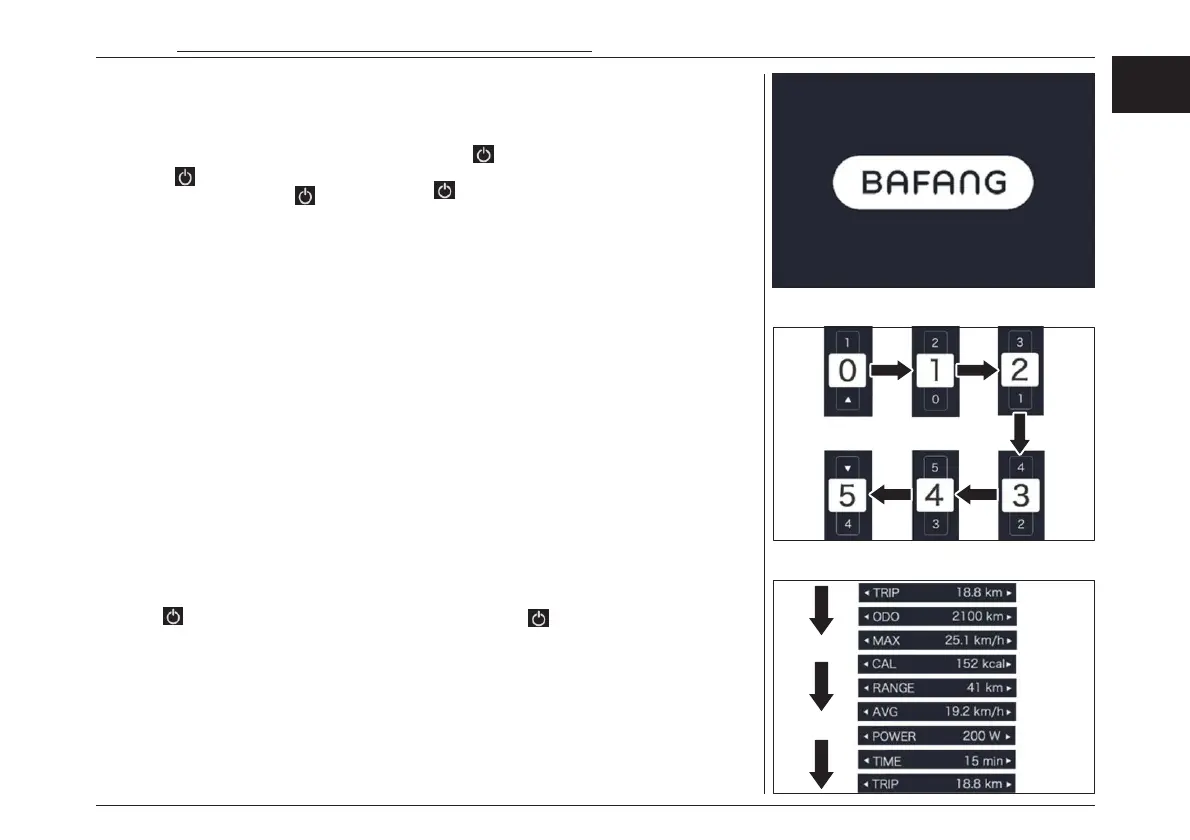
Power Assistance Level Switch
When HMI power on, briefly press ”+” or ”-” to
select the assistance level (the number of assis-
tance level needs to be adapted to controller),
The lowest level is Level 0, the highest Level is 5.
On the default is Level 1,“0”means no power as-
sistance. The interface is as following:
Multiple Function Interfaces Switch
Briefly press button to view the different
mode and information.
– System with torque sensor, circularly show
single trip distance (Trip, km), total distance
(ODO, km), maximum speed (MAX, km/h), av-
erage speed (AVG, km/h), remaining distance
(RANGE, km), energy consumption (CALORIES/
CAL, KCal), real-time output power (POWER,
w), riding time(TIME, min).
一般的な操作方法
電源のON/OFF
バッテリー電源ボタンを押してからHMIメイン電
源(2秒間) を押して下さい。HMI はロゴを
表示し起動し始めます。再度 押す(2秒間)と
電源を切ることができます。「自動シャットダウ
ン」を設定すると、何も作動させない場合、HMI
は5分後に自動的に電源が切れます(セッティン
グメニューの「Auto Off」で設定することができ
ます) 。
電動アシストレベルスイッチ
HMI の電源がONの状態で、アシストレベルは
「+」を押すか、または「-」を押すと選択できます。
最低レベルはレベル 0、最高レベル5です。初
期設定はレベル 1になります。インターフェイス
は次の項目をご確認ください。
多機能インターフェーススイッチ
電源ボタン を軽く押すと別のモード画面へ切り替
えることが可能です。
– トルクセンサー付きシステムの場合、1回の
走行距離(Trip, km)、総走行距離(ODO,
km)、最高速度(MAX, km/h)、平均速度
(AVG, km/h)、残距離(RANGE, km)、エ
ネルギー消費量(CALORIES/ CAL, KCal)、
リアルタイム出力(POWER, w)、ライディン
グタイム(TIME, min)を繰り返し表示してい
ます。
電動アシスト機構を使いこなそう - USING POWER ASSISTED PEDALLING
55
EN
JPN



 To Next Page