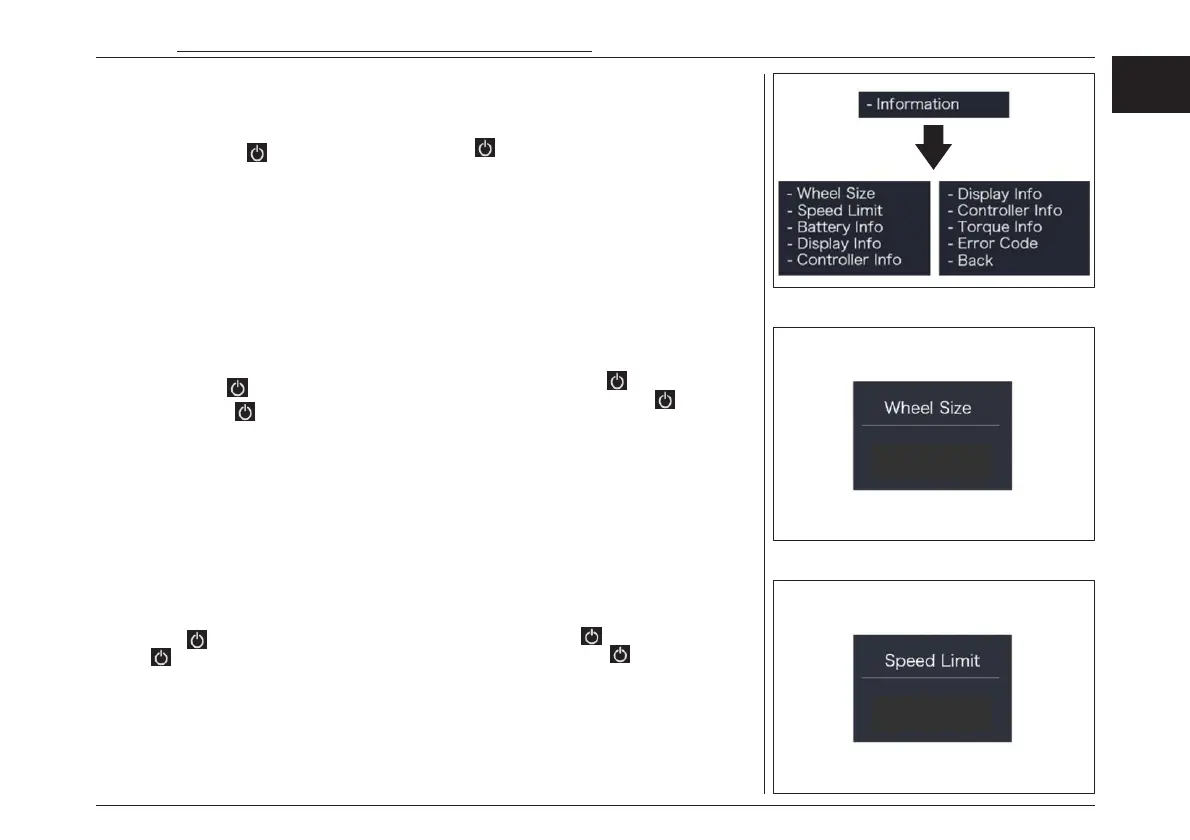
“Information” interface
In “SETTING” interface, briefly press (<0.5S) “+”
or “-” to select “Information” and then briefly
press (<0.5S) to confirm and enter into “Infor-
mation”.
“Wheel size”
Briefly press “+” or “-” to select ” Wheel Size”,
and then briefly press to view the wheel
size default, then briefly press to exit back
to the “Wheel Size”. Press and hold “+” and “-”
synchro- nously to exit back to the main
interface, or you can also select “BACK” and
“EXIT” to exit back to the main interface.
“Speed limit”
Briefly press “+” or “-” to select ” Speed Limit”,
and then briefly press to view the speed limit
default, then briefly press to exit back to the
“Speed Limit”. Press and hold “+” and “-” syn-
chronously to exit back to the main interface, or
you can also select “BACK” and “EXIT”to exit back
to the main interface.
“速度制限”
“+”または“-”を押して“Speed Limit(速度制
限)”を選択し を押すと、制限速度が表示され
ます。 短押しして"Speed Limit(速度制
限)"に戻ります。“+”と"-"を同時に長押しし保
存してメインインターフェースに戻るか、"BACK
"と "EXIT "を選択してメインインターフェースに
戻ることができます。
※デフォルトの設定変更はできません。
“ホイールサイズ”
“+”または“-”を押して “Wheel Size(ホイール
サイズ) ”を選択し、 を押してホイールサイズ
を 表 示 し ま す 。 短 押 し し て “Wheel
Size(ホイールサイズ)”に戻ります。 “+”と"-"
を同時に長押しし保存してメインインターフェー
スに戻るか、"BACK "と "EXIT "を選択してメ
インインターフェースに戻ることができます。
※デフォルトの設定変更はできません。
“インフォメーション” (インターフェース)
“SETTING( 設定)” 画面で「 +」 または「 - 」 を
短押し(0.5秒間)して“Information(インフォ
メーション)”を選択し、 短押し(0.5秒間)して
入ります。
電動アシスト機構を使いこなそう - USING POWER ASSISTED PEDALLING
63
EN
JPN
24 km/h
22 Inch



 To Next Page