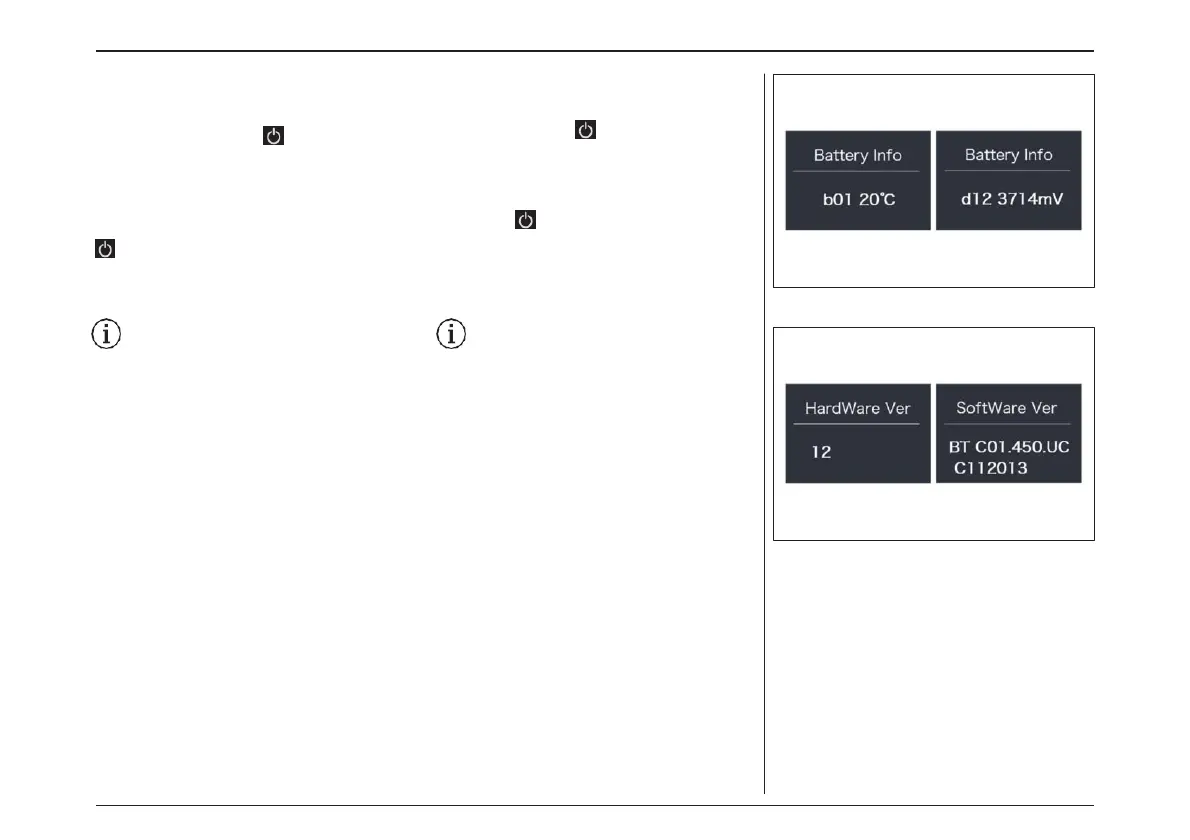
“Battery Info”
Briefly press “+” or “-” to go to “Battery Info.”, and
then briefly press to enter, then briefly press
“+” or “-” to view the battery data (b01 > b04 > b06
> b07 > b08 > b09 > b10 > b11 > b12 > b13 > d00
>
d01 > d02 > dn > Hardware Ver > Software Ver),
then briefly press to exit back to the “Battery
Info.”. Press and hold “+” and “-” synchronously
to save and exit back to the main interface, or you
can also select “BACK” and “EXIT” to exit back to
the main interface.
Notice: If the the battery is not a smart bat-
tery, you won’t see any data from battery.
“バッテリー情報”
“+”または“-”を押して"Battery Info(バッテ
リー情報)“を選択します。 短押しで開き、「+」
または「-」を短押しでバッテリーデータを表示し
ます(b01 > b04 > b06 > b07 > b08 >
b09 > b10 > b11 > b12 > b13 > d00
> d01 > d02 > dn > Har-dware Ver
>Software Ver)。
短押しで終了し、"Battery Info(バッテ
リー情報)"に戻ります。“+”と“-”を同時に長押
しし、保存してメインインターフェースに戻るか、
「BACK」と「EXIT」を選択することができます。
注意:スマートバッテリーでない場合は、
バッテリーからのデータは表示されません。
電動アシスト機構を使いこなそう - USING POWER ASSISTED PEDALLING
64



 To Next Page