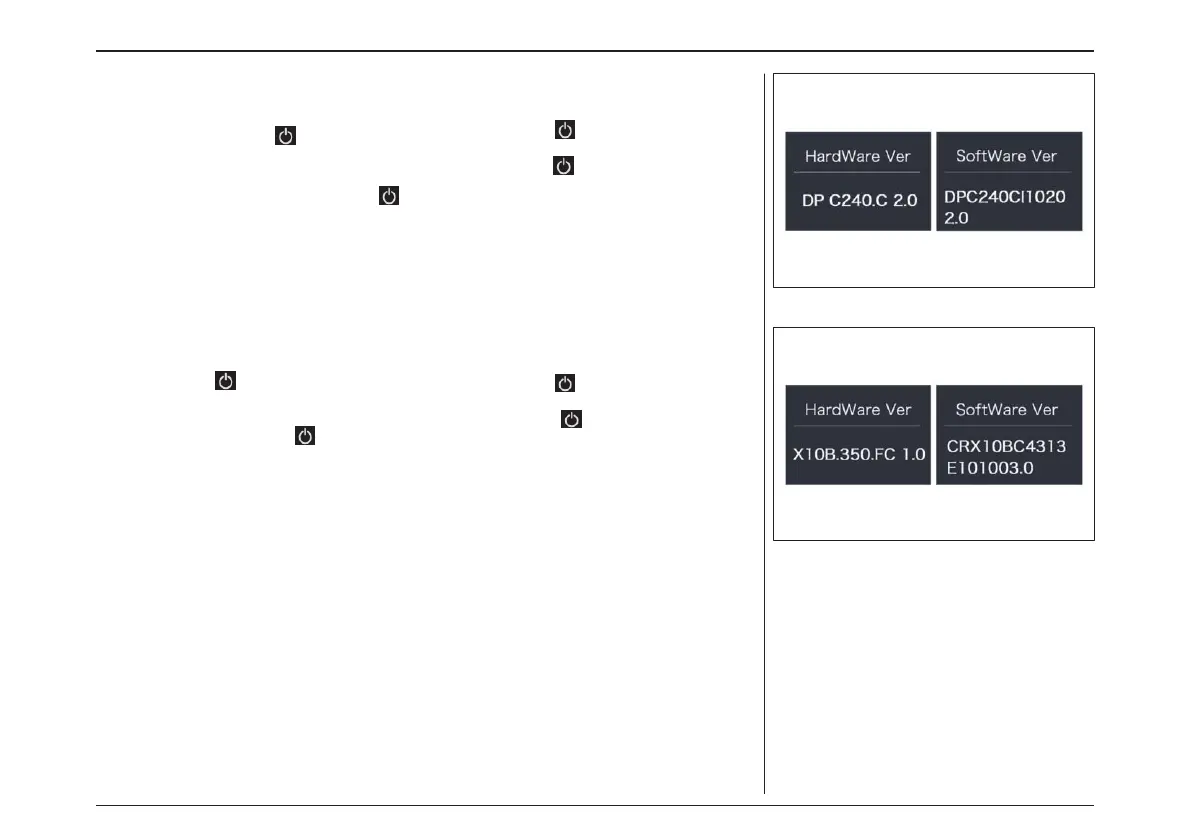
“Display Info”
Briefly press “+” or “-” to select ”Display Info”, and
then briefly press to view it, briefly press “+”
or “-” to view“Hardware Ver” or “Software Ver”,
then briefly press to exit back to the “Display
Info”. Press and hold “+” and “-” synchronously
to exit back to the main interface, or you can also
select “BACK” and “EXIT”to exit back to the main
interface.
“Ctrl Info”
Briefly press “+” or “-” to select ”Ctrl Info”, and
then briefly press to view it, briefly press “+”
or “-” to view“Hardware Ver” or “Software Ver”,
then briefly press to exit back to the “Ctrl
Info”. Press and hold “+” and “-” synchronously
to exit back to the main interface, or you can also
select “BACK” and “EXIT”to exit back to the main
interface.
“コントロール情報”
“+”または“-”を押して"Ctrl Info(コントロール
情報)"を選択し、 を押すと入れます。"+"ま
たは"-" を 押 し て "Hardware Ver" ま た は
"Software Ver"を表示し、"Ctrl Info(コント
ロール情報)"に戻るために を押して終了し
ます。同時に”+”と”-”を長押ししてメインイン
ターフェースに戻るか、または”BACK”と”EXIT”
を選択してメインインターフェースに戻ることがで
きます。
“ディスプレイ情報”
“+” または“-”を押して"Display Info(ディス
プ レ イ情 報 )“ を 選 択 し 、 を押 す と 入 れ ま
す。”+”または”-”で”ハードウェアVer”または”
ソフトウェアVer”を表示します。"Display
Info(ディスプレイ情報)“に戻るために を
押して終了します。同時に”+”と”-”を長押しして
メ イ ン イ ン タ ー フ ェ ー ス に 戻 る か 、 また
は”BACK”と”EXIT”を選択してメインインター
フェースに戻ることができます。
電動アシスト機構を使いこなそう - USING POWER ASSISTED PEDALLING
66



 To Next Page