– If system with a speed sensor, circularly show
single trip distance (Trip, km), total distance
(ODO, km), maximum speed (MAX, km/h), av-
erage speed (AVG, km/h), remaining distance
(RANGE,km), energy consumption (CALORIES/
CAL, KCal), riding time (TIME, min), cycle.
Headlight/Display Backlight Switch
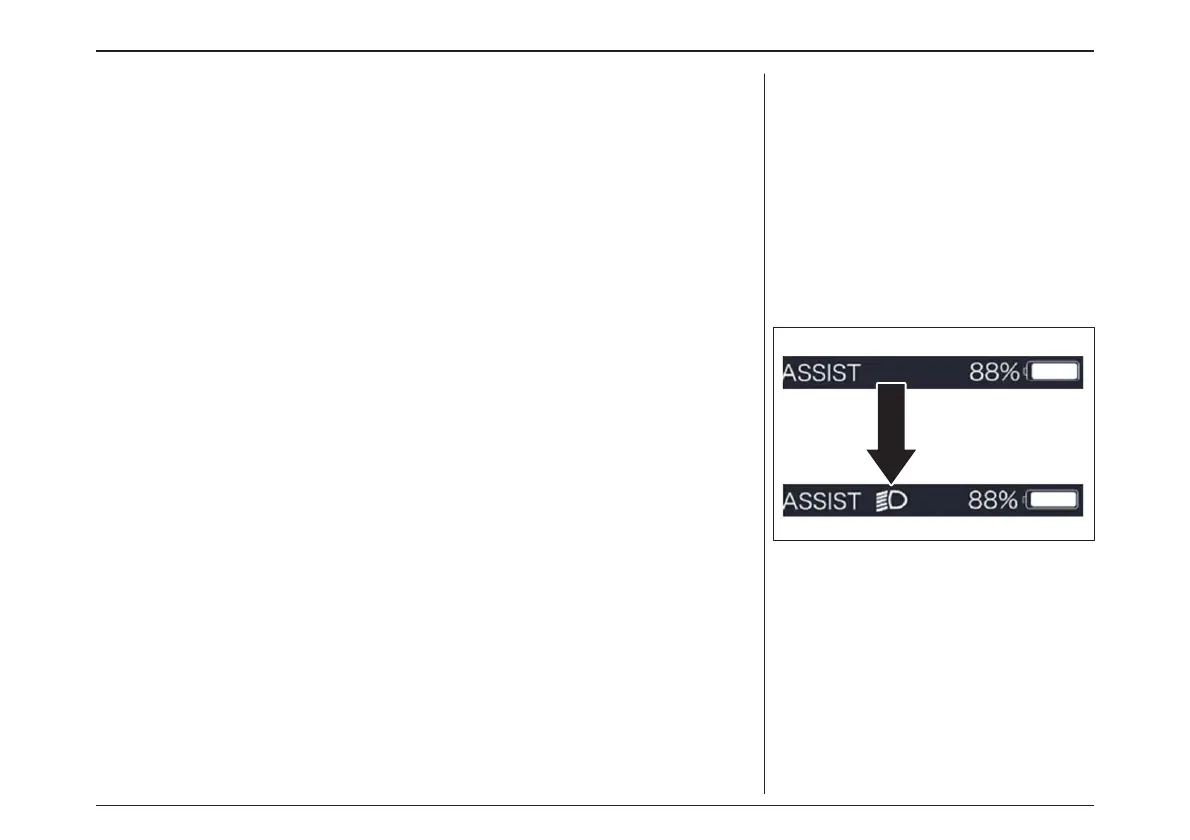
Press and hold ”+” (>2S) to turn on the backlight
as well as headlight, this moment you will see
the symbol of headlight in the screen; On the
contrary, press and hold ”+” again to turn off
the display backlight and the headlight (If the
display is turned on in a dark environment, the
display backlight/ headlight will be turned on au-
tomatically. If the display backlight/headlight are
turned off manually, they also need to be turned
on manually afterwards).
ヘッドライト/ディスプレイバックライトスイッ
チ
“+”を2秒間長押ししてバックライトとヘッドライト
を点灯させると、ヘッドライトのマークが表示され
ます。(暗い環境でディスプレイをオンにすると、
ディスプレイのバックライト/ヘッドライトが自動的
に点灯します。ディスプレイのバックライト/ヘッド
ライトを手動で消した場合は、その後に手動で
点灯させる必要があります)。
– 速度センサー付きシステムの場合は、1回の走行距離
(Trip, km)、総走行距離(ODO, km)、最高速度(MAX,
km/h)、平均速度(AVG, km/h)、残り走行距離
(RANGE,km)、消費エネルギー(CALORIES/ CAL,
KCal)、走行時間(TIME, min)、サイクルを繰り返し表示
します。
電動アシスト機構を使いこなそう - USING POWER ASSISTED PEDALLING
56



 To Next Page