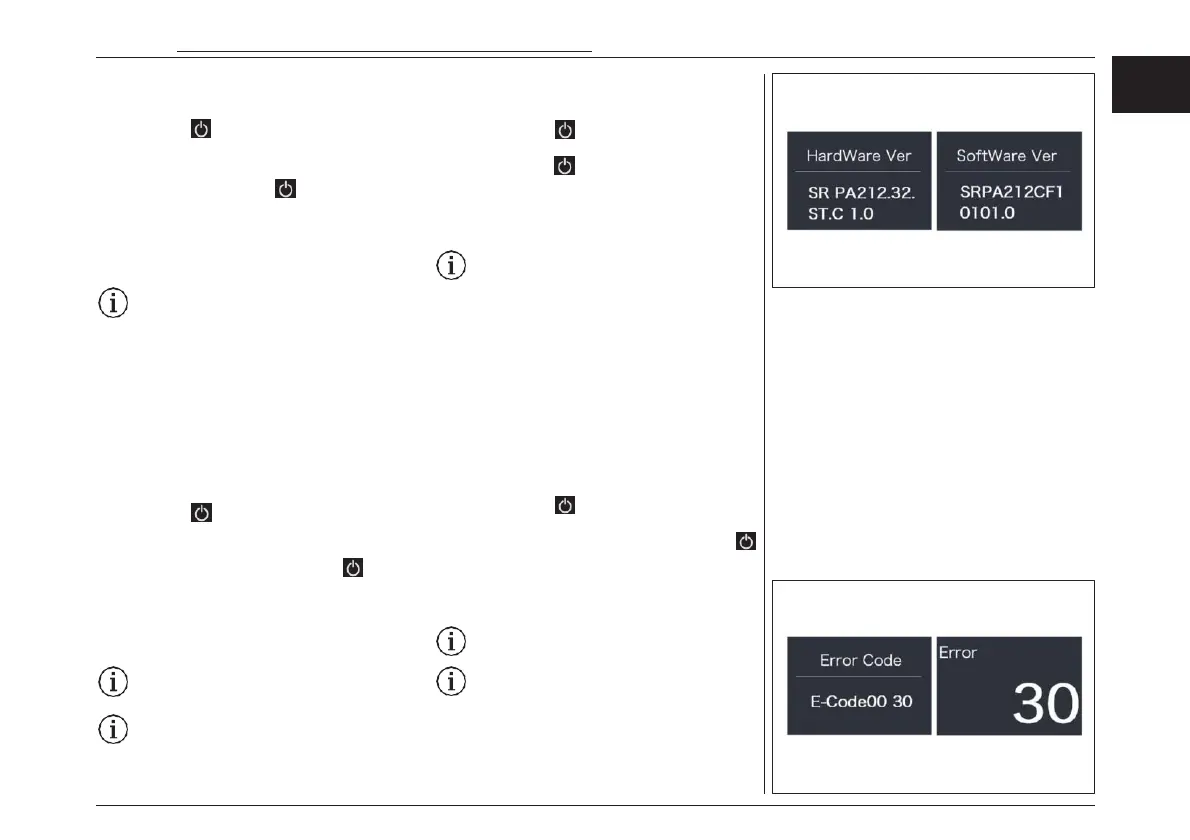
“Torque Info”
Briefly press “+” or “-” to select ”Torque Info”, and
then briefly press to view it, briefly press “+”
or “-” to view“Hardware Ver” or “Software Ver”,
then briefly press to exit back to the “Torque
Info”. Press and hold “+” and “-” synchronously
to exit back to the main interface, or you can also
select “BACK” and “EXIT”to exit back to the main
interface.
Notice: If your Pedelec has no torque
sensor, then “Torque Info”can not be
displayed.
“Error Code”
Briefly press “+” or “-” to select ”Error Code”, and
then briefly press to view it, briefly press “+”
or “-” to view message of error for last ten times
by “E-Code0” to “E-Code9”, then briefly press
to exit back to the “Error Code”. Press and hold
“+” and “-” synchronously to exit back to the
main interface, or you can also select “BACK” and
“EXIT”to exit back to the main interface.
Notice: 00 means no error exist.
For the list of error codes see chapter
“TROUBLESHOOTING”.
“エラーコード”
“+” or “-”を押して“Error Code(エラーコー
ド)”を選択し、 を押すと入れます。“+”または
“-”を押して“E-Code0”から“E-Code9”までの
過去10回のエラーのメッセージを表示し“Error
Code(エラーコード)”に戻るために を押して
終了します。同時に”+”と”-”を長押ししてメイン
イ ン タ ー フ ェ ー スに 戻 る か 、 ま たは ” BACK”
と”EXIT”を選択してメインインターフェースに戻
ることができます。
注意: 00はエラーが存在しないことを意
味します。
エラーコードのリストについては、「トラブルシュー
ティング」の章を参照してください。
“トルク情報”
“+”または“-”を押して“Torque Info(トルク情
報)”を選択し、 を押すと入れます。“+”または
“-” を 押 し て “Hardware Ver” ま た は
“Software Ver”を表示し、 “Torque Info(ト
ルク情報)”に戻るために を押して終了しま
す。同時に”+”と”-”を長押ししてメインインター
フェースに戻るか、または”BACK”と”EXIT”を
選択してメインインターフェースに戻ることができ
ます。
注意:トルクセンサーを搭載していない場
合、「トルク情報」は表示されません。
電動アシスト機構を使いこなそう - USING POWER ASSISTED PEDALLING
67
EN
JPN



 To Next Page