Fanvil Technology Co., Ltd
HQ Add: Level 3, Block A, Gaoxinqi Building, Anhua Industrial Park, Qianjin 1 Road, 35th District, Bao'An, Shenzhen, 518101 P.R. China
Tel: +86-755-2640-2199 Fax: +86-755-2640-2618 Email: fanvil@fanvil.com www.fanvil.com Beijing Tel:+86-10-5753-6809
Suzhou Tel: +86-512-6592-0605 SEA Tel: +60-3-203-50737
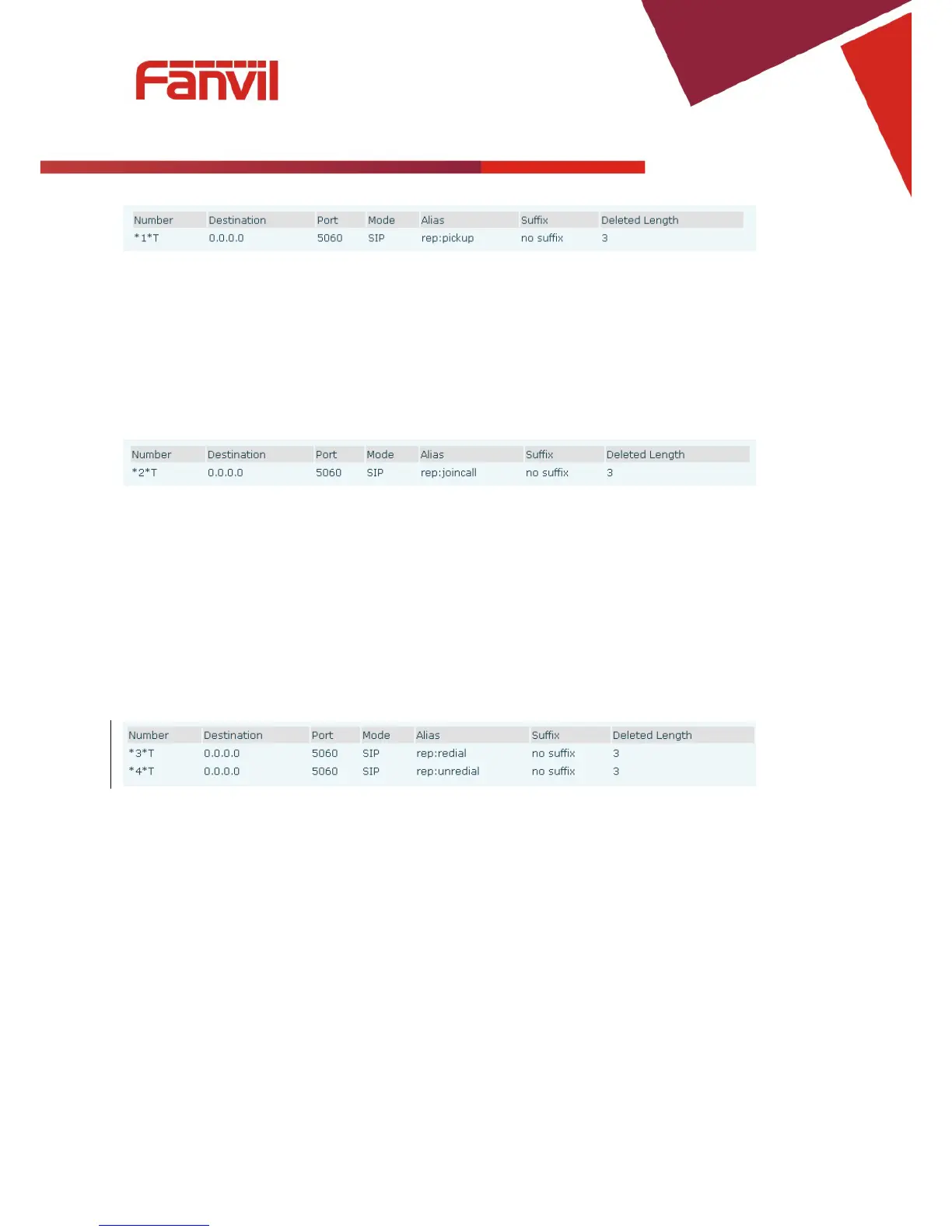
The following chart shows how to configure this in the dial peer screen.
*1* is the code. After saving the above configuration, C can dial *1* plus B’s phone number to pick up A’s
call. The prefix can be set to anything the user desires that does not interfere with other dialing rules.
4.2 Join call
This allows a third party to join an existing call. For example: If B and C are on a call, A can join by
dialing a code plus the number for B or C. This assumes that B or C also support Join Call.
The following chart shows how to configure this in the dial peer screen.
*2* is the code. After saving the above configuration, A can dial *2* plus the number for B or C to join B
and C’s call. The prefix can be set to anything the user desires that does not interfere with other dialing rules.
4.3 Redial / Unredial
If B is on a call when A calls, A will get busy tone. If A wants to connect to B as soon as B is available, he
can use the redial function. To use this feature, A dials a prefix and then B’s number.
When the redial function is activated, A will check B’s calling status every 60 seconds. When B is available,
A’s phone will ring. When A goes off hook, the phone will call B automatically. If A does not want to call
B, the redial function can be cancelled by dialing a prefix plus B’s number.
*3* is the redial prefix code. A can dial *3* plus B’s phone number to activate the redial function.
*4* is the unredial prefix code. A can dial *4* to cancel the redial function.
The user can select any prefix as long as it does not interfere with dialing rules.
4.4 Click to dial
If User A browses to User B’s phone number or SIP address in the contact page and clicks it, User A’s phone
will ring. After he goes off hook, the phone will call User B.
Note:This feature requires that the software on PC or PBX support click to dial.



 To Next Page