Fanvil Technology Co., Ltd
HQ Add: Level 3, Block A, Gaoxinqi Building, Anhua Industrial Park, Qianjin 1 Road, 35th District, Bao'An, Shenzhen, 518101 P.R. China
Tel: +86-755-2640-2199 Fax: +86-755-2640-2618 Email: fanvil@fanvil.com www.fanvil.com Beijing Tel:+86-10-5753-6809
Suzhou Tel: +86-512-6592-0605 SEA Tel: +60-3-203-50737
VPN Status Shows the current VPN IP address.
Select L2TP. You can choose only one for current state. After you select it, save the
configuration and reboot the phone.
L2TP Select Layer 2 Tunneling Protocol
Only one protocol may be activated. After the selection is made, the configuration should be
saved and the phone rebooted.
Set VPN L2TP Server IP address.
VPN User Set User Name access to VPN L2TP Server.
Set Password access to VPN L2TP Server.
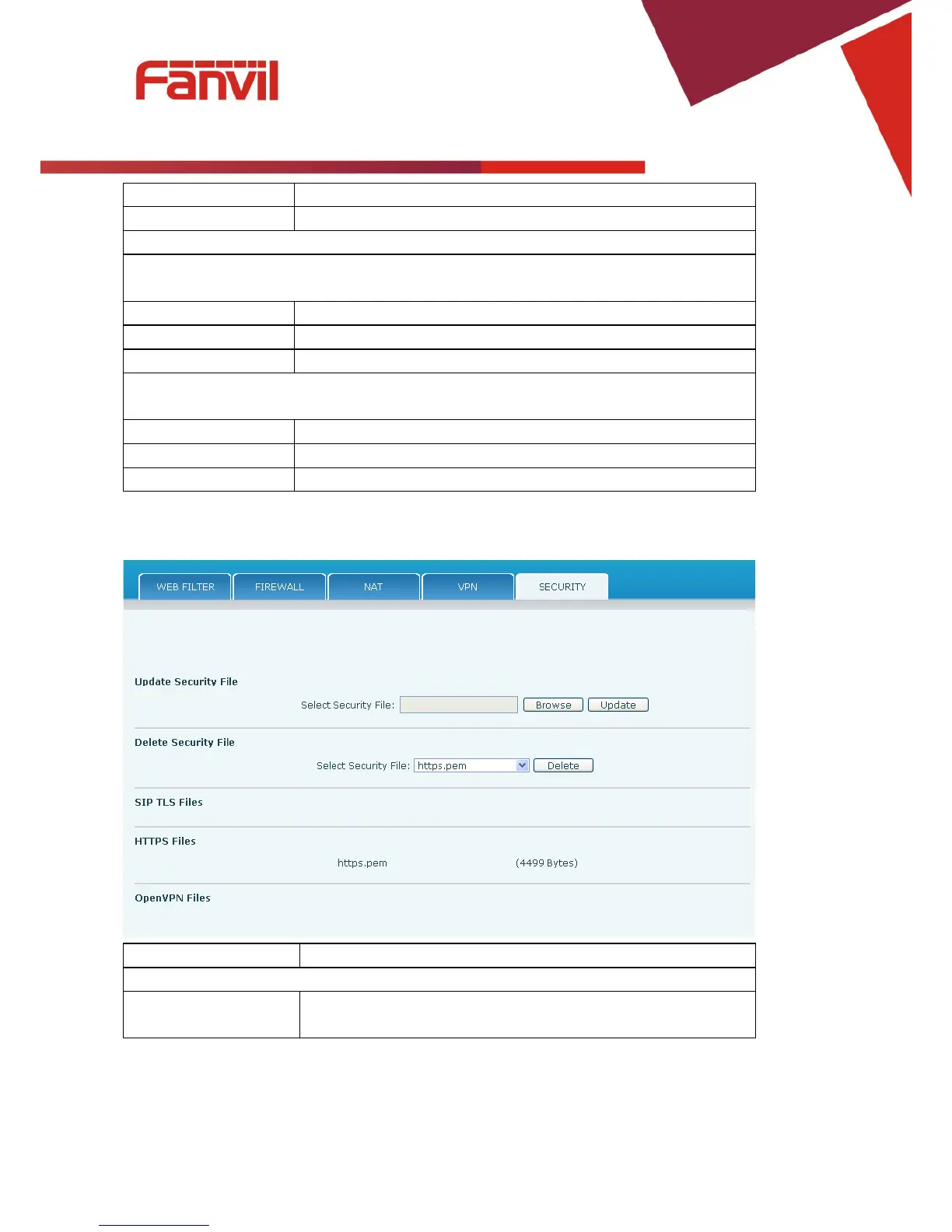
Select Security File Browse to the security file to be updated. Click the Update button to
update.



 To Next Page