Fanvil Technology Co., Ltd
HQ Add: Level 3, Block A, Gaoxinqi Building, Anhua Industrial Park, Qianjin 1 Road, 35th District, Bao'An, Shenzhen, 518101 P.R. China
Tel: +86-755-2640-2199 Fax: +86-755-2640-2618 Email: fanvil@fanvil.com www.fanvil.com Beijing Tel:+86-10-5753-6809
Suzhou Tel: +86-512-6592-0605 SEA Tel: +60-3-203-50737
IPSec ALG Enable/Disable IPSec encryption. Default is enabled.
FTP ALG Allow the ALG to securely pass FTP traffic. Default is enabled.
Allow the ALG to securely pass PPTP traffic. Default is enabled.
Network Address Translation (NAT) Table
Shows the NAT TCP and UDP mapping tables
Transfer Type Select the TCP or UDP protocol.
Set the local IP address of device.
Set the LAN (inside) port for NAT mapping
Outside Port Set the WAN (outside) port for NAT mapping
Note: After entering settings, click the Add button to add new mapping table data. To delete
an entry, enter its information and then click the Delete button.
Notice: The phone supports 10M/100M adaptive. Under loaded conditions traffic through the
phone NAT may not reach 100M.
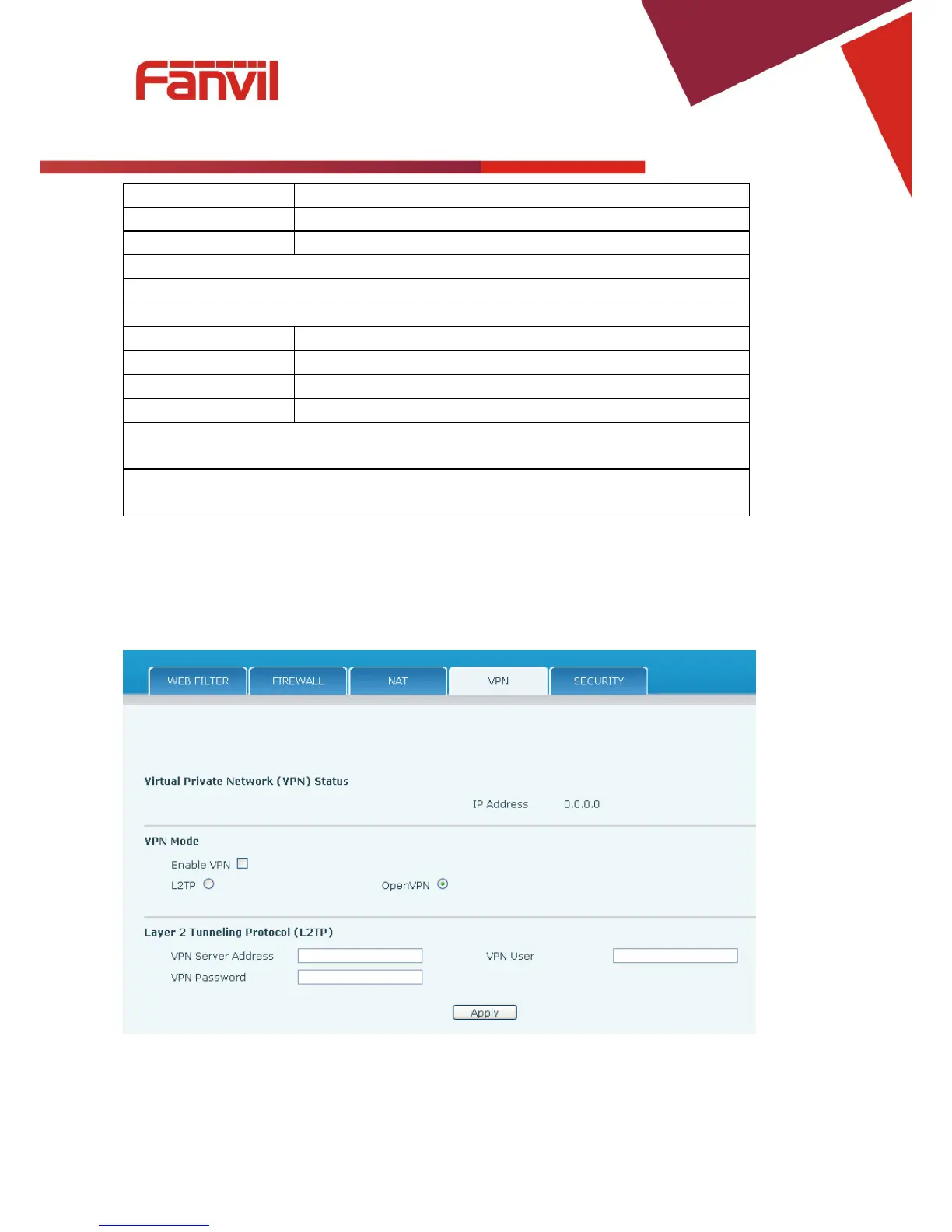
8.3.7.4 VPN
The phone supports remote connection via VPN. It supports both Layer 2 Tunneling Protocol (L2TP) and
OpenVPN protocol. This allows users at remote locations on the public network to make secure
connections to local networks.



 To Next Page