Fanvil Technology Co., Ltd
HQ Add: Level 3, Block A, Gaoxinqi Building, Anhua Industrial Park, Qianjin 1 Road, 35th District, Bao'An, Shenzhen, 518101 P.R. China
Tel: +86-755-2640-2199 Fax: +86-755-2640-2618 Email: fanvil@fanvil.com www.fanvil.com Beijing Tel:+86-10-5753-6809
Suzhou Tel: +86-512-6592-0605 SEA Tel: +60-3-203-50737
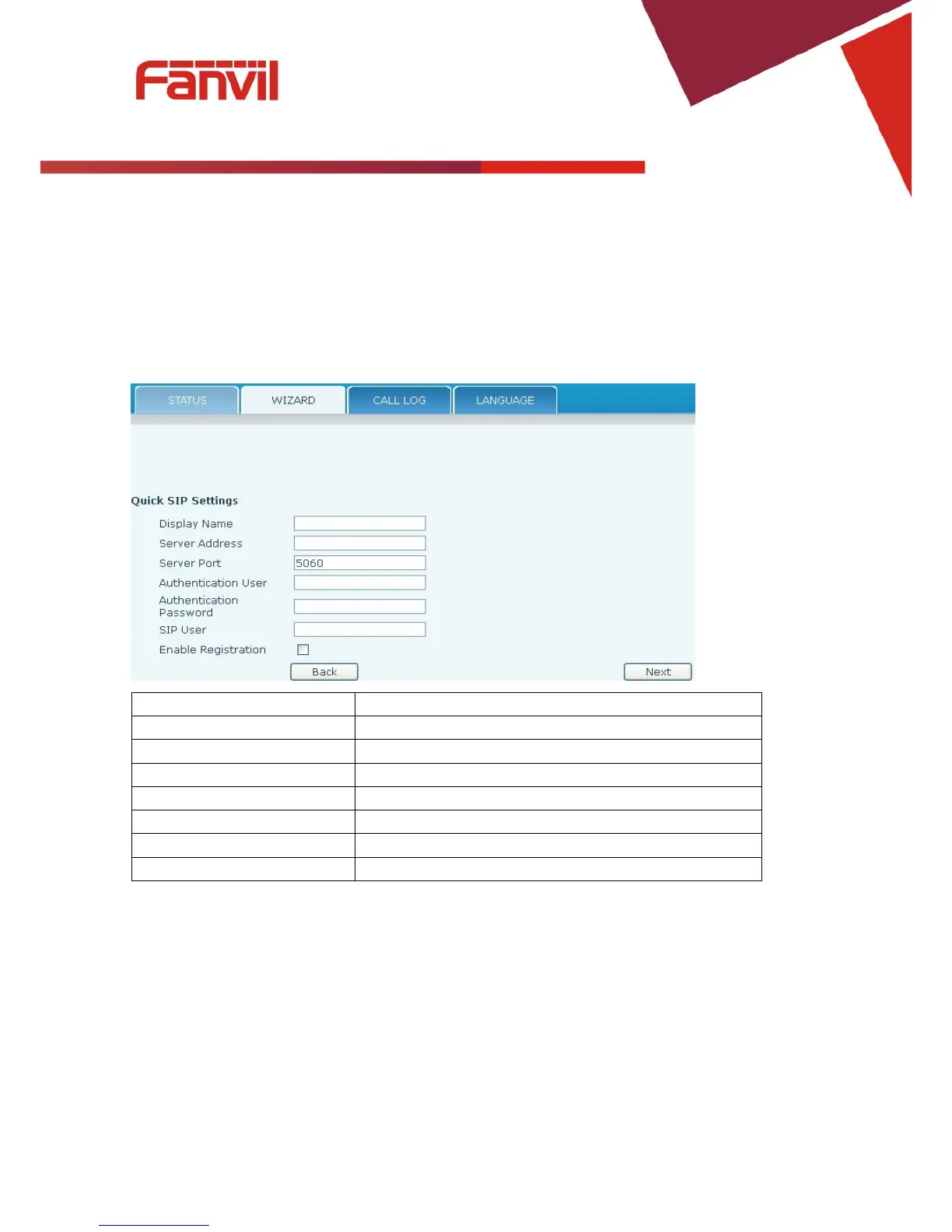
Click Back to return to the Wizard screen. Click Next to go to Quick SIP Setting.
8.3.1.2.4 Quick SIP Settings
Field Name Explanation
Display Name The name shown in caller ID.
Server Address SIP server address either IP address or URI.
Server Port SIP server port (usually 5060).
Authentication User Login name or Authentication ID.
Submits registration information. Normally checked.
Click Back to return to the IP Address screen. Click Next to see summary screen.



 To Next Page