Fanvil Technology Co., Ltd
HQ Add: Level 3, Block A, Gaoxinqi Building, Anhua Industrial Park, Qianjin 1 Road, 35th District, Bao'An, Shenzhen, 518101 P.R. China
Tel: +86-755-2640-2199 Fax: +86-755-2640-2618 Email: fanvil@fanvil.com www.fanvil.com Beijing Tel:+86-10-5753-6809
Suzhou Tel: +86-512-6592-0605 SEA Tel: +60-3-203-50737
8.3.3.4 DIAL PEER
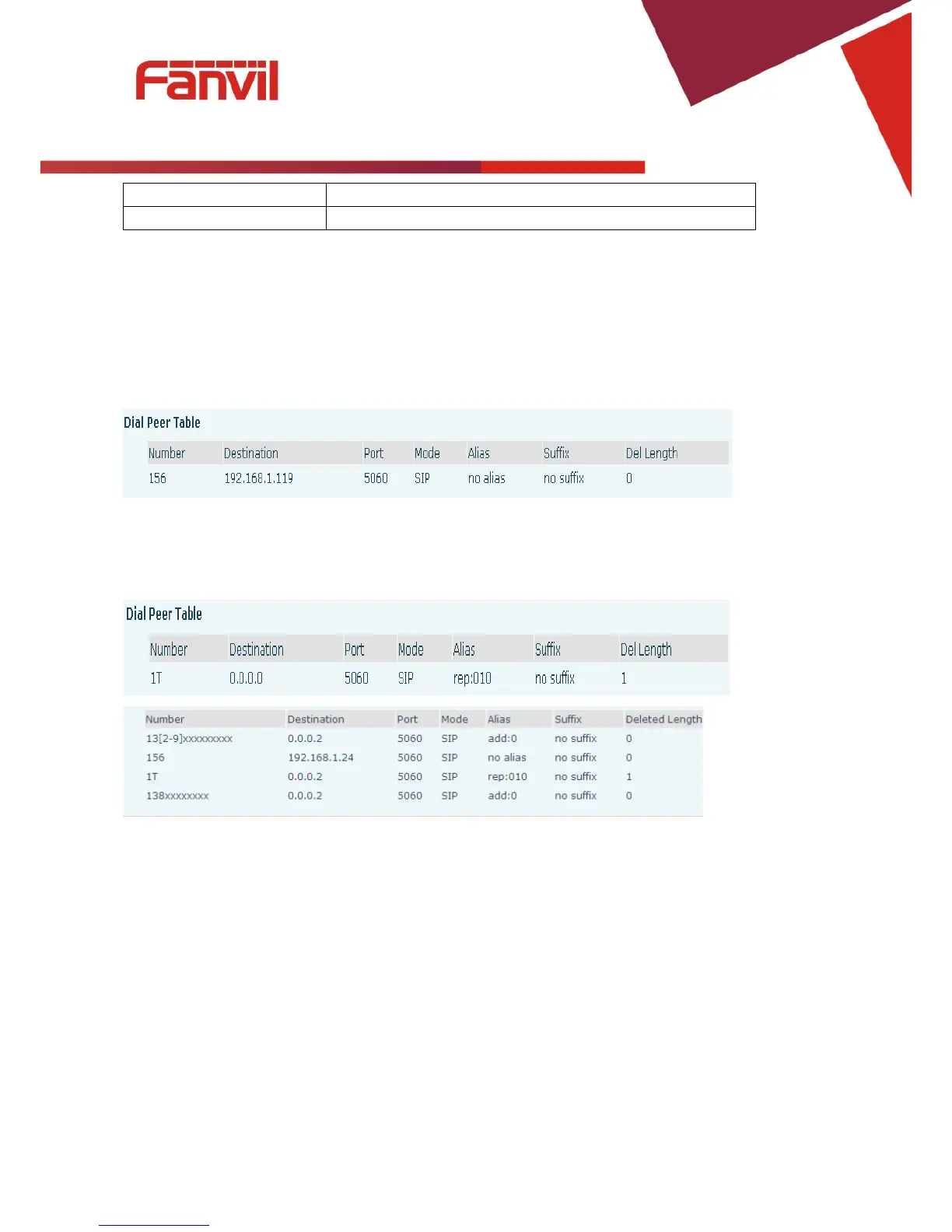
This feature allows the user to create rules to make dialing easier. There are several different options for
dial rules. The examples below will show how this can be used.
Example 1: Substitution – Assume that it is desired to place a direct IP call to IP address 192.168.119.
Using this feature, 156 can be substituted for 192.168.1.119.
Example 2: Substitution – To dial a long distance call to Beijing requires dialing area code 010 before the
local phone number. Using this feature 1 can be substituted for 010. For example, to call 62213123 would
only require dialing 162213123 instead of 01062213123.
Example 3: Addition – Two examples are shown. In the first case, it is assumed that 0 must be dialed
before any 11 digit number beginning with 13. In the second case, it is assumed that 0 must be dialed
before any 11 digit number beginning with 135, 136, 137, 138, or 139. Two different special characters are
used.
x – Matches any single digit that is dialed.
[] – Specifies a range of numbers to be matched. It may be a range, a list of ranges separated by commas,
or a list of digits.



 To Next Page