EasyManua.ls Logo

Fanvil F52 - Access Control Settings

Fanvil F52
96 pages
Print Icon
To Next Page IconTo Next Page
To Previous Page IconTo Previous Page
Loading...
Fanvil Technology Co., Ltd
HQ Add: Level 3, Block A, Gaoxinqi Building, Anhua Industrial Park, Qianjin 1 Road, 35th District, Bao'An, Shenzhen, 518101 P.R. China
Tel: +86-755-2640-2199 Fax: +86-755-2640-2618 Email: fanvil@fanvil.com www.fanvil.com Beijing Tel:+86-10-5753-6809
Suzhou Tel: +86-512-6592-0605 SEA Tel: +60-3-203-50737
- 82 -
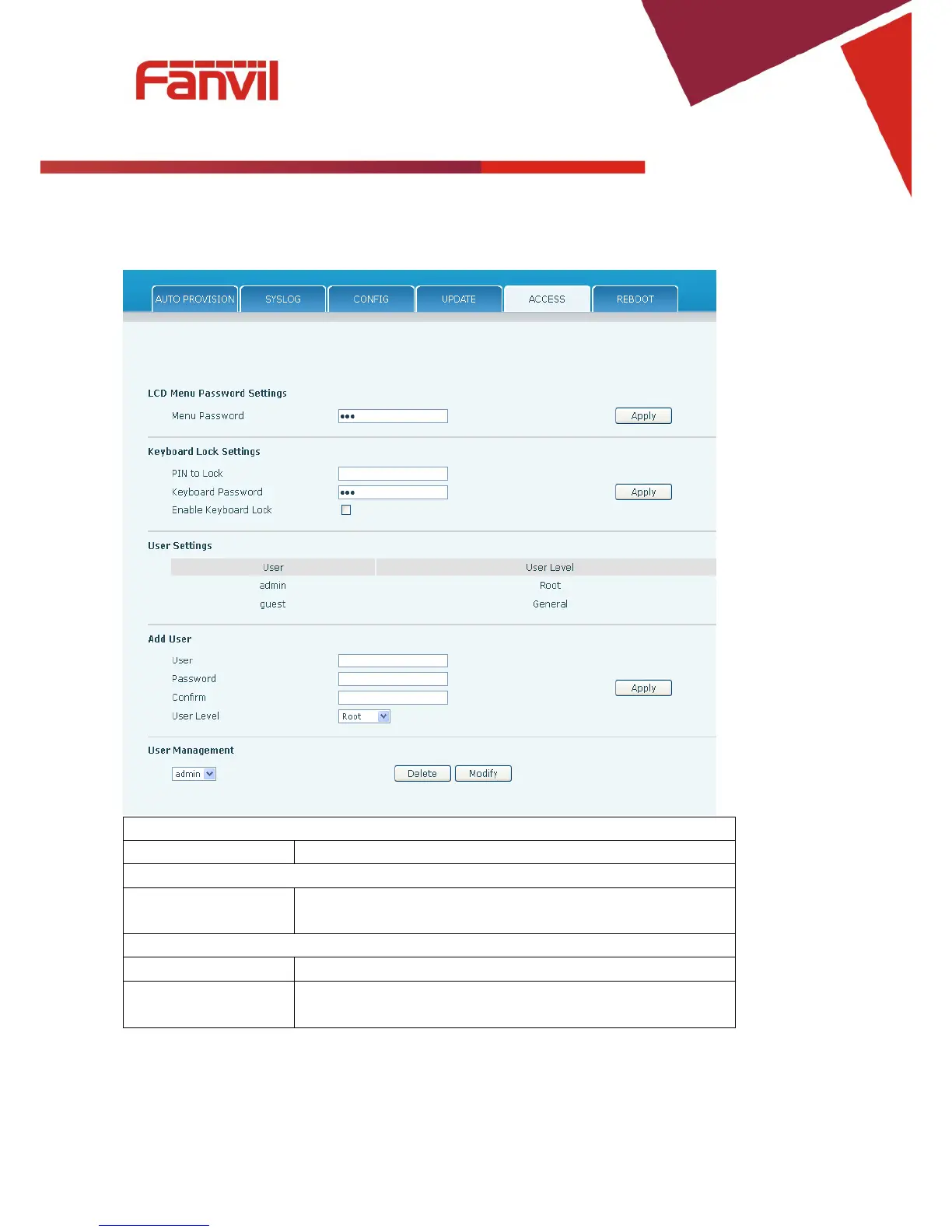
8.3.6.5 Access
User accounts can be added or deleted from this page. The authority of accounts can also be changed.
Access Configuration
Field Name
Explanation
LCD Menu Password Settings
Menu Password Sets the password for entering the setup menu from the phone

keypad. The password must be only digits.
Keyboard Lock Settings
Quick lock key code
Direct press set passwords can lock the keyboard
The key password
Set phone keyboard lock password, must enter Numbers, limit is no more
than 6 characters

Table of Contents

Related product manuals