Fanvil Technology Co., Ltd
HQ Add: Level 3, Block A, Gaoxinqi Building, Anhua Industrial Park, Qianjin 1 Road, 35th District, Bao'An, Shenzhen, 518101 P.R. China
Tel: +86-755-2640-2199 Fax: +86-755-2640-2618 Email: fanvil@fanvil.com www.fanvil.com Beijing Tel:+86-10-5753-6809
Suzhou Tel: +86-512-6592-0605 SEA Tel: +60-3-203-50737
8.3.7 Security
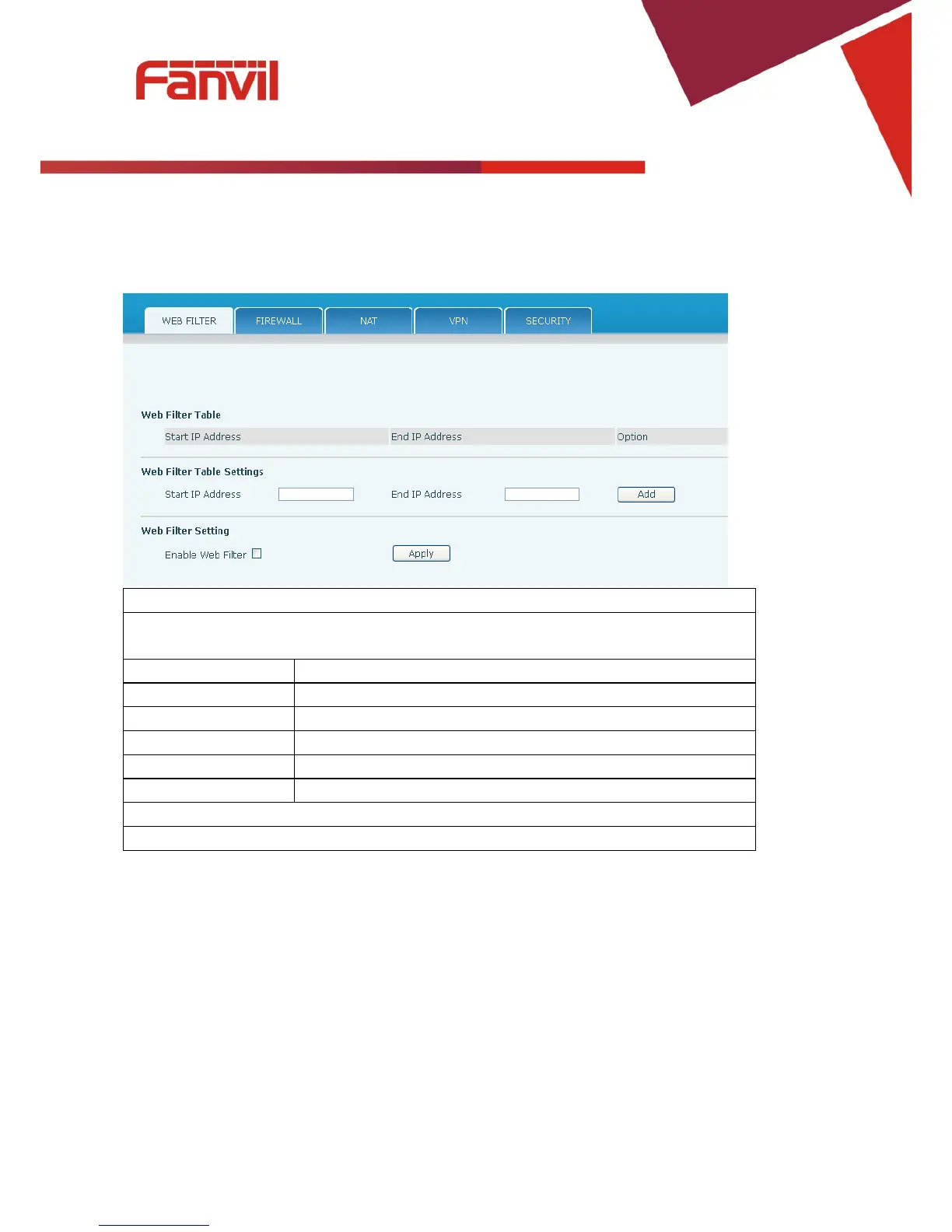
8.3.7.1 WEB FILTER
WEB Filter
The Web filter is used to limit access to the phone. When the web filter is enabled, only the
IP addresses between the start IP and end IP can access the phone.
Beginning IP Address for MMI Filter
End IP Address Ending IP Address for MMI Filter
Add Add this filter range to the Web Filter Table
Select to enable MMI Filter.
Apply Make filter settings effective.
Note: Once a range is added, it can be modified or deleted.
Note: Be sure that the filter range includes the IP address of the configuration computer.



 To Next Page