Fanvil Technology Co., Ltd
HQ Add: Level 3, Block A, Gaoxinqi Building, Anhua Industrial Park, Qianjin 1 Road, 35th District, Bao'An, Shenzhen, 518101 P.R. China
Tel: +86-755-2640-2199 Fax: +86-755-2640-2618 Email: fanvil@fanvil.com www.fanvil.com Beijing Tel:+86-10-5753-6809
Suzhou Tel: +86-512-6592-0605 SEA Tel: +60-3-203-50737
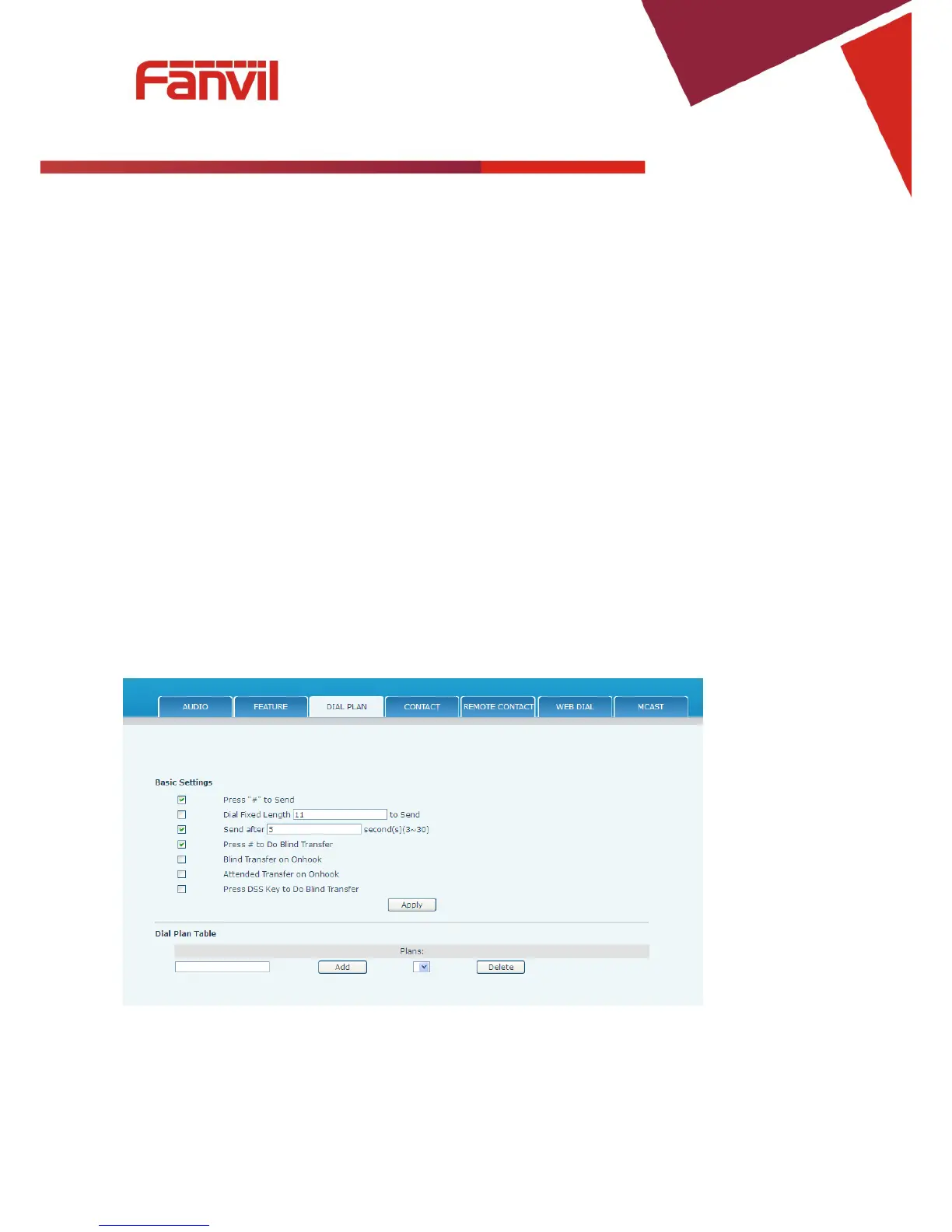
8.3.4.3 DIAL PLAN
This phone supports 7 dialing modes:
17. Press "#" to Send– Dial the desired number, and press # to send it to the server.
18. Fixed Length – The number will be sent to the server after the specified number of digits are dialed.
19. Time Out – Number will be sent to the server after the specified time.
20. User Defined – Customized rules created by the user.
There is a special feature in the dial plan for the case where the user must dial an access code to get an
external line. A digit followed by a “,” will cause secondary dial tone to be generated. For example,
assume a rule “9,xxxxxxx” is added. When the user dials 9, the phone will generate secondary dial tone.
Then, when 8 digits have been dialed, they will all be sent to the server.
21. Press # to Do Blind Transfer - Press # after entering the target number for the transfer. The phone will
transfer the current call to the third party.
22. Blind Transfer on Onhook - Hang up after entering the target number for the transfer. The phone will
transfer the current call to the third party.
23. Attended Transfer on Onhook - Hang up after the third party answers. The phone will transfer the current
call to the third party.
24. Press DSS key to Do Blind Transfer – after talking, press DSS key, programed to memory key type, to
make blind transfer directly.



 To Next Page