Fanvil Technology Co., Ltd
HQ Add: Level 3, Block A, Gaoxinqi Building, Anhua Industrial Park, Qianjin 1 Road, 35th District, Bao'An, Shenzhen, 518101 P.R. China
Tel: +86-755-2640-2199 Fax: +86-755-2640-2618 Email: fanvil@fanvil.com www.fanvil.com Beijing Tel:+86-10-5753-6809
Suzhou Tel: +86-512-6592-0605 SEA Tel: +60-3-203-50737
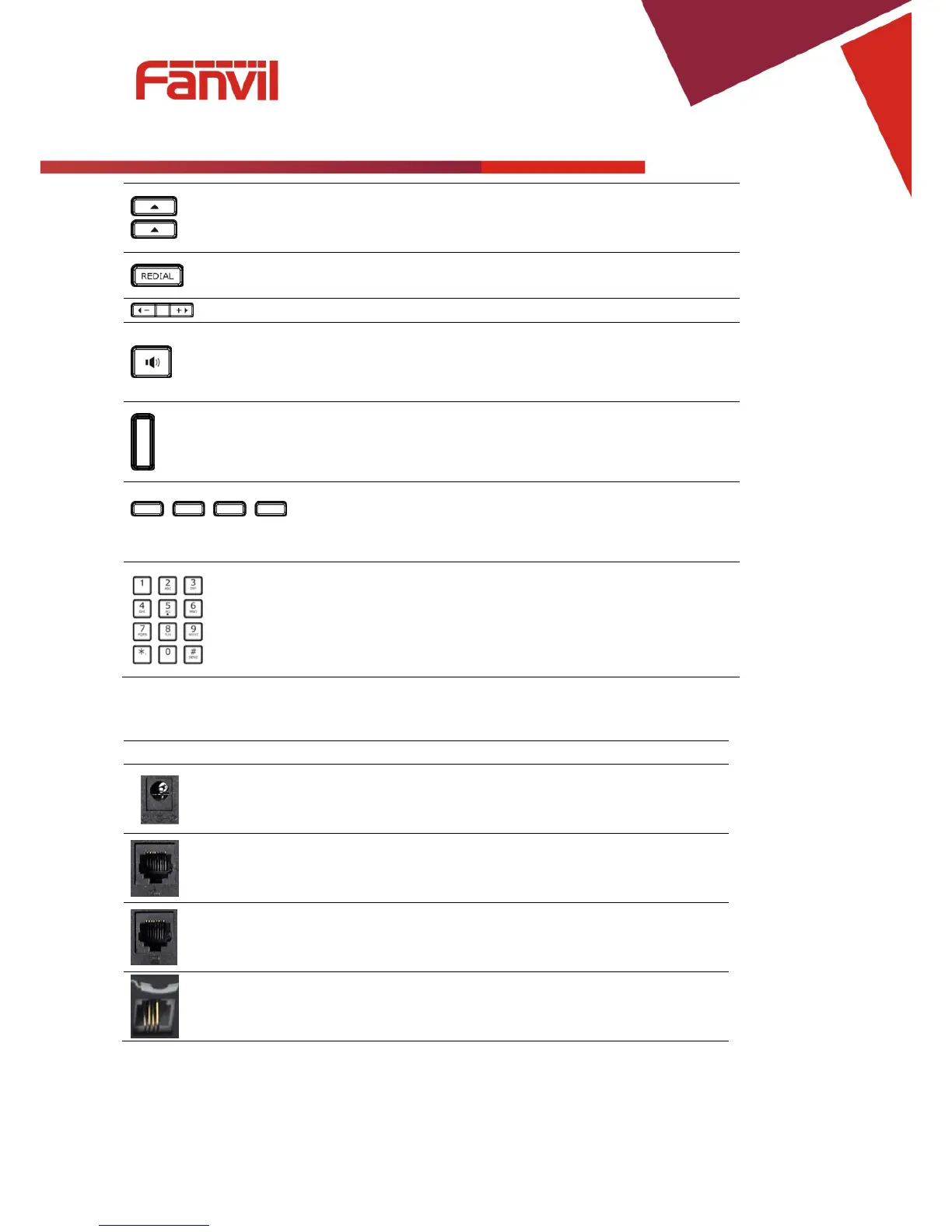
These keys are used in many areas of phone operation.
Depending on the application they will have different
functions.
Redial
When off hook, this will dial the last called number.
In stand-by mode, it will check the Outgoing Call.
Adjust the volume by pressing these two keys.
Speaker Activate speakerphone mode.
Indicator
light
This light blinks to indicate a missed call.
Soft
key 1/2/3/4
Various functions depending on the phone mode.
Description will be shown in LCD.
Keyboard Dial phone numbers
1.4 Input/Output Ports
Power switch Input: 5V AC, 1A
WAN 10/100M Connect it to Network
LAN 10/100M Connect it to PC
Handset Port type: RJ-9 connector



 To Next Page