Fanvil Technology Co., Ltd
HQ Add: Level 3, Block A, Gaoxinqi Building, Anhua Industrial Park, Qianjin 1 Road, 35th District, Bao'An, Shenzhen, 518101 P.R. China
Tel: +86-755-2640-2199 Fax: +86-755-2640-2618 Email: fanvil@fanvil.com www.fanvil.com Beijing Tel:+86-10-5753-6809
Suzhou Tel: +86-512-6592-0605 SEA Tel: +60-3-203-50737
2. Update after reboot – update only after reboot.
3. Update at time interval – update at periodic update interval
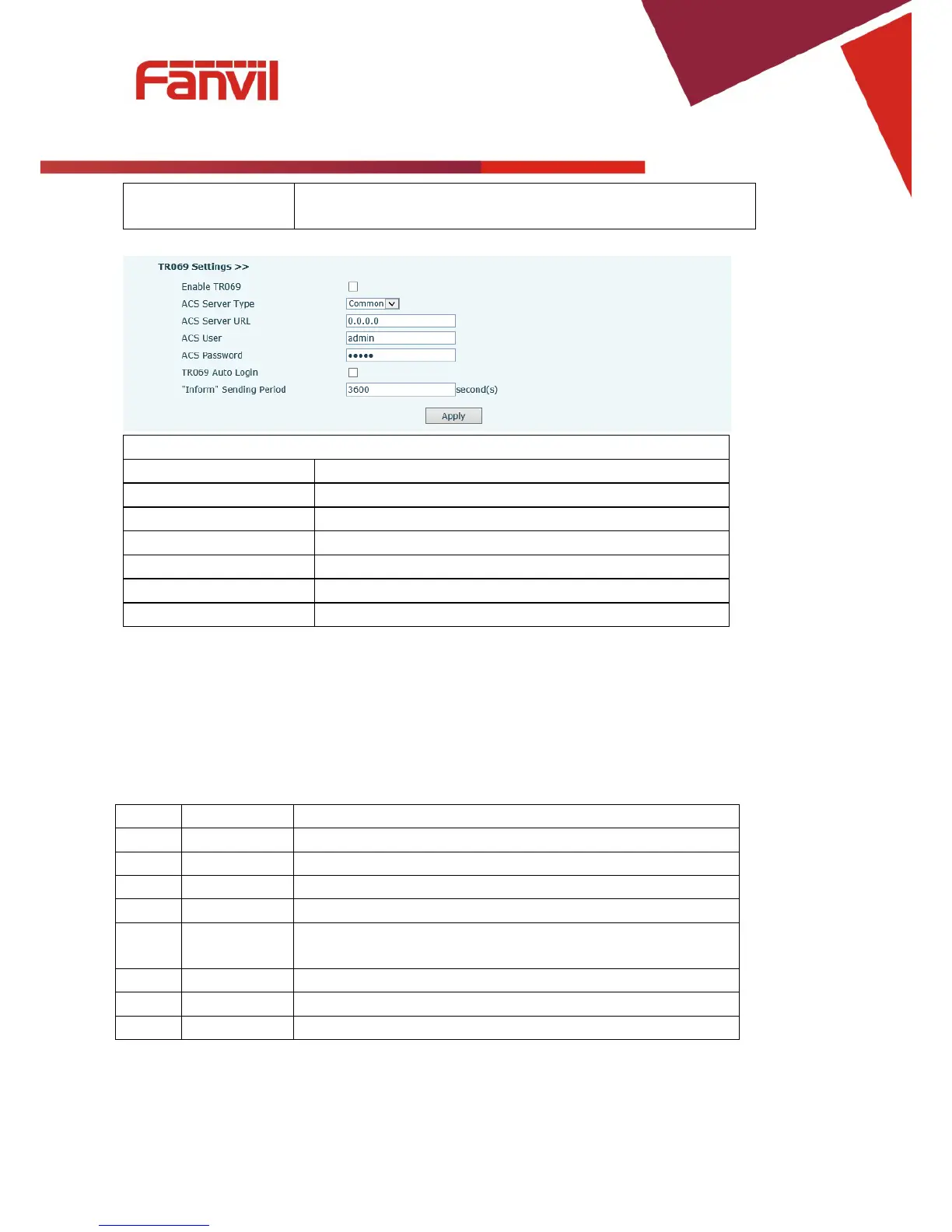
Enable/Disable TR069 configuration
ACS Server Type Select Common or CTC ACS Server Type.
ACS Password ACS Password.
Enable/Disable TR069 Auto Login.
Time between transmissions of “Inform” Unit is seconds.
8.3.6.2 Syslog
Syslog is a protocol used to record log messages using a client/server mechanism. The Syslog server
receives the messages from clients, and classifies them based on priority and type. Then these messages will
be written into a log by rules which the administrator has configured. There are 8 levels of debug
information.
System is unusable. This is the highest debug info level.
Action must be taken immediately.
2 Critical Critical conditions. System is probably working incorrectly.
3 Error Error conditions. System may not work correctly.
4 Warning Warning conditions. System may work correctly but needs
Normal but significant condition.
7 Debug Debug messages normally used by system designer. This level



 To Next Page