Fanvil Technology Co., Ltd
HQ Add: Level 3, Block A, Gaoxinqi Building, Anhua Industrial Park, Qianjin 1 Road, 35th District, Bao'An, Shenzhen, 518101 P.R. China
Tel: +86-755-2640-2199 Fax: +86-755-2640-2618 Email: fanvil@fanvil.com www.fanvil.com Beijing Tel:+86-10-5753-6809
Suzhou Tel: +86-512-6592-0605 SEA Tel: +60-3-203-50737
DHCP Option Setting The phone supports configuration from Option 43, Option 66, or a
Custom DHCP option. It may also be disabled.
Custom option number. Must be from 128 to 254.
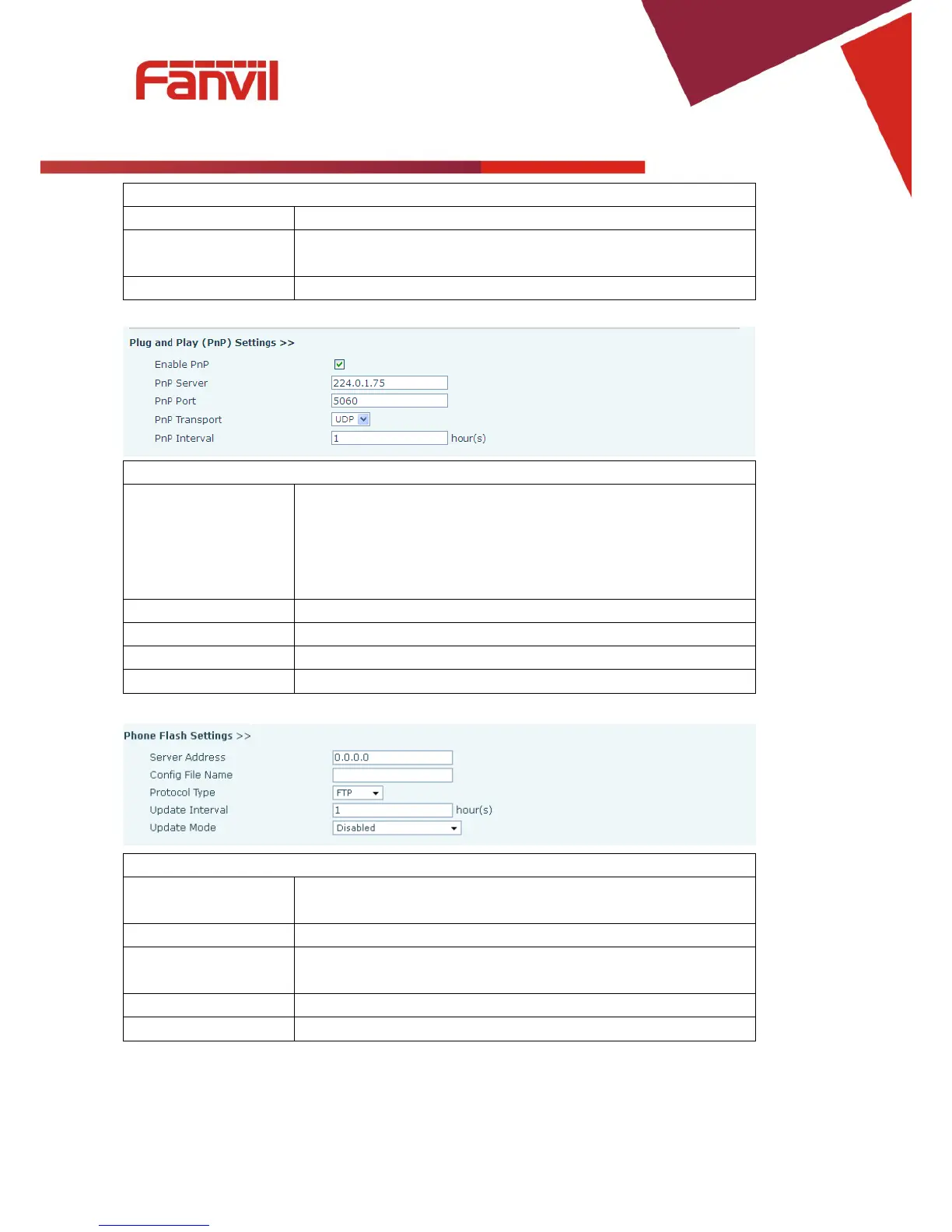
Plug and Play(pnp) Settings
If this is enabled, the phone will send SIP SUBSCRIBE messages to
a multicast address when it boots up. Any SIP server understanding
that message will reply with a SIP NOTIFY message containing the
Auto Provisioning Server URL where the phones can request their
configuration.
PnP Server PnP Server Address
PnP Port PnP Server Port
PnP Transport PnP Transfer protocol – UDP or TCP
PnP Interval Interval time for querying PnP server. Default is 1 hour.
Server Address Set FTP/TFTP/HTTP server IP address for auto update. The address
can be an IP address or Domain name with subdirectory.
Protocol Type Specify the Protocol type FTP, TFTP or HTTP.
Config File Name Specify configuration file name. The phone will use its MAC ID
as the config file name if this is blank.
Specify the update interval time. Default is 1 hour.
Update Mode 1. Disable – no update



 To Next Page