Scan Controls
At the bottom of the screen, three scan controls are available:
l Parameters - View the Parameters page.
l Start Scan - Start a scan.
l Cluster - Switch to project or cluster selection.
List Page
Manage > Projects/Clusters
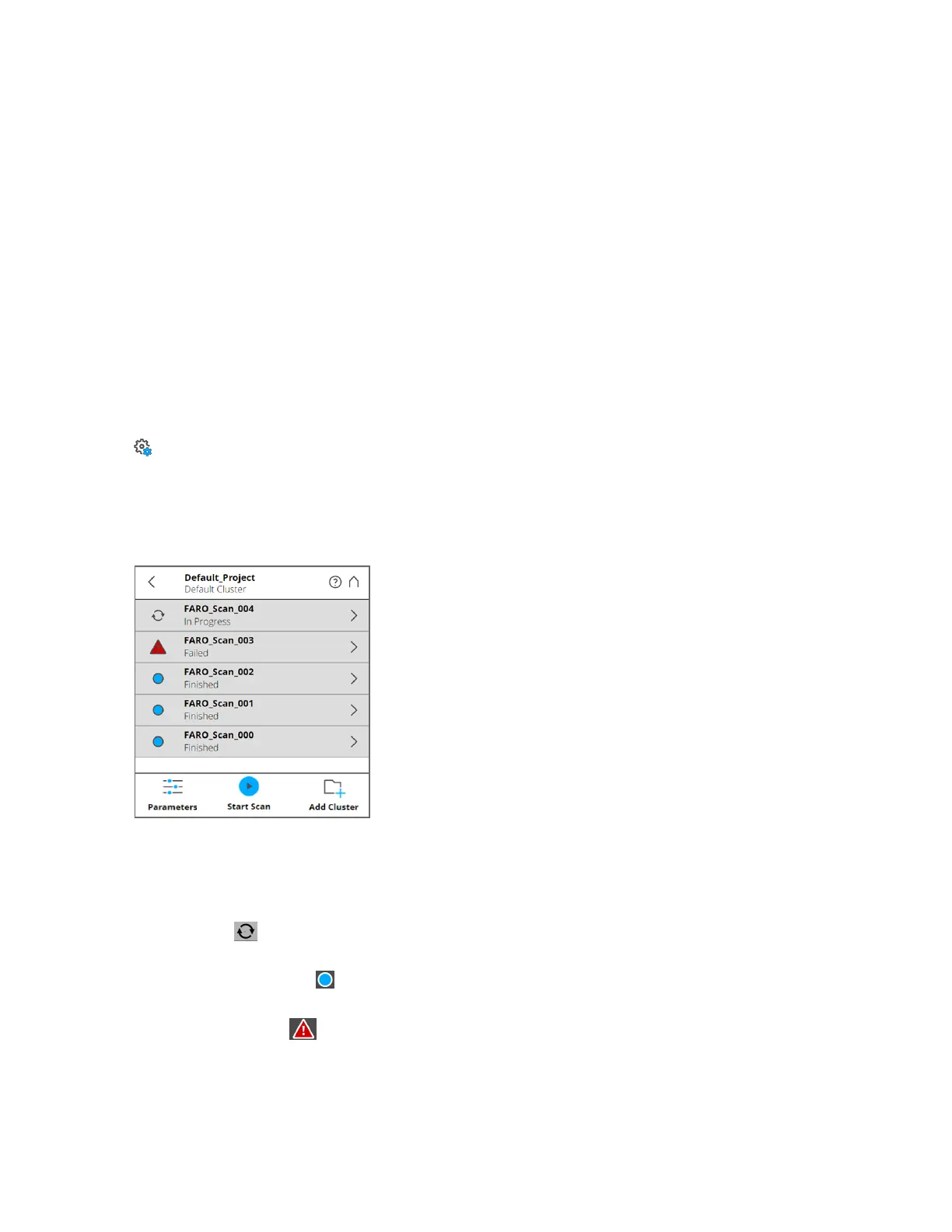
This shows a list of all scans in the current cluster or project. On large screens, the list is shown to the
left of the map. On small screens, the list can be accessed by clicking the status bar below the map. The
on-site registration status of each scan is shown on the left . Tap the right arrow to view the Scan Details
page for the specific scan.
Figure 7-7 List Page
Each list item for a scan contains the following information:
The status indicator displays the scan name and status of the scan as follows:
l
Processing: - The scan is being processed.
l
Registration Successful: - The scan is completed.
l
Registration Failed: - The scan registration failed.
FARO
®
Focus Premium Laser Scanner User Manual
Chapter 7: Special Scanning Modes
FARO Focus Premium (March 2022) Page112of157



 To Next Page