Setting the Scan Range (Scan Area)
Parameters > Horizontal / Vertical
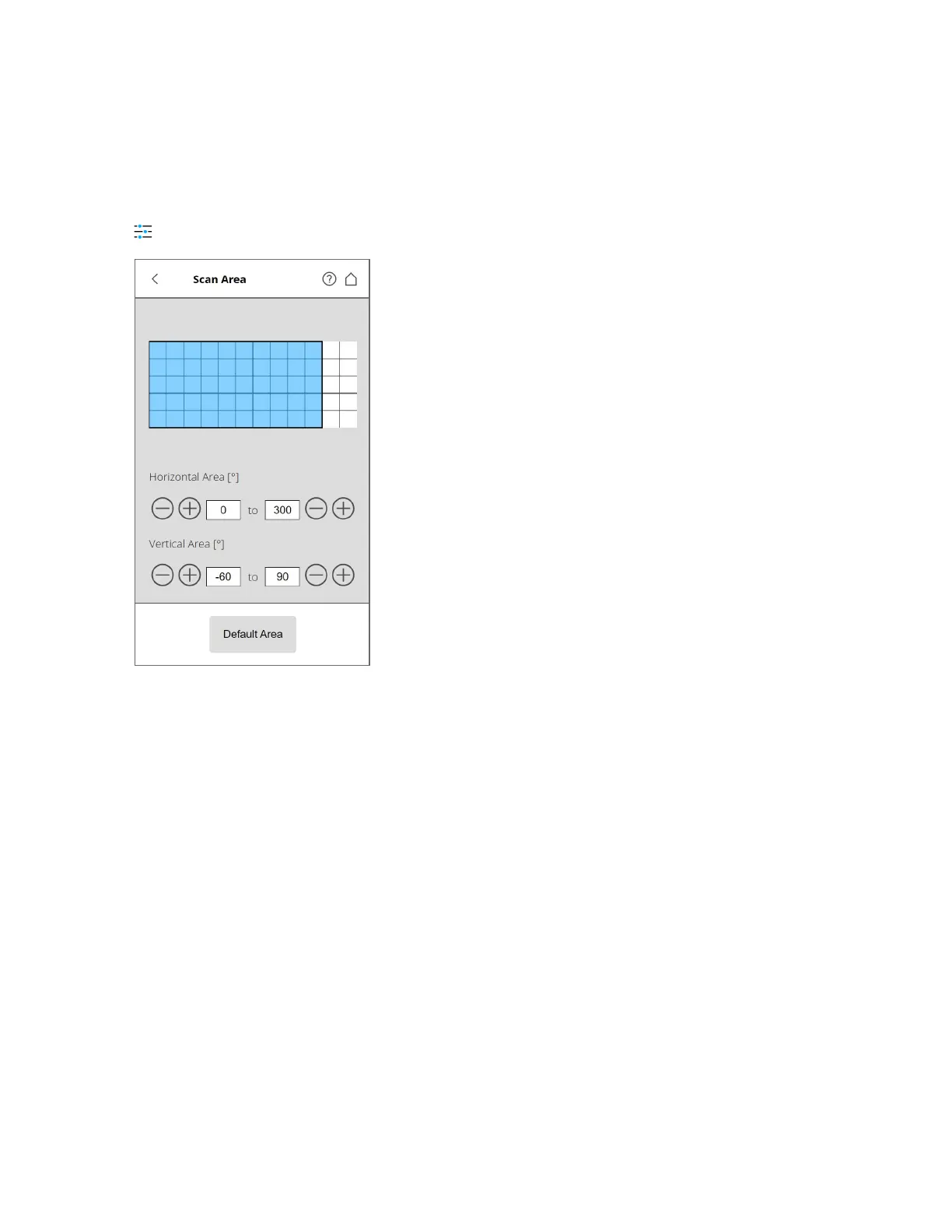
Figure 5-15 Setting the Scan Range
Vertical area - The size of the vertical scan area in degrees. Tap the fields to enter the values of the
vertical start and end angles.
Horizontal area - The size of the horizontal scan area in degrees. Tap the fields to enter the values of the
horizontal start and end angles.
Default Area - Tap to reset the values to the default scan area (vertical from -60° to 90° and horizontal
from 0° to 360°).
The rectangle in this view illustrates the full scan area. If there are scans saved on your selected storage
medium, the preview picture of the last recorded scan is displayed. If there is no preview picture
available, a grid is displayed, where the space between the horizontal and vertical lines is equivalent to
30°. The highlighted rectangle illustrates the selected scan area.
FARO
®
Focus Premium Laser Scanner User Manual
Chapter 5: Getting Started
FARO Focus Premium (March 2022) Page43of157



 To Next Page