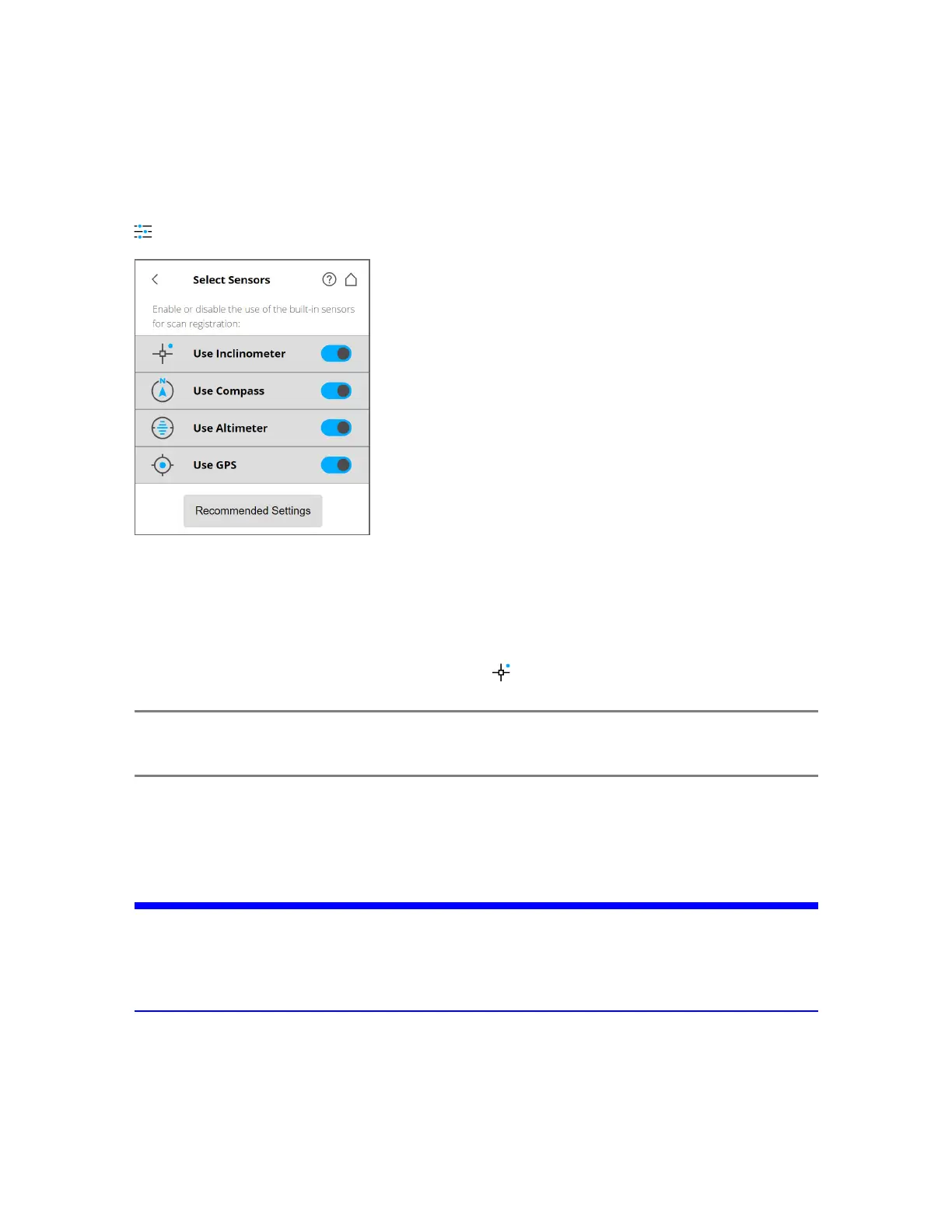
Selecting the Sensors
Parameters > Select Sensors
Figure 5-16 Selecting the Sensors
Use Inclinometer - Enable or disable the automatic use of the inclination measurement of the built-in
dual-axis compensator (inclinometer) for the scan registration in SCENE or Sphere. Regardless of your
setting, this sensor's data is always measured and attached to each scan. If the inclinometer data is
enabled, it is automatically used to register the scans; if it is disabled, the data is ignored. You can
change this behavior later in SCENE. See the SCENE User Manual for more information. Jump directly
to Use Inclinometer by tapping the quick access icon ( ) at the top of the screen.
NOTE: To get the most reliable data from the dual-axis compensator, ensure that the scanner’s
inclination is less than 2°. See Inclinometer (Dual-Axis Compensator) on page81.
Use Compass - Enable or disable the automatic use of the built-in compass' data for the scan registration
in SCENE or Sphere. The compass' data is always measured and attached to each scan during scanning
and is automatically used for the scan registration, if is enabled. If it is disabled, the data is ignored. See
Compass on page83.
NOTICE: Ferromagnetic objects and electromagnetic fields can disturb the earth magnetic field. This,
as well as local variations in earth magnetic field (magnetic declination/variation) can lead
to inaccurate compass measurements. In this case it’s recommended to switch off the use of
the compass data.
Use Altimeter - Enable or disable the automatic use of the altimeter data for the scan registration in
SCENE or Sphere. As with the inclinometer, the altimeter data is always measured and attached to each
scan during scanning and is automatically used for the scan registration, if it is enabled. You can enter a
reference height before starting your scan project. This reference height acts as the basis for all
FARO
®
Focus Premium Laser Scanner User Manual
Chapter 5: Getting Started
FARO Focus Premium (March 2022) Page44of157



 To Next Page