④
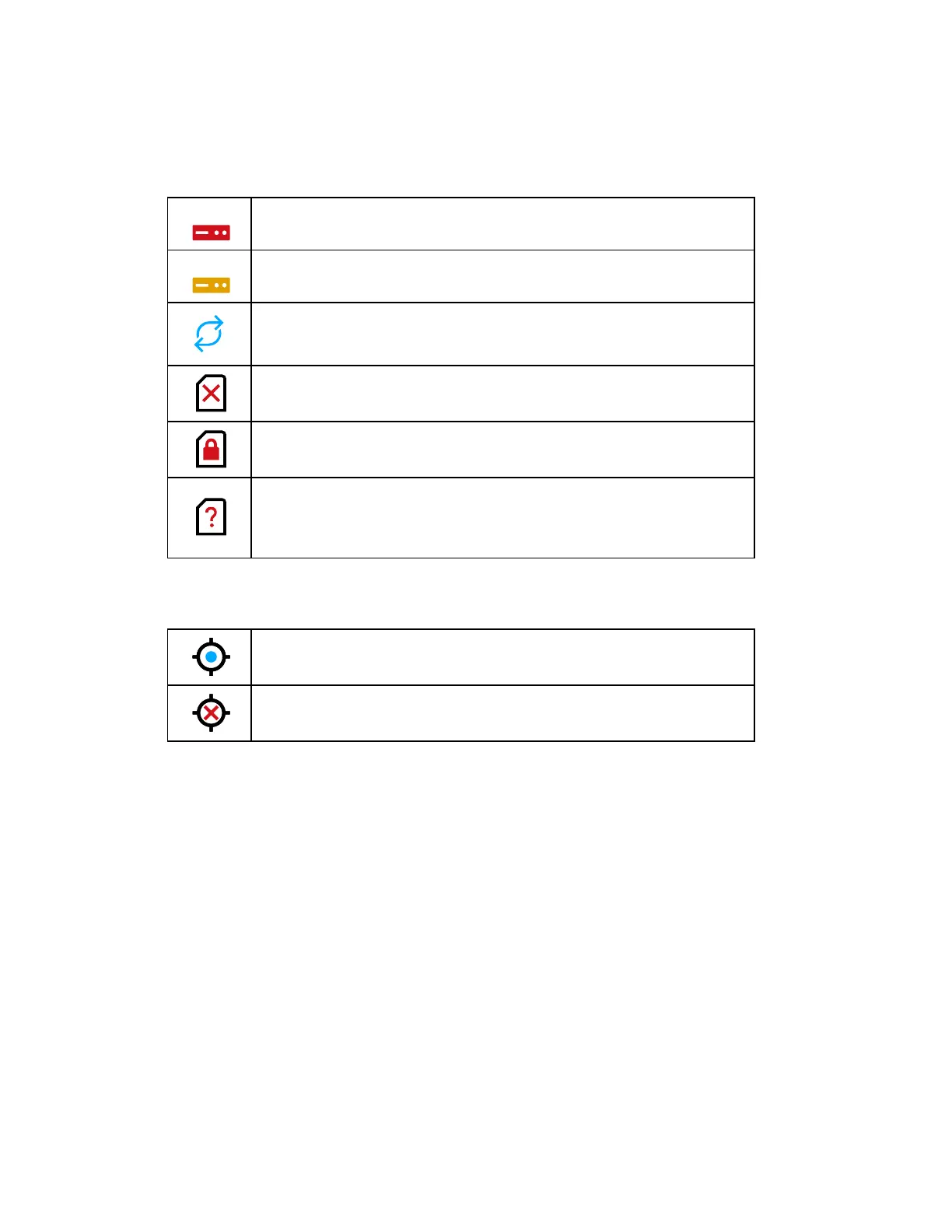
SSD and SD card status
90% of the SSD is full. Delete old projects or backup on the SD card or to
the cloud.
80% of the SSD is full. Delete old projects or backup on the SD card or to
the cloud.
SD card is busy.
Do not remove the SD card from the scanner while it is busy, otherwise you
risk corrupting the data on the card.
No SD card inserted.
SD card is write-protected. Remove write protection to scan using this card.
Unknown SD card inserted. The card cannot be read. This might be due to
the SD card being formatted in an unsupported file system. You should
format the SD card with the scanner’s format function. See Service on
page98.
⑤
GPS Signal
GPS signal available
No GPS signal, or vague position
FARO
®
Focus Premium Laser Scanner User Manual
Chapter 6: Controller Software
FARO Focus Premium (March 2022) Page55of157


 To Next Page