3-36
Frequently Used Functions
Selectable Options with 1-point Zone and 2-point Zone Teach
Modes, and Edge Height Threshold Mode
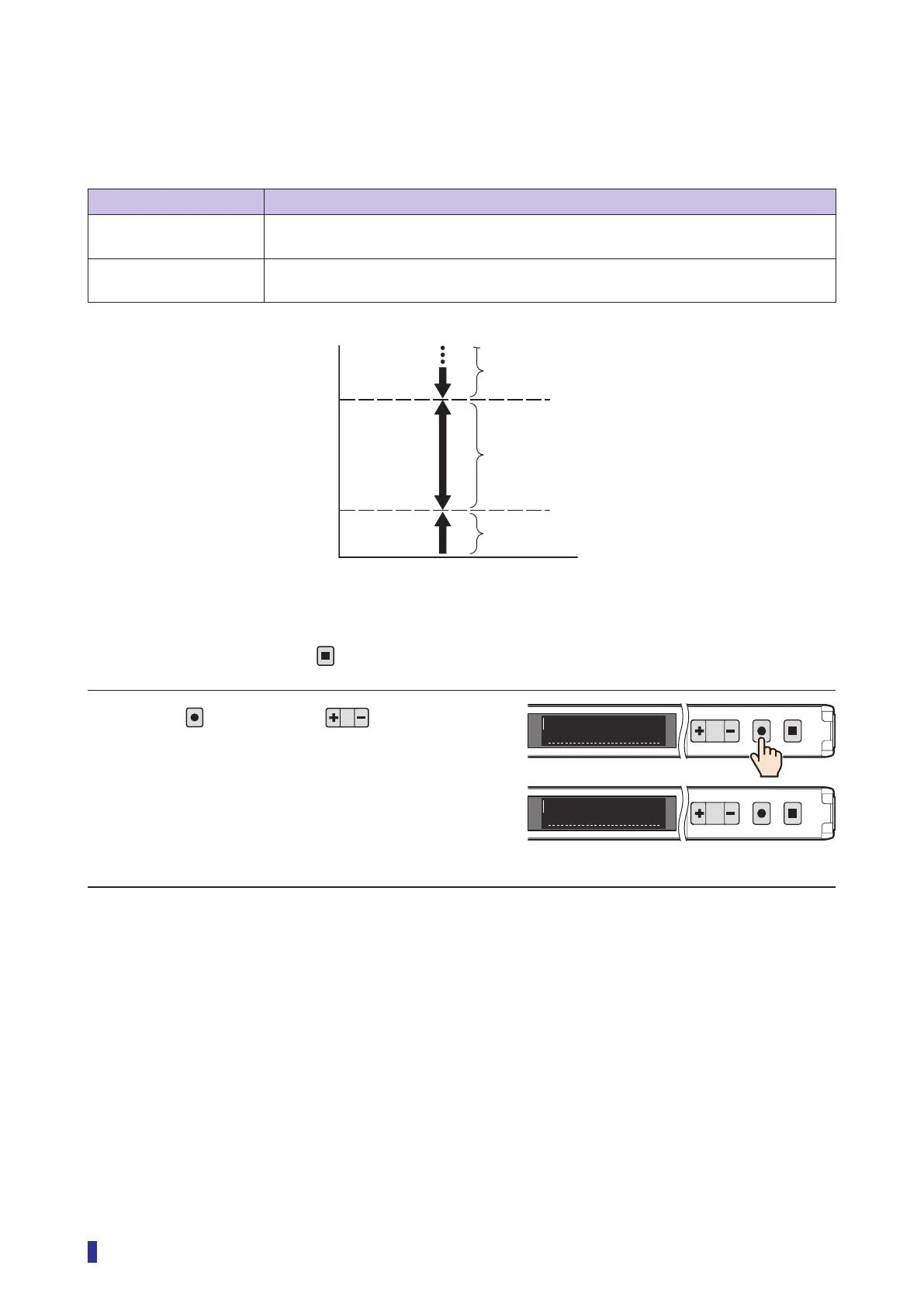
With these setting options, the display becomes “N.O.” (normally open) or “N.C.” (normally closed), which
causes output to be generated according to the following conditions pertaining to the threshold.
Selectable option Function description
N.O. (default value) Output is generated when the received light amount is within the set range of the
thresholds.
N.C. Output is generated when the received light amount is outside the set range of the
thresholds.
Operation Procedure
* To cancel the setting, press the
key.
1 Press
, and then use to select the
menu.
Display “Output mode”.
* When the “1-point Zone” or “2-point Zone” teach
mode is selected, “N.O./N.C.” is displayed.
Continued on next page
Output conditions with “N.C.” selected
Output conditions with “N.O.” selected
Output conditions with “N.C.” selected
Low
Threshold (lower limit)
Threshold (upper limit)
High
Received light amount
1
2
MENU
OK
TEACH
ESC
1
2
MENU
OK
TEACH
ESC
S1
Output mode
S1
N.O./ N.C.



 To Next Page