3-55
1
2
3
Basic Usage
Frequently Used Functions
7 Hold down
for 3 seconds or more.
The OLED display returns to the RUN screen.
The screen switches to the Edge display.
The displayed numeric value is the difference in
the received light amounts. The sign for the Edge
direction(s) are indicated in front of the threshold
values.
+: Positive
−: Negative
±: Both
* The display of the RUN screen can be changed to
“Value”, which displays the numeric value of the
received light amount.
Select “Value” for “[S6] Display” - “[P1] Display
mode”.
Operation Procedure 2 (Teach Function)
When setting Edge height, execute the teach function with no object present, regardless of the detection
method.
MEMO
If setting parameters related to Edge height (Response time, Threshold mode, Edge direction, Edge offset, and Edge
hys.) have been changed, execute the teach function again.
* To cancel the setting of the teach function, press the
key.
* To select the channel to teach (output 1 or output 2) in advance, hold down the
key for 1 second or
more.
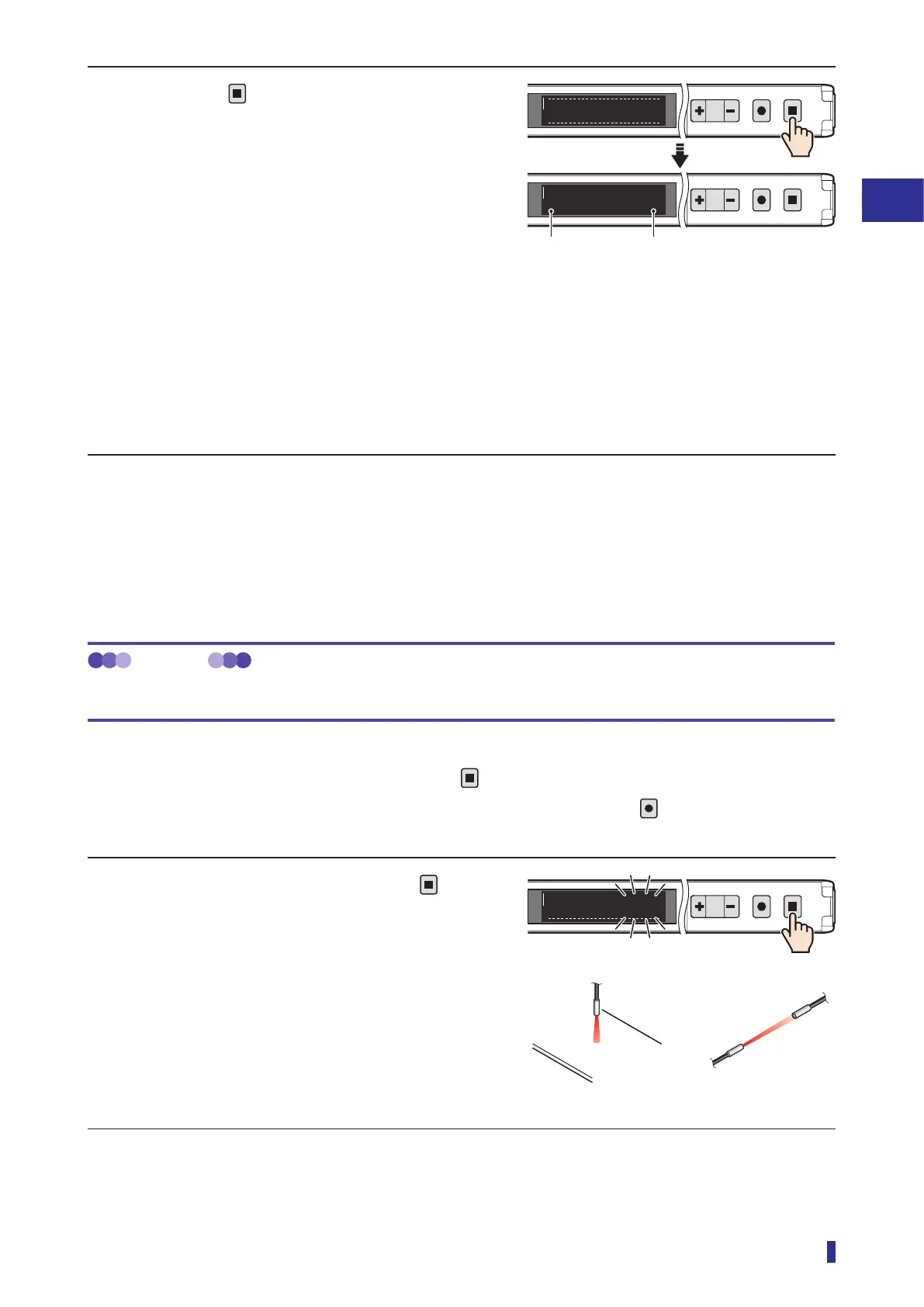
1 With no object present, hold down
for 1
second or more.
• The numeric value blinks, and the measurement
of the received light amount starts.
• The output indicator of the output (output 1 or
output 2) that was set with the teach function
blinks in orange.
Continued on next page
Present difference value in the
received light amounts
Edge direction
1
2
MENU
OK
TEACH
ESC
To run mode
1
2
MENU
OK
TEACH
ESC
0±100
Execute the teach function with no object present.
[Through-beam]
[Diffuse reflective]
1
2
MENU
OK
TEACH
ESC
Start
2040



 To Next Page