2. Commissioning
2-21
Festo Festo P .BE CP FB13-E-EN en 9910c
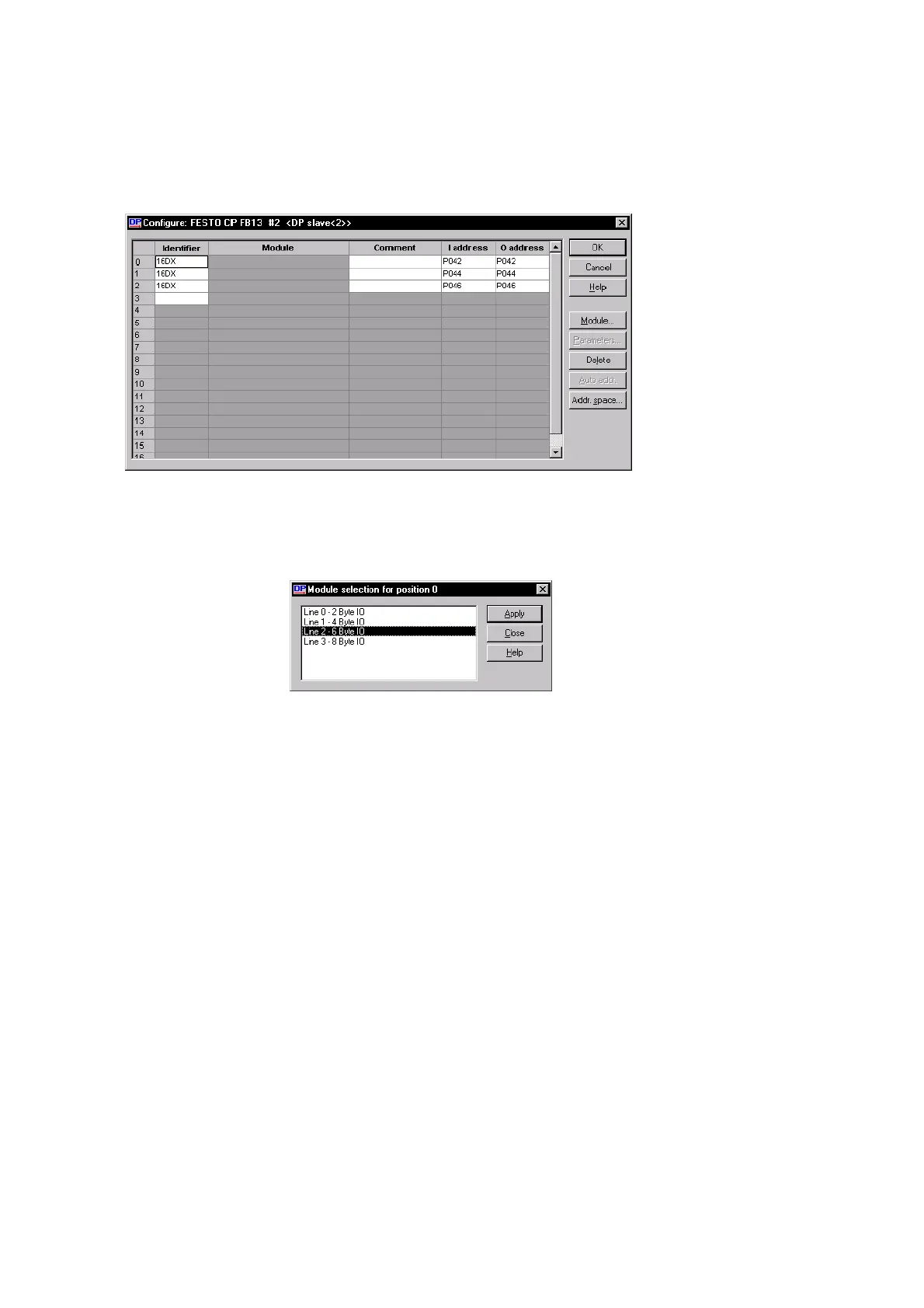
Fig. 2/10: Configuration with COM PROFIBUS 5.0
2. Click on the button “Module...”
The mask “Module selection” appears (Fig. 2/11).
Fig. 2/11: Selecting the highest assigned string number
3. Select the highest assigned string number and click on
“Apply” and then on “Close”.








 To Next Page