3.2.8. USB (Type-C)
The Vision-RTK 2 contains a USB-C port to connect an external drive for data recording
(see 5.9). After FW 2.63, the user can also use this port to access the recovery mode.
(see 5.2.5).
3.2.9. Sensor frame
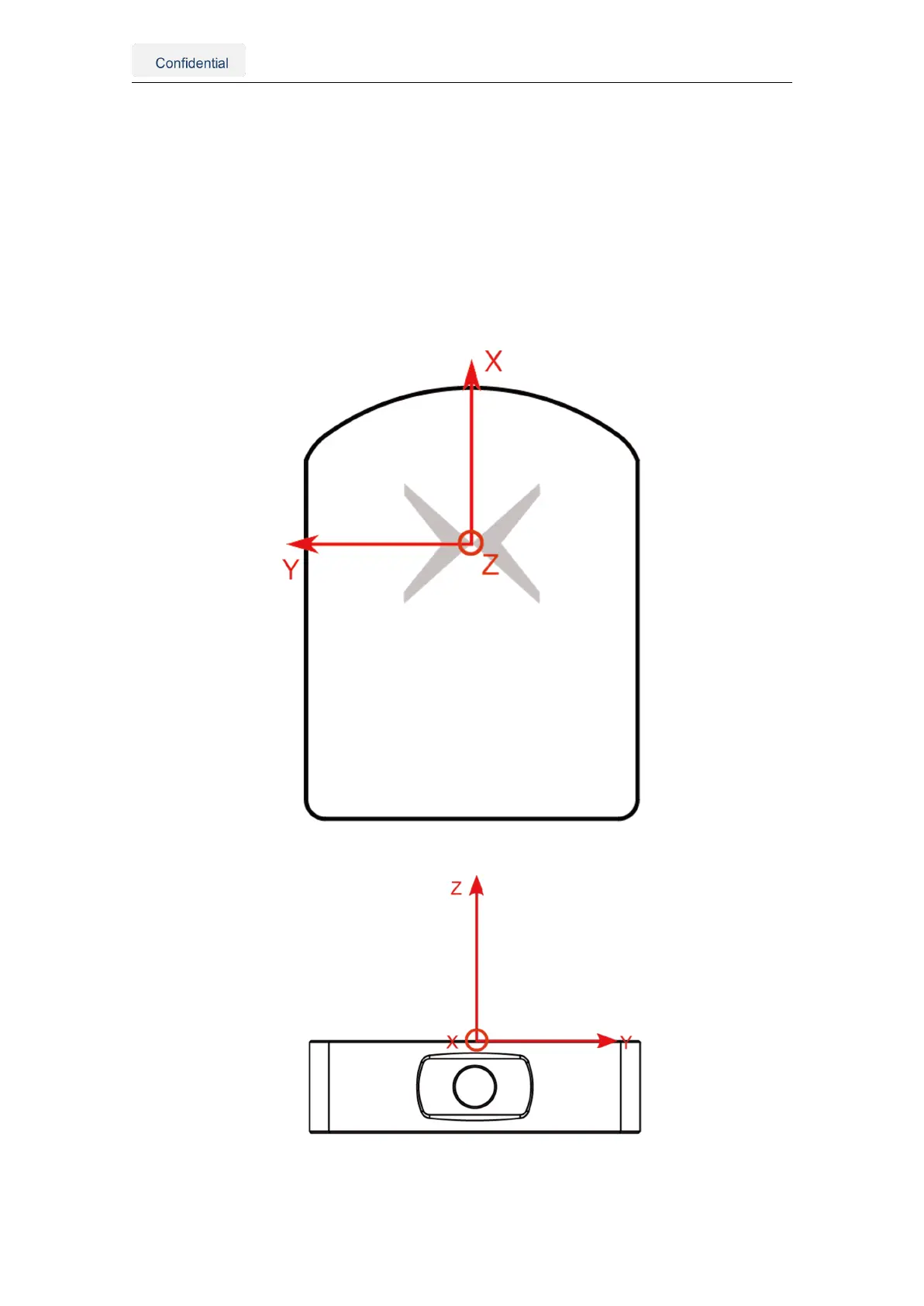
The origin of the sensor’s reference frame is on top of the Fixposition logo. Fig. 3.6
presents the sensor’s reference frame. Note that all the functionalities and messages of
the Vision-RTK 2 employ this reference frame by default.
Figure 3.6.: Reference frame of the Vision-RTK 2
Vision-RTK 2 | Fixposition Positioning Sensor 8



 To Next Page