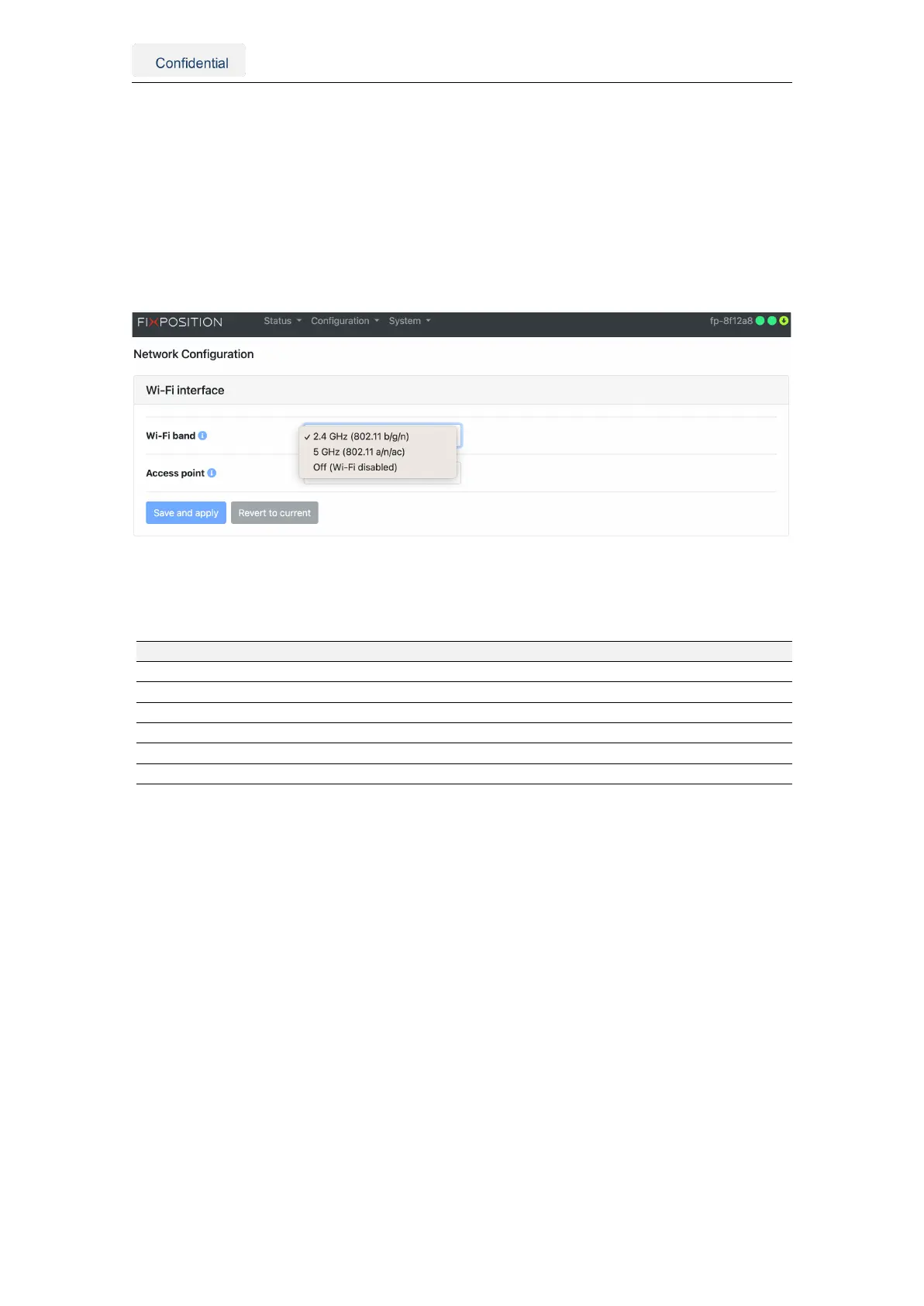
5.2.1. Network specifications
To connect to a Wi-Fi network and access the Internet, the user must specify the con-
figuration of the Wi-Fi interface, which includes the desired Wi-Fi band and whether the
access point of the sensor is enabled. Currently, the sensor supports the 2.4 and 5.0
GHz bands or disabling the Wi-Fi module altogether (see Figure 5.4). After updating the
configuration of the Wi-Fi interface, it is necessary to reboot the sensor to apply them.
Currently, we only support one band at a time, meaning the access point and the hotspot
should operate at the same frequency.
Figure 5.4.: Wi-Fi interface configuration options
The table below summarizes all available network configurations for the Vision-RTK 2:
Network Sensor IP Netmask Client IP Configuration
Wi-Fi client Dynamic Dynamic n/a Web interface
Wi-Fi access point 10.0.1.1 255.255.255.0 10.0.1.10–254 Enabled by default
Ethernet DHCP server 10.0.2.1 255.255.255.0 10.0.1.10–254 Enabled by default
Ethernet DHCP client Dynamic Dynamic n/a Web interface
Ethernet static Variable Variable n/a Web interface
USB 10.0.3.1 255.255.255.0 10.0.3.10-254 For recovery only
Table 5.1.: Network configuration details
Some details, recommendations, and know limitations to take into consideration:
• Even though wireless connections are supported, Ethernet is recommended for use
in the field, as the Wi-Fi protocol does not guarantee stability.
• 2.4 GHz is preferred over 5 GHz for Wi-Fi connections due to its range and reliability.
• An Ethernet connection is always prioritized over Wi-Fi for Internet access.
• If the Ethernet is configured as static-ip and it doesn’t provide Internet access, make
sure to leave the gateway field empty. Only then the Wi-Fi connection will be used
for Internet access.
• The only supported Wi-Fi security configuration is "wpa-psk" (WPA2). Currently, we
do not support "SAE" (WPA3) nor "open" Wi-Fi connections (no password).
• The Vision-RTK2 shares Internet access with devices connected to its network.
• When employing an intermediary device, such as a router or an access point,
the DHCP server assigns a dynamic IP address to the sensor. The 10.0.1.1 and
10.0.2.1 IPs do not apply when accessing the sensor via the intermediary device.
Vision-RTK 2 | Fixposition Positioning Sensor 15



 To Next Page