5.2. Network configuration
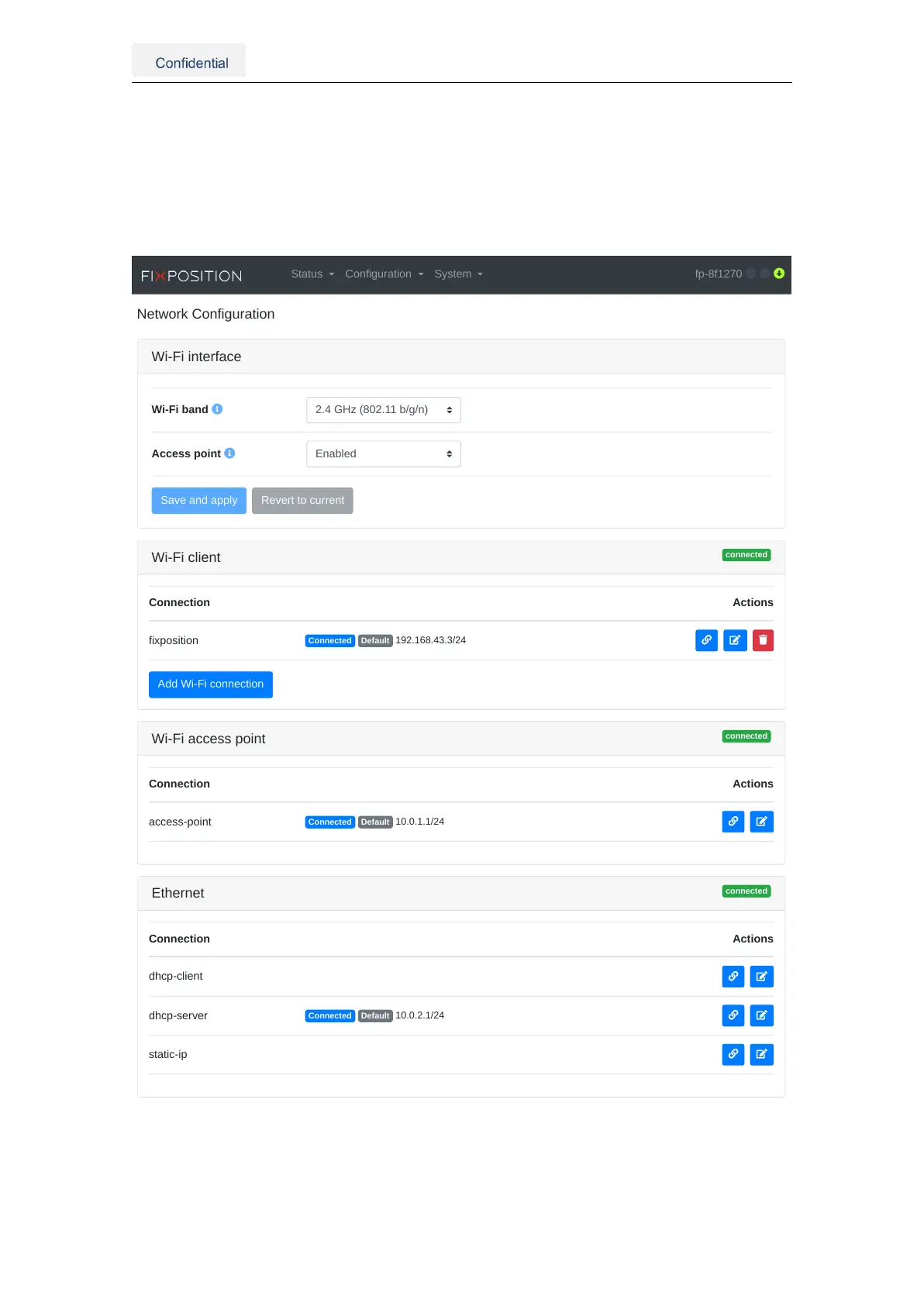
To access the network configuration page in the web interface, the user must press "Con-
figuration" on the navigation bar and select "Network". As shown in Figure ???5.3, this
page presents the configuration for the Wi-Fi interface, client, and access point, as well
as the Ethernet connection configuration.
Wi-Fi interface
Wi-Fi band
Access point
connected
Wi-Fi client
Connection Actions
fixposition
Connected Default 192.168.43.3/24
Add Wi-Fi connection
connected
Wi-Fi access point
Connection Actions
access-point
Connected Default 10.0.1.1/24
connected
Ethernet
Connection Actions
dhcp-client
dhcp-server
Connected Default 10.0.2.1/24
static-ip
Status Configuration System fp-8f1270
Figure 5.3.: Networking configuration page in the web interface
Vision-RTK 2 | Fixposition Positioning Sensor 14



 To Next Page