CHAPTER 4
Installation Guidelines
4.1. Sensor setup requirements
For the proper functioning and optimal performance of the Vision-RTK 2, the user must
fulfill the following setup requirements:
• Mount the Vision-RTK 2 firmly/rigidly to the vehicle’s body.
• Attach the GNSS antennas to the same rigid body as the VRTK, their relative posi-
tions must remain unchanged. Please carefully follow the antenna manufacturer’s
installation guidelines and comply with their requirements to minimize interference.
• Mount the GNSS antennas at least 20cm apart, ideally, more than 50cm apart.
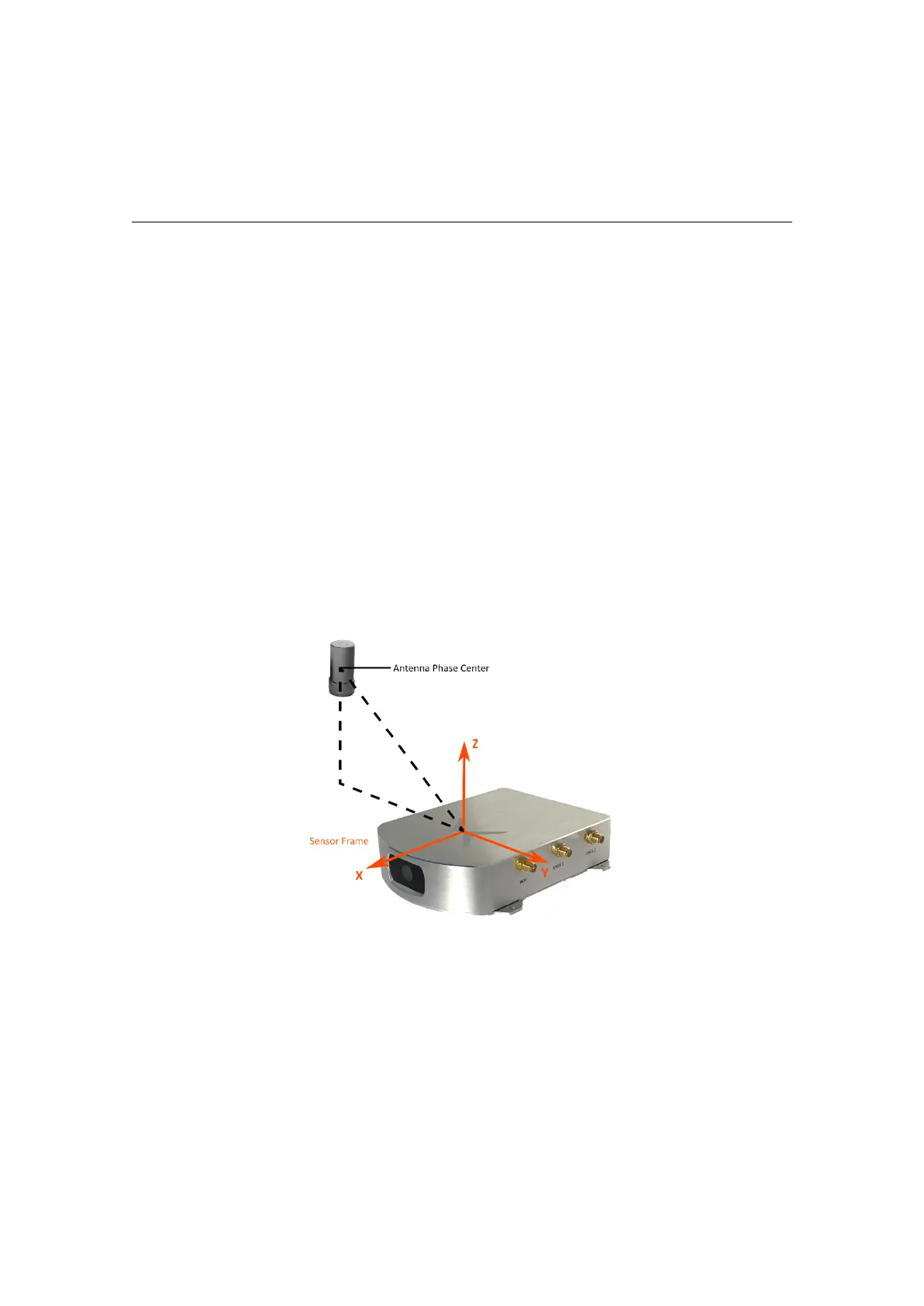
• Measure the sensor-to-antenna distances with millimeter accuracy (See Figure 4.1).
Note that the antenna reference point corresponds to its phase center, described in
the corresponding antenna datasheet. The default extrinsic parameters correspond
to the measurements of the starter kit.
Figure 4.1.: Sensor-to-antenna distance example
• Minimize vibrations experienced by the sensor (e.g., engine, gravel).
• Use shielded cables only and avoid sources of electromagnetic interference near
the antennas (e.g., LiDAR, USB3).
• Ensure that the GNSS antennas have an unoccluded view of the sky.
• Employ an external lighting source if working in dim scenarios.
• Reduce static obstructions (e.g., vehicle’s structure) and featureless scenes (e.g.,
sky, mud) in the camera view (See Figure 4.2).
10



 To Next Page