CHAPTER A
Software Updates
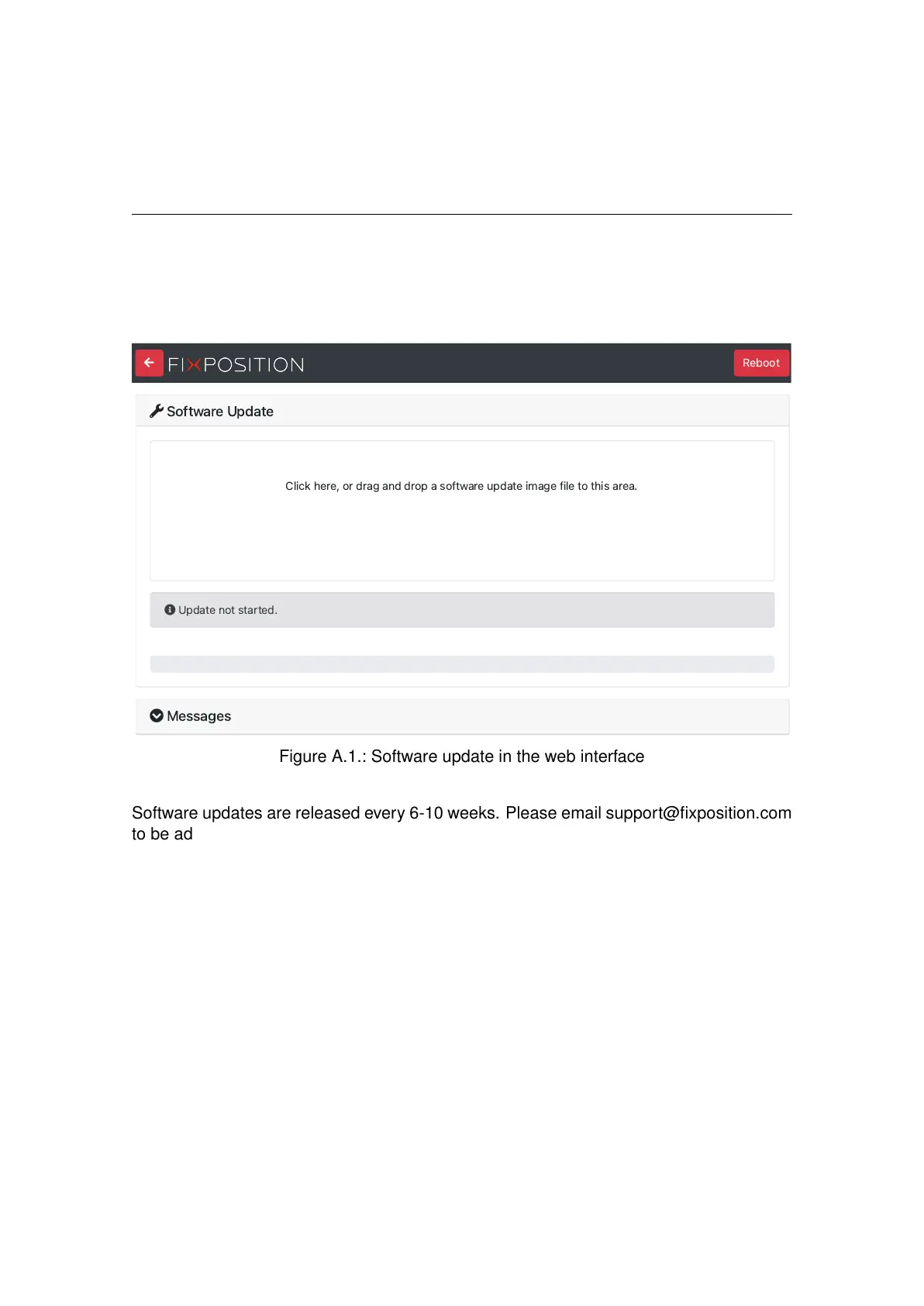
To update the software version of the Vision-RTK 2 go to the "System → Update" panel in
the web interface and drag/drop the corresponding SWU file inside the marked area (see
Figure A.1).
S
o
f
tw
a
r
e
U
p
da
t
e
C
l
ick
he
r
e
,
or
d
r
ag
a
n
d
d
rop
a
so
f
tw
a
r
e
up
da
t
e
i
m
age
fi
l
e
to
t
hi
s
a
r
ea
.
U
p
da
t
e
not
st
a
rt
ed
.
M
e
ss
age
s
Figure A.1.: Software update in the web interface
Software updates are released every 6-10 weeks. Please email support@fixposition.com
to be added to the distribution list.
We also provide Bash and Python scripts to upload the software image to the system and
then wait for the notification of success or failure of the flash process. These tools can
be found in the Fixposition Software Update library (https://github.com/fixposition/
fixposition_utility/tree/main/software_update).
Note: When upgrading from 2.58.0 or earlier, the update page will get stuck at “The
system will restart. Please be patient, as restarting takes about one minute.” Please wait
a minute and then manually open http://10.0.1.1 to return to the main interface. This
issue was caused by the software update page being moved from “http://x.x.x.x:8080” to
“http://x.x.x.x/update”.
76



 To Next Page