5.8. Sensor fusion configuration
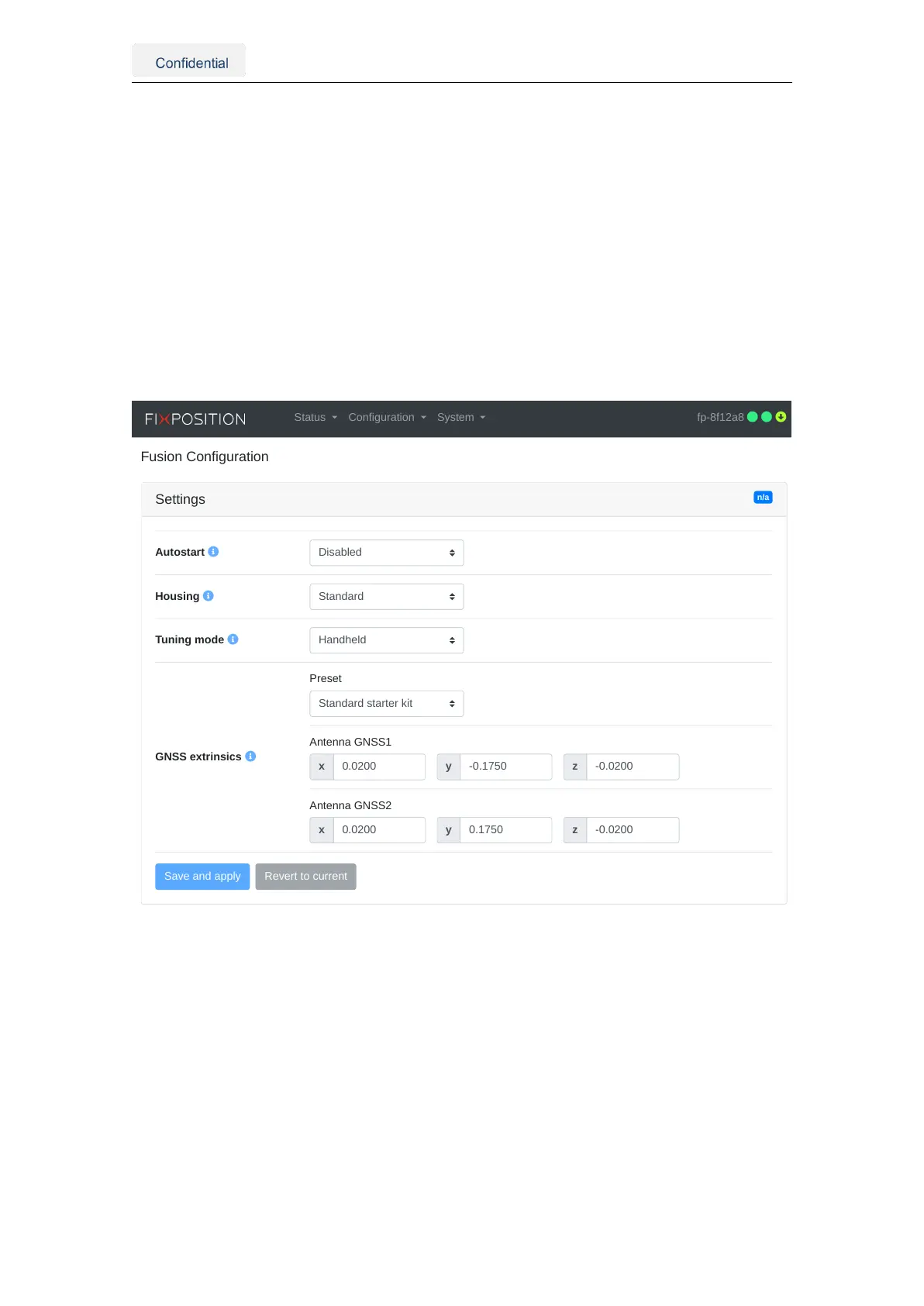
The user can configure the sensor fusion engine by accessing the web interface and nav-
igating to the "Configuration → Fusion" panel. In this section, the following configuration
options are available:
• Autostart: Once enabled, the Fusion engine will be launched automatically on
system bootup. Note: Enabling this will not start the Fusion engine directly.
• Housing: Prototype (i.e., 3D-printed) or Standard (i.e., aluminum).
• Tuning mode: Expected platform dynamics (see Section 2.3).
• GNSS extrinsics: Position of the GNSS antennas with respect to the Vision-RTK 2
sensor frame in meters. These values should be accurate to the mm level.
n/a
Settings
Autostart
Housing
Tuning mode
GNSS extrinsics
Status Configuration System fp-8f12a8
Figure 5.22.: Fusion engine configuration on the web interface
Vision-RTK 2 | Fixposition Positioning Sensor 37



 To Next Page