f) Occasional errors on a CAN connection are expected. The frequency depends
on various factors (e.g., number of devices, bitrate, cable length).
TCP ports:
a) Congested network and/or too little bandwidth available. Recommended: use
direct one-on-one Ethernet connections between the sensor and host.
Note that on the initial load of the web interface, this warning might appear if the
error counters are not zero, even if the last error was a long time ago.
10. Other: Unspecified warning - reserved for future use.
I/O status
Output
Bytes
Messages
Errors
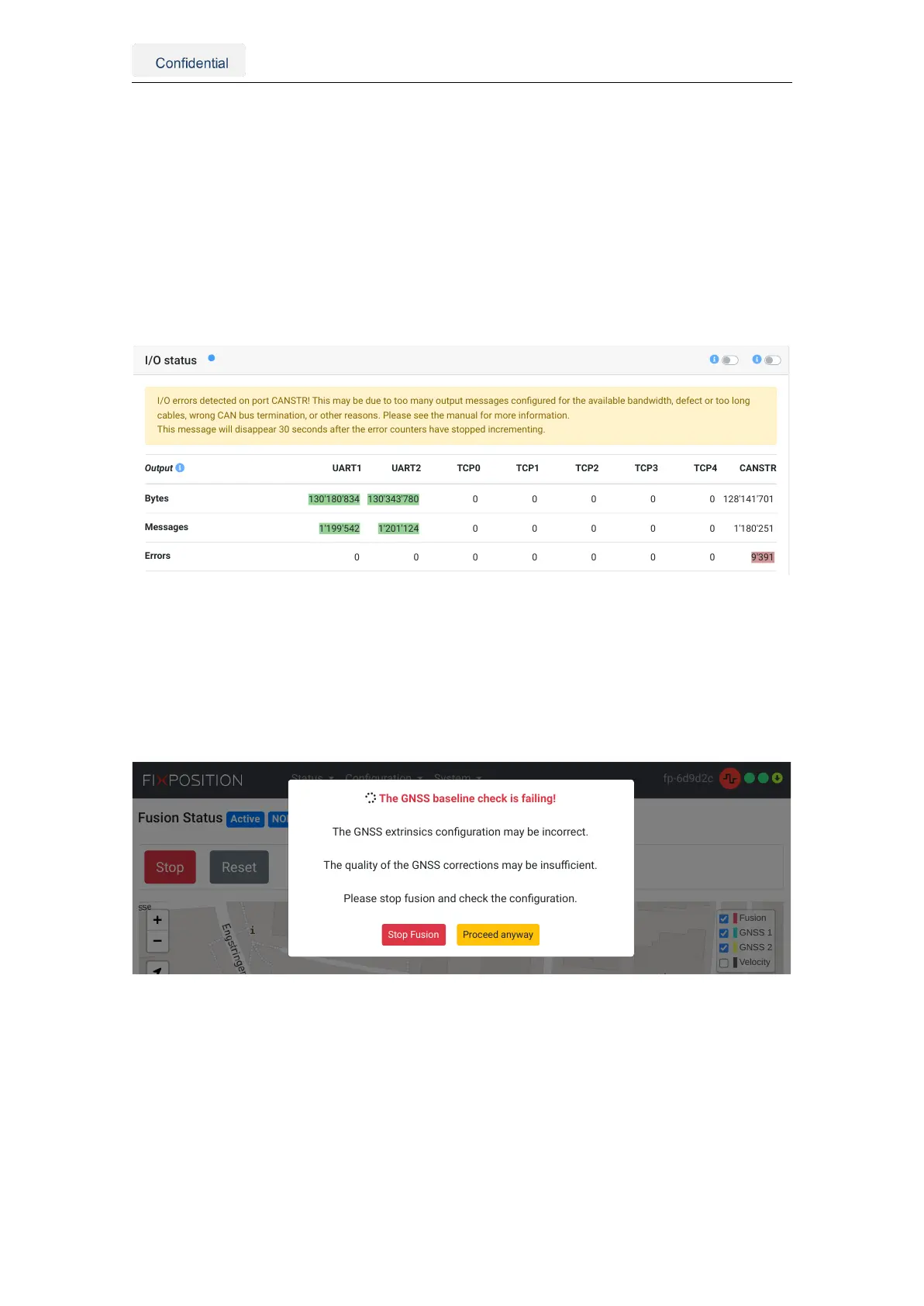
I/O errors detected on port CANSTR! This may be due to too many output messages configured for the available bandwidth, defect or too long
cables, wrong CAN bus termination, or other reasons. Please see the manual for more information.
This message will disappear 30 seconds after the error counters have stopped incrementing.
UART1 UAR
130'180'834 130'343'780 0 0 0 0 0 128'141'701
1'199'542 1'201'124 0 0 0 0 0 1'180'251
0 0 0 0 0 0 0 9'391
Figure 5.31.: Error message on the I/O status tab of the web interface
Additionally, when the GNSS baseline check fails, the following warning appears on the
web interface. This indicator does not necessarily suggest an error, as leaving the sensor
on a prolonged GNSS outage can trigger this warning due to the low quality of the RTK
correction data. Nonetheless, the user should verify their GNSS extrinsics if this error
often appears under good GNSS conditions or RTK-fixed at the mission’s beginning.
Fusion Status Active NONE
Fusion
GNSS 1
GNSS 2
Velocity
Status Configuration System fp-6d9d2c
The GNSS baseline check is failing!
The GNSS extrinsics configuration may be incorrect.
The quality of the GNSS corrections may be insufficient.
Please stop fusion and check the configuration.
Stop Fusion Proceed anyway
Figure 5.32.: GNSS baseline check error message on the web interface
Vision-RTK 2 | Fixposition Positioning Sensor 45



 To Next Page