
 Need help?
Do you have a question about the Flexitron Webdyn SunPM and is the answer not in the manual?
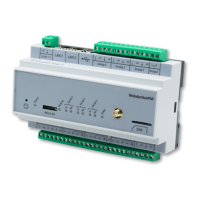
Provides an overview of the WebdynSunPM concentrator's purpose and its role in monitoring photovoltaic installations.
Explains how the concentrator integrates into installations, collects data, and communicates with servers using various protocols.
Lists the inverter protocols and physical interfaces compatible with the WebdynSunPM concentrator.
Lists the different product references for the WebdynSunPM, including regional versions.
Details general specifications such as power supply, battery, dimensions, weight, and operating conditions.
Covers technical details like memory capacity, cellular modem bands, SIM format, and interface types.
Outlines software specifications including embedded server and server communication protocols.
Lists the necessary elements and knowledge required for a proper installation.
Details the contents of the package and how to identify the specific product model.
Provides instructions on how to mount the WebdynSunPM concentrator onto a DIN rail.
Detailed descriptions of the product's interfaces, including power, cellular, indicators, and ports.
Describes remote configuration using FTP, SFTP, or WebDAV servers, including operating principles and files.
Explains how to access and use the device's web interface for configuration and management.
Details the use of a MicroSD card for configuration, following similar rules to FTP server configuration.
Details server configuration, directory structure, file formats, and operations for FTP, SFTP, and WebDAV.
Covers the configuration and operation of MQTT/MQTTS servers for data and alarm transmission.
Describes the function and usage rules of the microSD card for data storage.
Explains the possibility of sending commands remotely for configuration, control, or monitoring.
Details the three distinct methods for sending commands: command file, MQTT message, and SMS.
Provides a comprehensive list of available commands, including descriptions and supported methods.
Step-by-step guide for updating the concentrator's firmware using its web interface.
Instructions for performing remote firmware updates using FTP, SFTP, or WebDAV servers.
Details how to update the concentrator software using SMS or MQTT/MQTTS commands.
Provides instructions for updating the concentrator firmware using a micro SD card.
Explains methods for troubleshooting product malfunctions and isolating issues.
Describes available utility tools, including a definition file converter.
Lists and describes the authorised configuration parameters for the _config.ini file.
Provides a list of authorised values for the NTP_TimeZone parameter.
 General
| Category | Controller |
|---|---|
| Power Rating | 10W |
| Protection Class | IP20 |
| Dimensions | 90 x 60 x 25 mm |
| Weight | 0.1 kg |

 To Next Page