Limitorque
®
MX Electronic Actuator FCD LMENIM2306-09-AQ – 08/17
50
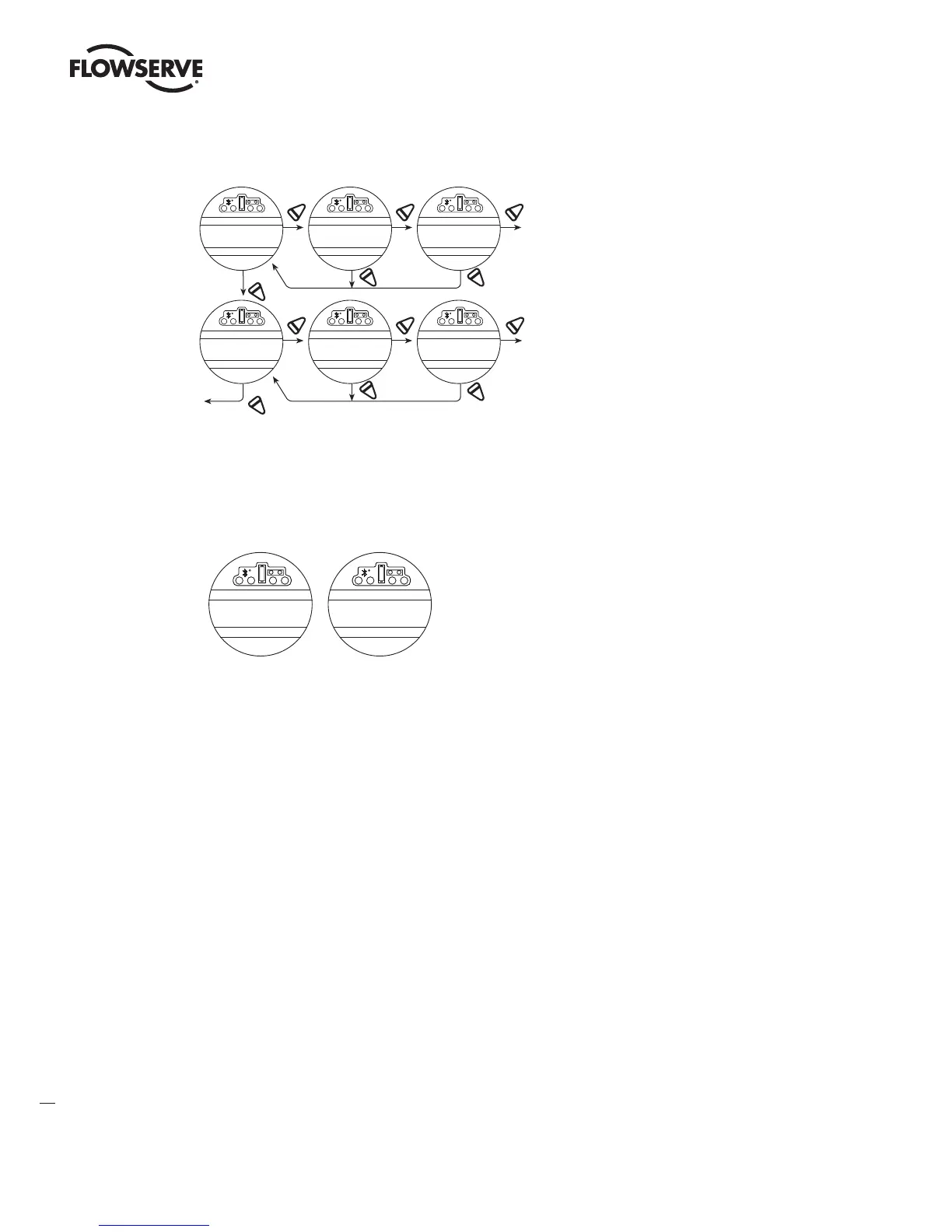
Figure 4.12 – Modutronic signals
NO
YES YES
To
“ SET LOW
REFERENCE ”
YES
YES YES
“ CHANGE
MODUTRONIC
YES
NO
NO
Flow to “ CHANGE MODUTRONIC ”
NO
NO
NO
SET HIGH
REFERENCE-OK?
A PPLY HIGH LEVEL
C ONTROL SIGNA L
HIGH REFERENCE
(OK)-EXIT
SET LO W
REFERENCE-OK?
APPLY L OW LEVEL
C ONTROL SIGNA L
LOW REFERENCE
(OK)-EXIT
4.8.10 Modutronic LCD Display
When the Modutronic option has been purchased, is set to “ON,” and the red selector switch is in “REMOTE,” the
normal LCD display will read:
XXX% OPEN
XXX% DEMAND
XXX.X% OPEN
XXX.X% DEMAND
*
* If SET POSITION PRECISION is set to XXX.X% OPEN
XXX% Demand is the percentage value of the milliamp input signal.
4.9 DDC/Modbus Option
DDC option enables the actuator to be controlled by an RS-485 serial communication signal. If the DDC option has been
purchased, it is automatically enabled. The customer must set the DDC address.
NOTE: If the DDC option has not been purchased, the screens for changing DDC will not be available. To add the DDC
option, please consult Limitorque service at (434) 528-4400.
The MX is equipped with the ability to either hardwire to digital inputs for control, set-up for analog control (Modutronic),
or control via network protocols. In order to utilize this feature, then select “Multi-control mode” operation located in
Section 4.16, Remote Mode. This is the default setting for remote control. There are three modes of remote control
when remote mode is configured for multi control: digital control, analog control, and network control. Digital and
network control operation is based on the last command received. Analog operation is initiated by either toggling user
input 2 (configure for CSE input) or breaking and reapplying the analog control.
4.9.1 Status
Default = ON
DDC Status enables user to change from the default condition to turn on and off the digital control capability of the
actuator.
To Change from the Default Setting:
Select “NO” to switch DDC to “OFF.” If “OFF” is selected, no further menus will be displayed.
LMENIM2306-09 AQ.indd 50 Mittwoch23.08.17 08:53








 To Next Page