Limitorque
®
MX Electronic Actuator FCD LMENIM2306-09-AQ – 08/17
72
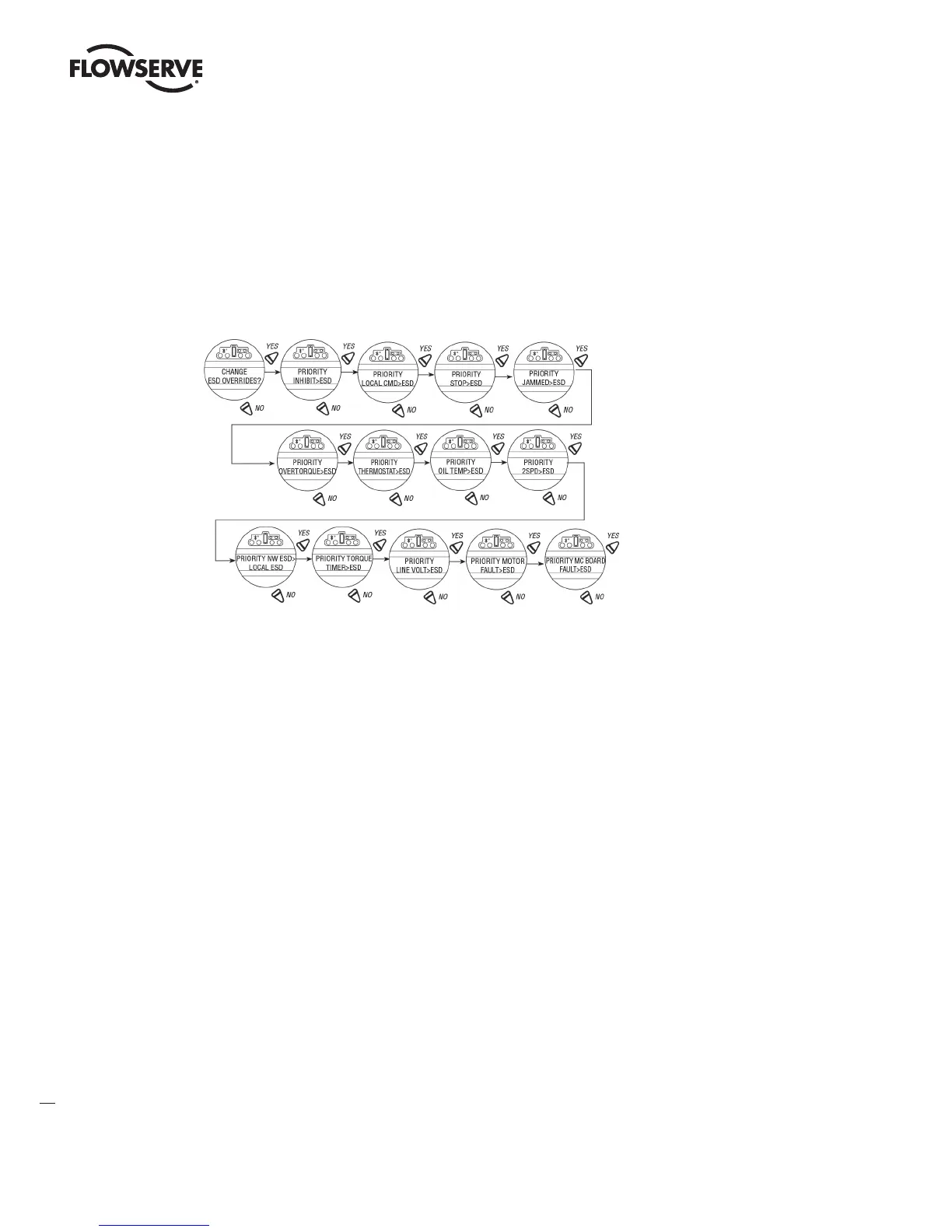
4.18.12 Torque Switch Timer
Default = TORQUE TIMER>ESD
To Customize the Settings:
Select “NO” to choose:
• “ESD>TORQUE TIMER” - ESD overrides torque switch timer
• “TORQUE TIMER>ESD” - Torque switch timer overrides ESD
Change ESD Overrides
4.19 Inputs
The User can select up to 3 Inputs (0, 1, 2) and configure them to perform these functions:
• ESD
• Inhibits
• User defined
• CSE
• PST
NOTE: Input 0 Default: The default for input 0 will be ESD, signal present, disabled, and ignore.
Input 1 Default: The default for input 1 will be open inhibit, signal present, and disabled.
Input 2: The default for input 2 will be close inhibit, signal present, and disabled.
The inputs will be the same as in previous versions of software. If a firmware upgrade is done from a previous version
that did not have configurable inputs, to the later version that does, then the users settings will remain the same.
4.19.1 Input Standard Remote Control
The actuator may be controlled remotely by two, three, or four wires, depending on the connections made in the
terminal compartment of the actuator. Configuration is required during actuator setup.
This setting allows the user to change the mode of remote control from the default setting:
Default = Three-wire Maintain Control
1. Select “CHANGE INPUTS?” from the “SETUP” routine.
LMENIM2306-09 AQ.indd 72 Mittwoch23.08.17 08:53








 To Next Page