INSTALLATION AND OPERATION
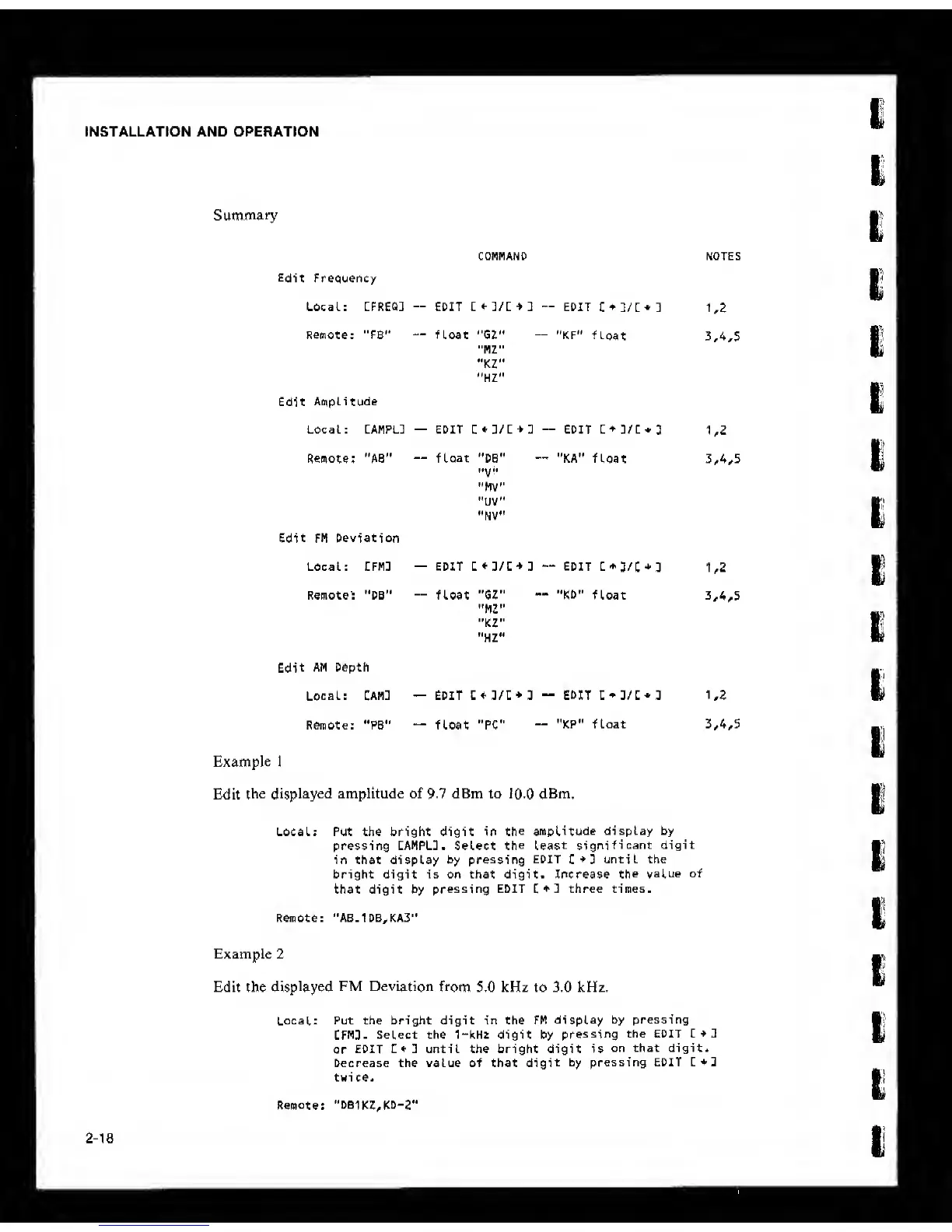
Summary
COMMAND NOTES
Frequency
Local: :FREQ3
—
EDIT ]
—
EDIT
C
+
D/C+:
uz
Remote: "FB’'
—
float "GZ"
"MZ"
•*KZ"
“HZ"
"KF“
float
3
,
4,5
. Amplitude
Local: CAMPL3
—
EDIT :
—
EDIT C
+
]/C*3
1.2
Remote; "AB"
—
float “DB"
"MV"
"UV“
“NV“
"KA“
float
3
.
4,5
: FM Deviation
Local: CFM]
—
EDIT C
+
:/C
+
3
—
EDIT
C*3/C
+
3
1.2
Remote; "DB"
—
float "GZ“
"M2"
"KZ"
“HZ'*
"KD"
float 3
,
4,5
AM Depth
Local: Cam]
—
EDIT 3/C+ 3
—
EDIT
C
+
3/C*3 1.2
Remote: "PB**
““
float "PC”
“KP" float 3
,
4,5
Example 1
Edit
the displayed amplitude of 9.7 dBm to
10-0
dBm.
Local; Put th« bright digit in
the amplitude
display by
pressing CAMPLU. Select
the least
significant digit
in that display by
pressing
EDIT
C
+
D
until the
bright digit is on that digit. Increase
the
value of
that digit by
pressing EDIT three times.
Remote: "AB.1DB,KA3"
Example 2
Edit the
displayed
FM Deviation
from
5.0 kHz to 3.0 kHz.
Local: Put the bright digit in the FM
display
by pressing
CFM3.
Select the 1“kHt digit by
pressing
the EDIT Z*1
or
EDIT
1*2
until the bright digit is
on that digit.
Decrease the value of that
digit
by pressing EDIT
twi ce.
Remote: ''DBlKZ,KD-2'*
mk'i
2-18



 To Next Page