installation
and
operation
The [CLR
LCL] key may be used to clear a
partial DAT
A entry or clear the flashing‘REJ
ENTRY’
indicator. Press the [STATUS]
key while an ‘UNCAL’ indication exists to
display
the Uncal Error Codes in three
fields:
Flashing codes (denoted by
*)
indicate abnormal operation or
aberrated
output. Non-
flashing codes indicate
operation
outside specified range.
Press
the
[STATUS] key while the ‘REJ ENTRY’
indication exists to display the Reject
Entry
error codes:
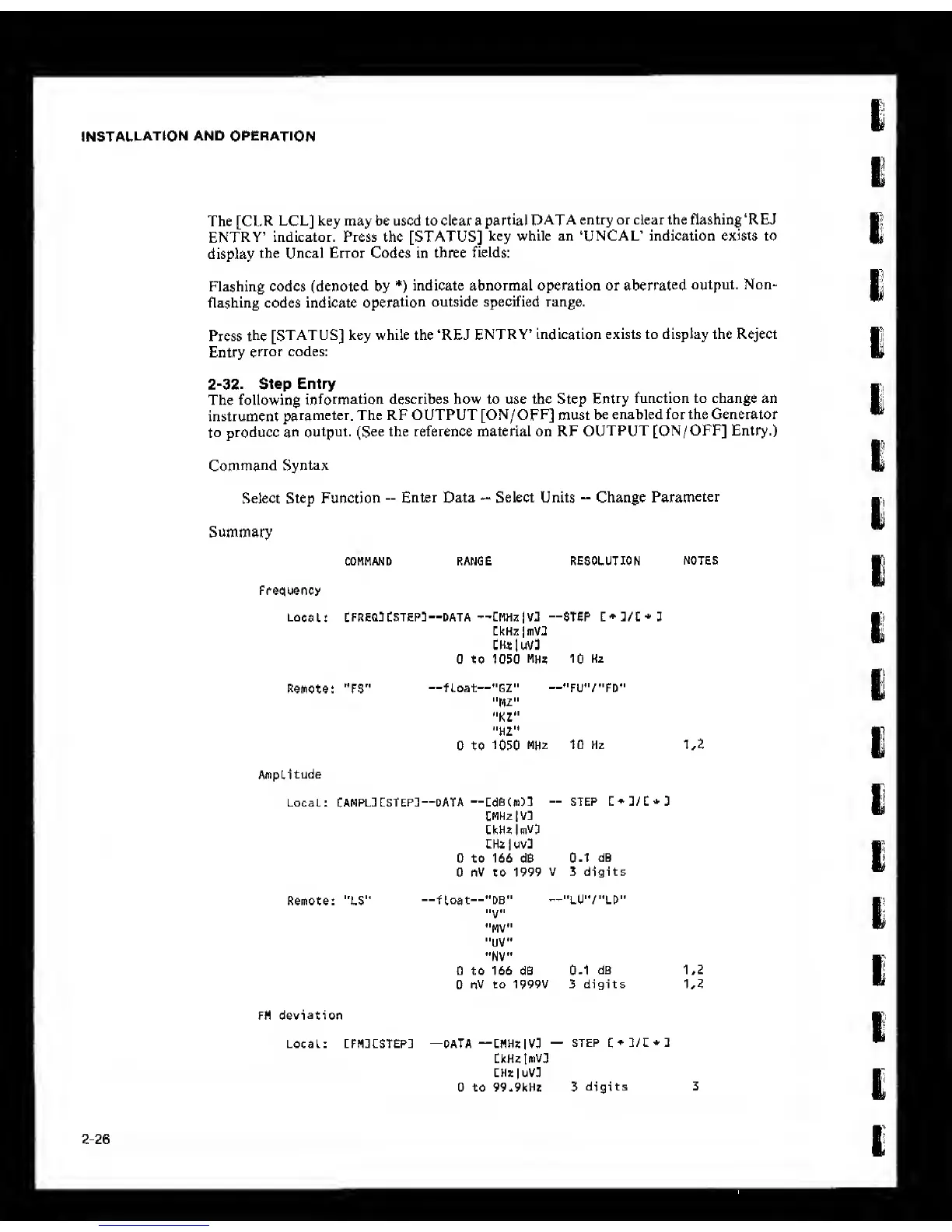
2-32. Step Entry
The following
information describes how to use the Step
Entry
function to change an
instrument
parameter. The RF OUTPUT [ON/OFF] must
be
enabled for the Generator
to produce an
output. (See the reference material on RF
OUTPUT
[ON/ OFF] Entry.)
Command
Syntax
Select Step Function
-
Enter Data
-
Select Units
-
Change
Parameter
Summary
COMMAND
RANGE
RESOLUTION
NOTES
Frequency
Local:
CFRE03CSTEP3—DATA -'CMHzjVJ --STEP C+]/[*3
CkHz |niV2
[H«luV3
0 to 1050
MHz 10
Hz
Remote: "FS"
—fLoat--"GZ" -»"fu'7"FD"
"MZ"
*'KZ"
"HZ"
0 to
1050
MHz 10 Hz 1,2
Amplitude
Local; CAMPLl [STEP!—DATA
—LdeCm)!
--STEP L*2/C*2
CMHzlVl
CkHzImVD
CHz|uv3
0 to 166 dB
0.1 dB
0 nV to 1999
V 3 digits
Remote: "LS"
—float—"DB"
—
"lU'V'LD"
»V"
"MV"
"UV"
"NV"
0 to 166 dB
0.1
dB 1,2
0
nV
to 1999V 5 digits 1,2
FM
deviation
Local: cfhdcstep: —DATA —lmhz |vd
—
STEP
LkHzImVl
CHzluV]
0 to 99.9kHz 3
digits 3
2-26



 To Next Page