103
5-11. Multi-Panel Operation
5-11-1. Outline
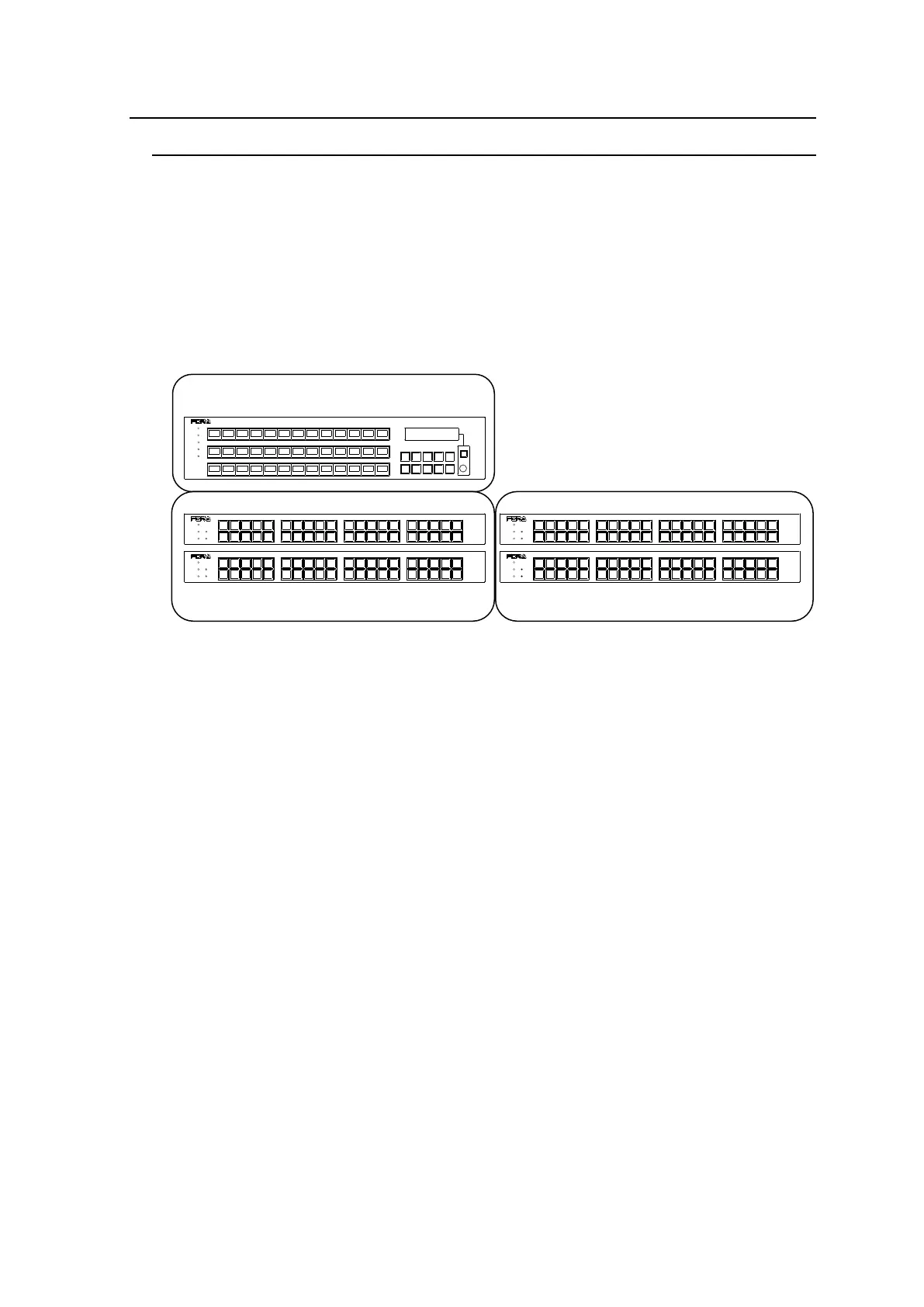
Multiple remote control panels can be connected to build a large control panel.
(Ex.) To build a 96 x 96 maximum control system:
Units to use: MFR-40RU x 4, and MFR-39RU x 1
Configuration:
Destination button assignments to: MFR-40RU x 2 and a part of MFR-39RU
Source button assignments to: MFR-40RU x 2 and a part of MFR-39RU
This system can control 96 x 96 inputs and outputs without using the PAGE function.
Functions that can be integrated
The following operation can be integrated between the connected remote control panels by
the interlock function.
- To select destination channels
- To select destination/source channels and levels by the control knob.
- To enable or disable Lock functions (LOCK LOCAL, LOCK OTHER, and LOCK ALL)
Lock functions in the multi-panel operation
All connected remote control panels work as one remote control panel, so:
LOCK LOCAL: All integrated remote control panels are locked locally.
LOCK OTHER: Restricts units other than the remote control panels in the
multi-panel operation system from changing crosspoints.
All integrated remote control panels can unlock the Lock function.
LOCK ALL: Restricts all units within the multi-panel operation system from
changing crosspoints.
All integrated remote control panels can unlock the Lock function.
RESET
CANCEL
MFR-39RU
REMOTE CONTROL UNIT
POWER
BUSY
LOCK
SETUP
POWER
BUSY SETUP
LOCK RESET
MFR-40RU
REMOTE CONTROL UNIT
POWER
BUSY SETUP
LOCK RESET
MFR-40RU
REMOTE CONTROL UNIT
POWER
BUSY SETUP
LOCK RESET
MFR-40RU
REMOTE CONTROL UNIT
POWER
BUSY SETUP
LOCK RESET
MFR-40RU
REMOTE CONTROL UNIT
For System & I/O : MFR-39RU



 To Next Page