81
5-4-3-8. NAME TYPE
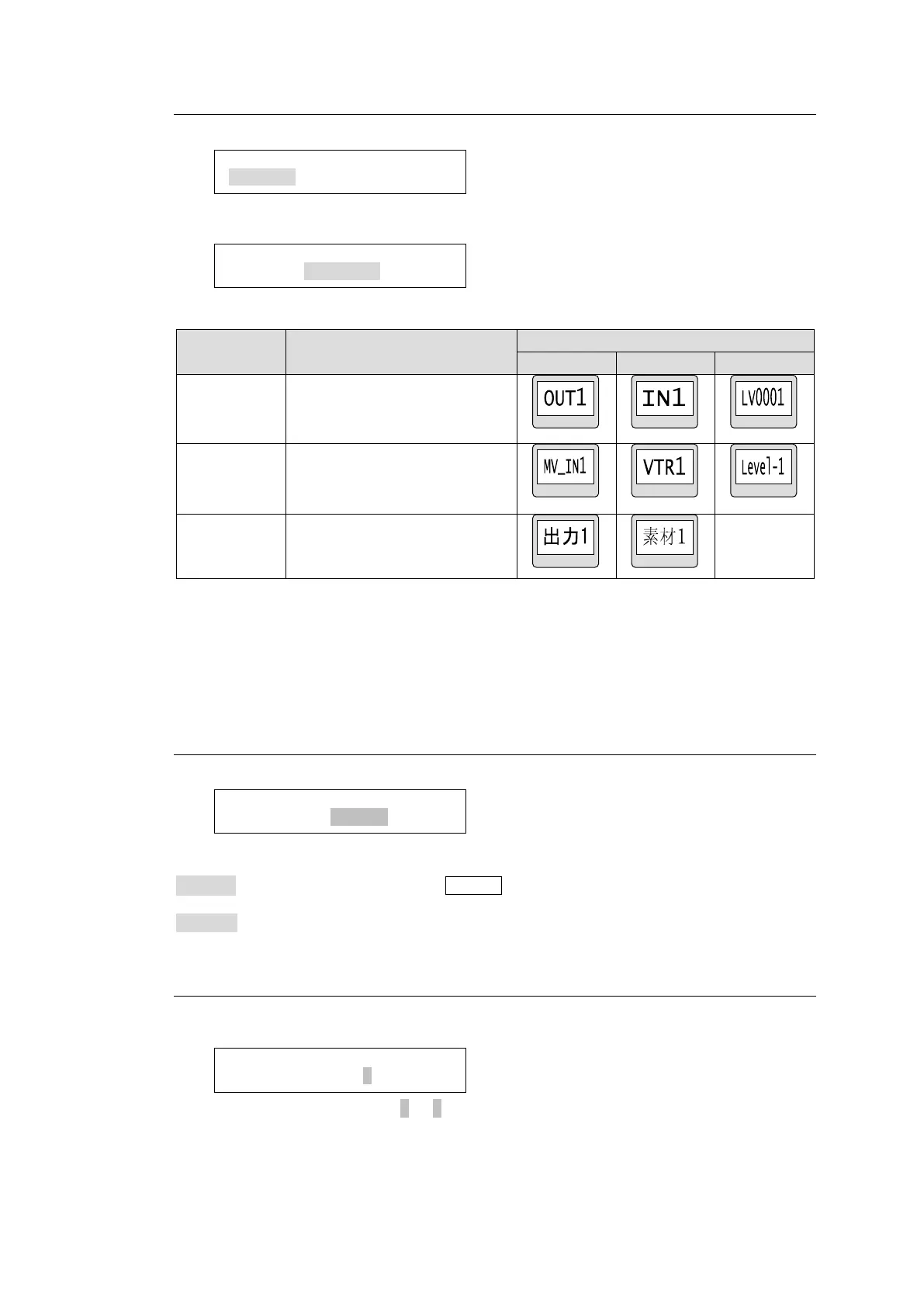
This menu allows you to select a name display type for the destination, source and level.
Turn the control knob to select a button group from the destination, source and level
buttons. Press the control knob to confirm the selection.
Turn the control knob to select a display type, then press the knob to confirm the selection.
Ascii character display
(Alphanumeric characters and
symbols)
2-byte character code including
1-byte character code
(Not selectable for LEVEL)
* When using 2-byte characters:
Up to 8 characters (including one-byte characters) on MFR-39RUA/18RUA/16RUTA
units
Up to 4 characters (including one-byte characters) on MFR-39RU/18RU units.
* Up 14 characters when using only one-byte characters.
5-4-3-9. TENKEY MOD
This menu allows you to change the method to confirm changes in numeric keypad mode.
Turn the control knob to select a method from the below options, then press the knob to
confirm the selection.
ENTER : Enter a value and press the ENTER button on the displayed numeric keypad on
the remote control panel.
DIRECT: Enter a value using the numeric keypad. The value is confirmed.
5-4-3-10. TENKEY NO
This menu allows you to select the start point of each setting between 0 and 1 in numeric
keypad mode.
Turn the control knob to select 0 or 1, then press the knob to confirm the selection.
SETTING>TENKEY MOD
INPUT MODE:ENTER <ENT>
SETTING>TENKEY NO
INPUT START NO:0<ENT>
SETTING>NAME TYPE
DST BTN :PHY NUM <ENT>
SETTING>NAME TYPE
DST BTN :PHY NUM <ENT>



 To Next Page