89
5-5. Operation Using the Menu Display (MFR-16RUD)
The MFR-16RUD, a remote control unit with a display, allows you to select destination channels
and switch crosspoints using the menu display.
Function button assignments are also possible.
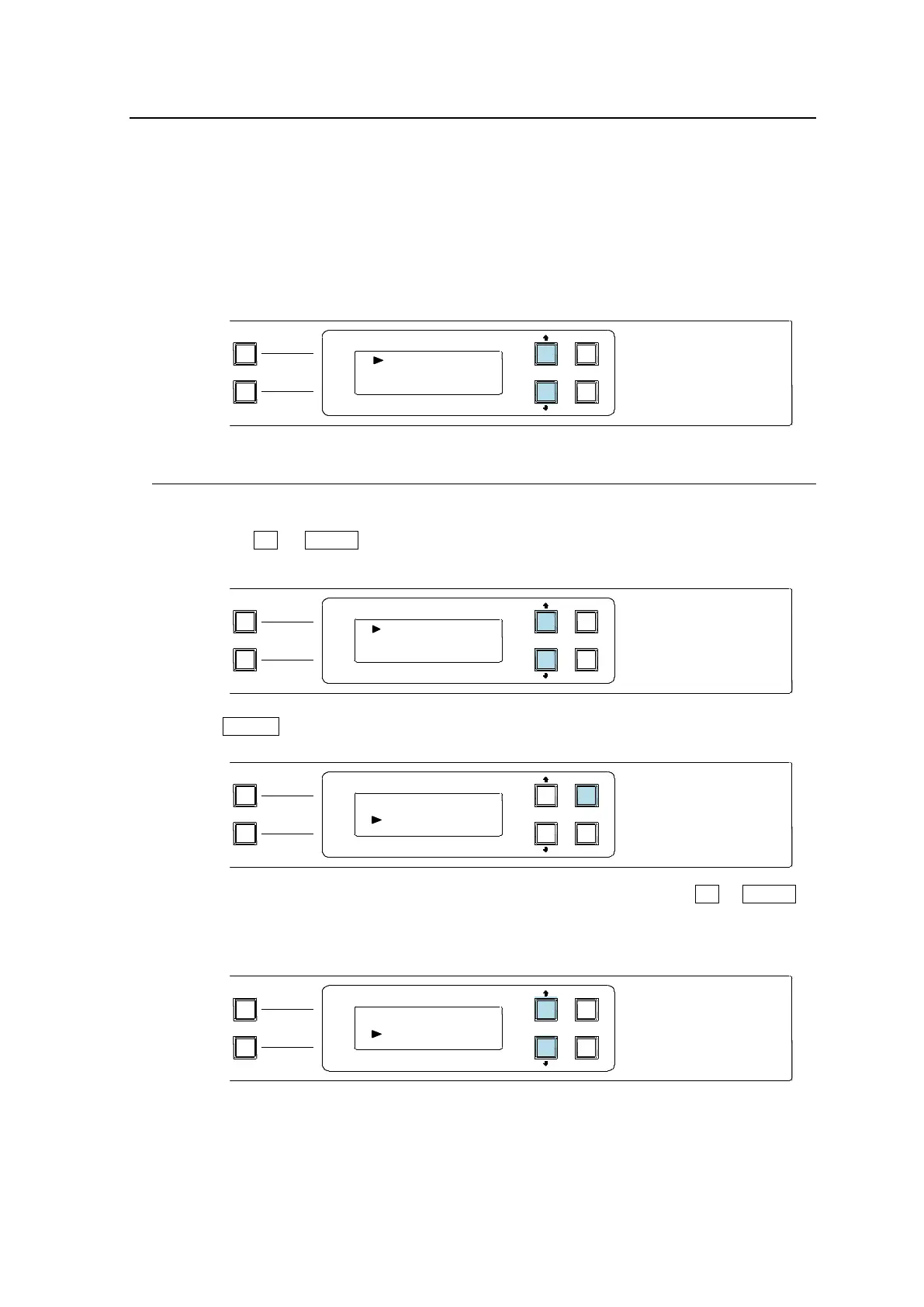
Default Display
The name of Current Destination Channel is displayed on the first line.
The name of Source Channel selected for Current Destination is displayed on the second
line.
5-5-1. Crosspoint Switching
To switch crosspoints on the MFR-16RUD, proceed as follows:
(1) Press the UP or DOWN button to change Current Destination to the desired number.
(DST 5 in this example)
(2) Press ENTER.
The cursor automatically moves to the second line (Source side). Press UP or DOWN to
select a source channel.
Note that source names blink during the selection.
PAGE A
(HOLD 3SEC )
PAGE B
LOCK RESET
POWER
BUSY SETUP
LOCK DEST
(HOLD 3SEC )
LOCK PANL
CANCEL
ENTER
A B
MFR-16RUD
REMOTE CONTROL UNIT
PAGE A
(HOLD 3SEC )
PAGE B
LOCK RESET
POWER
BUSY SETUP
LOCK DEST
(HOLD 3SEC )
LOCK PANL
CANCEL
ENTER
A B
MFR-16RUD
REMOTE CONTROL UNIT
PAGE A
(HOLD 3SEC )
PAGE B
LOCK RESET
POWER
BUSY SETUP
LOCK DEST
(HOLD 3SEC )
LOCK PANL
CANCEL
ENTER
A B
MFR-16RUD
REMOTE CONTROL UNIT
PAGE A
(HOLD 3SEC )
PAGE B
LOCK RESET
POWER
BUSY SETUP
LOCK DEST
(HOLD 3SEC )
LOCK PANL
CANCEL
ENTER
A B
MFR-16RUD
REMOTE CONTROL UNIT



 To Next Page