34
2-5. RS-422 Data Input / Output Cards
MFR-16DTIO is an RS-422 serial control input/output card compliant with the SMPTE 207M
standard. .
Up to 8 cards can be installed into the following slots:
No. 01, 03, 05, 07, 09, 11, 13, 15
► See section 2-1-1. "Matrix Size Chart."
MFR-16DTIO Card
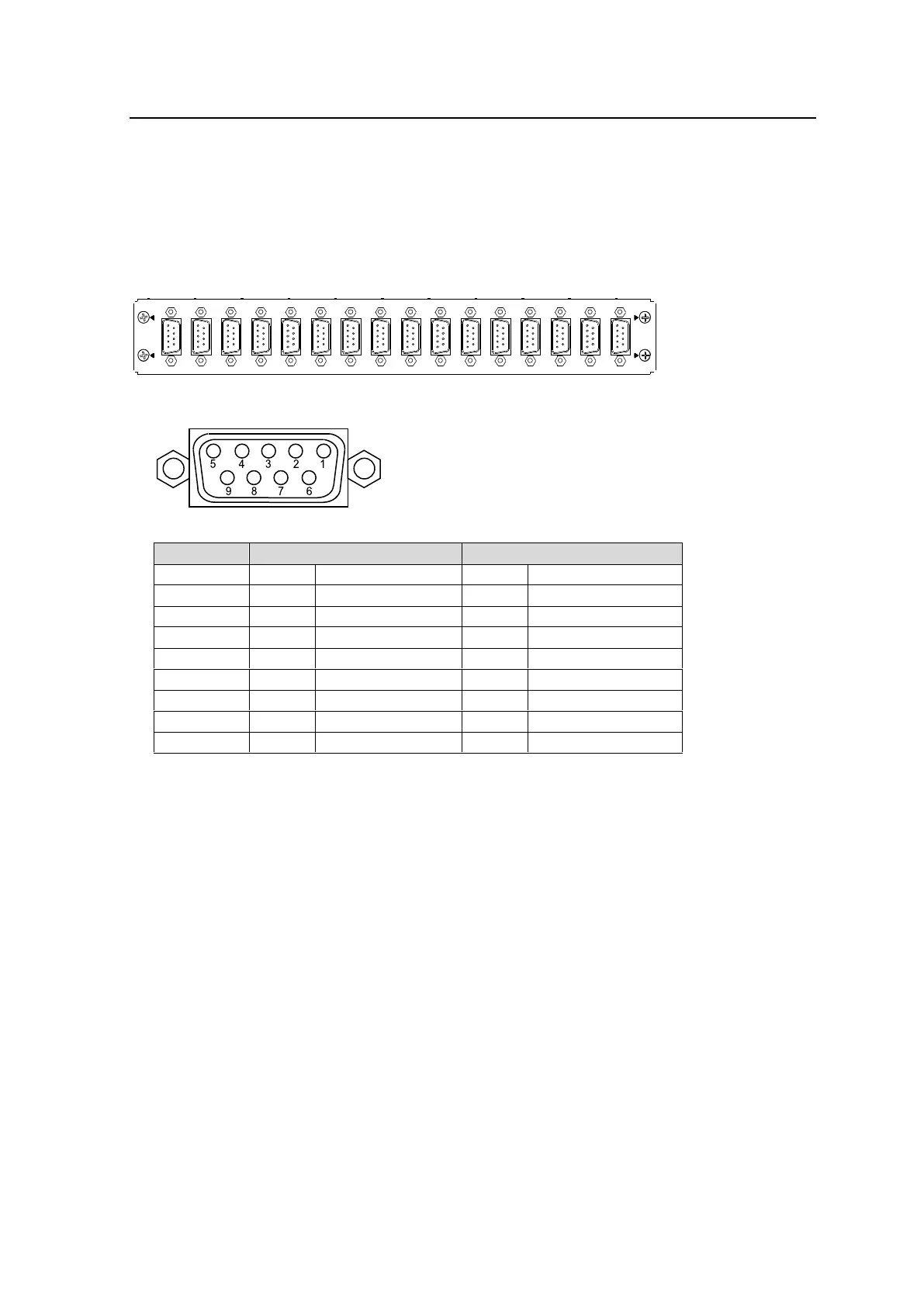
RS-422 Connector: 9-pin D-sub (female) x 16
Connector Pin Assignments (9-pin D-sub, female)
* Two pin assignment types are available: Device and Controller. The type can be
selected under Pin Assign in the [Web-based Control: RS-422 Settings page].
See the [Web-based Control: RS-422 Settings page] in the Web-based Control manual.
Port Assignments
<Setting per Card>
Specify a logical level under Level.
<Settings per Port>
Assign a logical channel to a port under Channel.
Assign Input (SRC) or Output (DST) for a port.
Both Input and Output can be assigned to a single port. This can dynamically change
Input / Output and pin assignments. (2-Way must be checked on.)
Select a pin assignments type under Pin Assign. (See the table above.)
The port assignments can be performed in the Port Assign area in the [Web-based Control:
RS-422 Settings page].



 To Next Page