SEP user’s manual Page 47 of 89 Doc no. RD-7243-MA-001-02
7.8. Operation and using the machine
7.8.1. Before operating the plateform
• Check that the main disconnector switches (480V) are on "ON/MARCHE" position on the
(CC1) and (GC1) boxes.
• Make sur the EMERGENCY STOP buttons are not pressed.
∞ SEE SECTION 7.12 EMERGENCY STOP BUTTON, ON PAGE 58.
• Close tailgates and ground protection mesh. The door locks automatically.
Important! Latch door correctly.
• Place key switch on the (CC1) panel on "ON/MARCHE" position.
• Wait for the green indicator lights on the (CC1) to turn on:
o Sécurité plateforme / Cabin safety
o Sécurité sol / Ground safety
o Porte plateforme / Cabin door
• The platform is ready for use.
7.8.2. Ascend
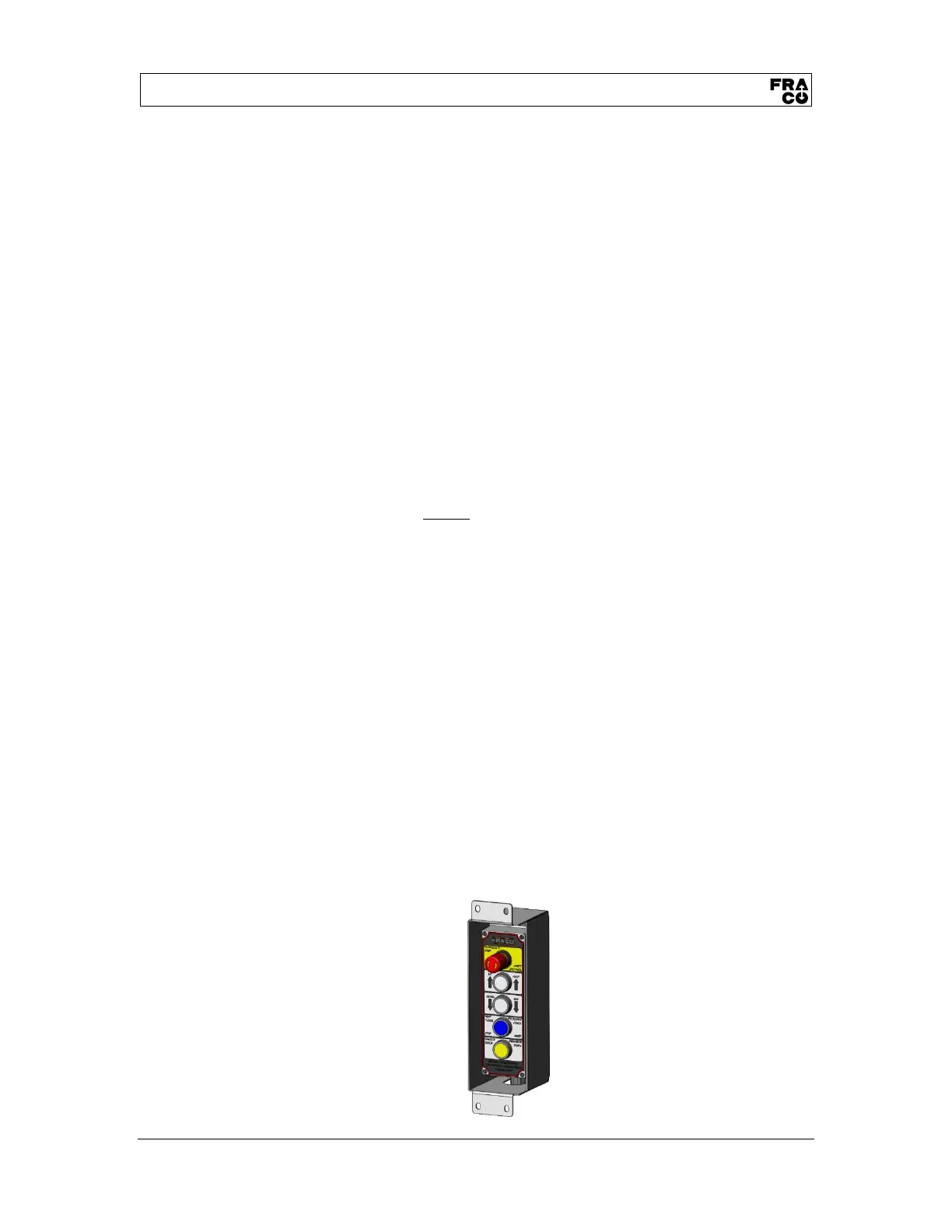
On the (CC2) control box.
∞ REFER TO SECTION 7.7.2 OPERATOR CONTROL BOX (CC2), ON PAGE 44.
• The white "HAUT/UP" button must be lit for the command to be available. If the machine
is at the highest level, the button cannot be lit. If the white button does not light up, check
the green indicator lights on the (CC1) pannel.
∞ REFER TO SECTION SECTION 8 FAULTS; CAUSES AND CORRECTIONS, ON PAGE 62.
• Press and hold the lit white "HAUT/UP" button. If you release the button, the platform will
immediateley cease its ascension.
• When approaching the desired level, still without releasing the white "HAUT/UP" button,
press and release the blue "PROCHAIN ÉTAGE ARRÊT / NEXT FLOOR STOP" button
which will light up to confirm command. The plateform will automatically stop when it will
reach the next level.
o Note: once pressed, the blue "PROCHAIN ÉTAGE ARRÊT / NEXT FLOOR
STOP" lights up.
o Note: If you release the white "HAUT/UP" button before the platform stops itself,
the platform stops its ascension and the "PROCHAIN ÉTAGE ARRÊT / NEXT
FLOOR STOP" command is cancelled. If you resume your ascension by
pressing only the white button, the platform will continue to rise without stopping
at the next level.
• When the platform stops, release the white "HAUT/UP" button.
o The white "HAUT/UP" button turns off.
o The white "BAS/DOWN" button turns off.
o The blue "PROCHAIN ÉTAGE ARRÊT / NEXT FLOOR STOP" turns off.
o The yellow «DÉBARRER PORTE/UNLOCK DOOR» button lights up, meaning
the tailgate is unlocked.


 To Next Page