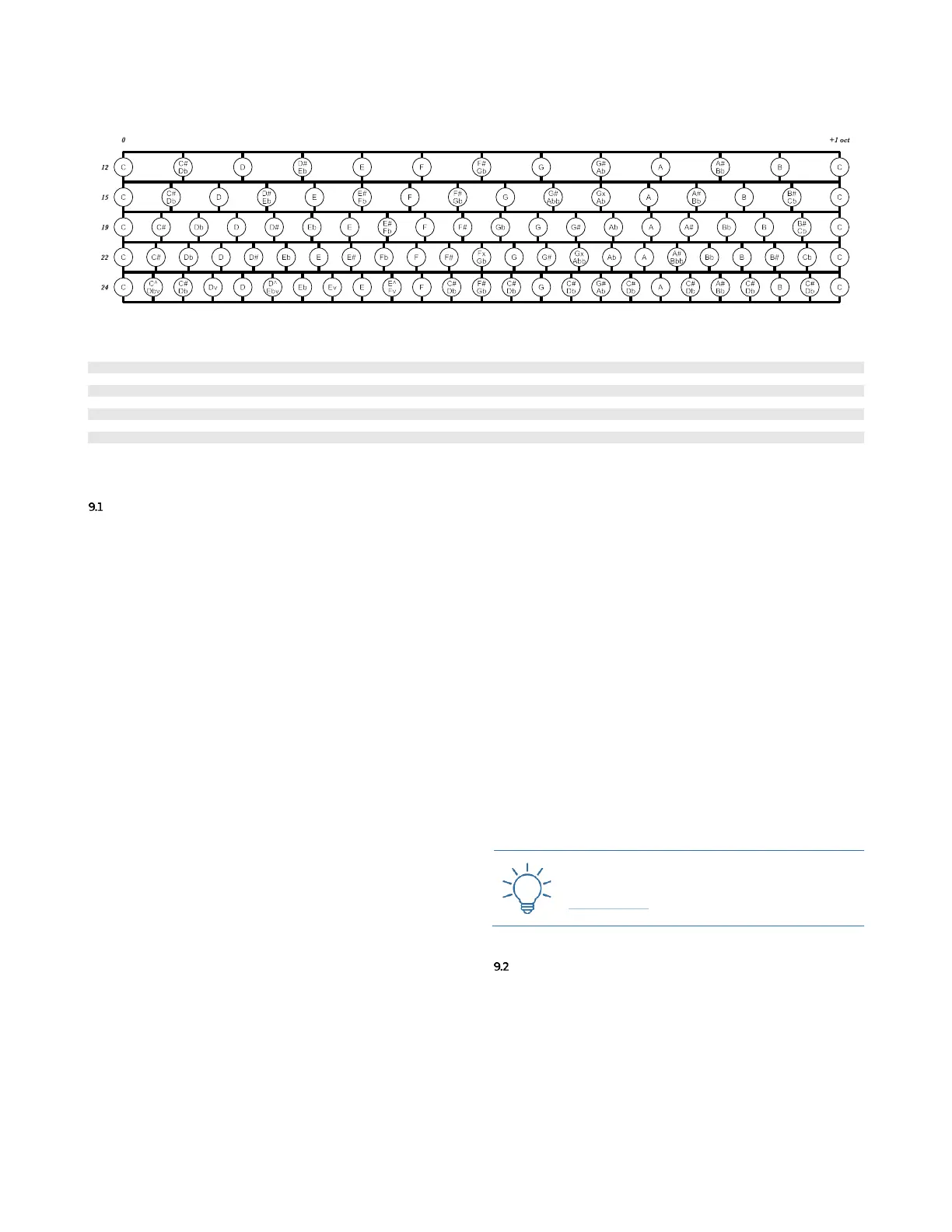
Table 11: C and A frequency chart for different tunings.
ROOT & SCALE – DYNAMIC QUANTIZATION
In Pitch mode, the scale selected, according to the Root
note, defines how to quantize the outgoing semitones in
1V/oct reference. (In Raw mode, the selected scale and
root note are ignored, and no quantization is performed.)
To select a Root for a track, press its track button, push
the Navigation Encoder (B.14) once to access the Track Menu,
and scroll up to reach the Root menu item: push the nav-
igation encoder to view the root options, scroll to select
the desired root note for your scale, and push again to
confirm.
Next, scroll to select the Scale menu item: push the nav-
igation encoder again to view the scale options, scroll to
select the desired scale, and push the encoder once again
to confirm.
It is also possible to choose one of four Quantization Di-
rections, used to determine the quantized values for input
voltages, first within the selected base scale (e.g. 12EDO),
then within the specific scale version (e.g. Major Penta-
tonic 1):
Near Up – finds the nearest match in the selected base
scale, starting from the first higher, then checks the first
lower, then the second higher, then the second lower and
so on until the first match for the selected scale version is
found.
Near Down – finds the nearest match in the selected base
scale, starting from the first lower, then checks the first
higher, then the second lower, then the second higher
and so on until the first match is found.
Up – finds the nearest match in the selected base scale,
always increasing the pitch, so all lower semitones are ig-
nored. It checks then the first higher, then the second,
then the third and so on until a match for the selected
scale version is found.
Down – finds the nearest match in the selected base scale,
always decreasing the pitch, so all higher semitones are
ignored. It checks the first lower, then the second, then
the third and so on until a match for the selected scale
version is found.
To do that, scroll to select the Qntz Dir menu item: push
the navigation encoder to view the options, scroll to select
the desired quantization direction for your scale, and
push again to confirm. All the generated notes will be
quantized following these four rules.
Another useful feature is that when the Variation Range is
active for a stage, the result of the variation is routed to
the quantizer, in order to output a note that consistently
matches the selected quantization settings.
See the Scales section below (§12) for a reference table of
the scales available.



 To Next Page