101
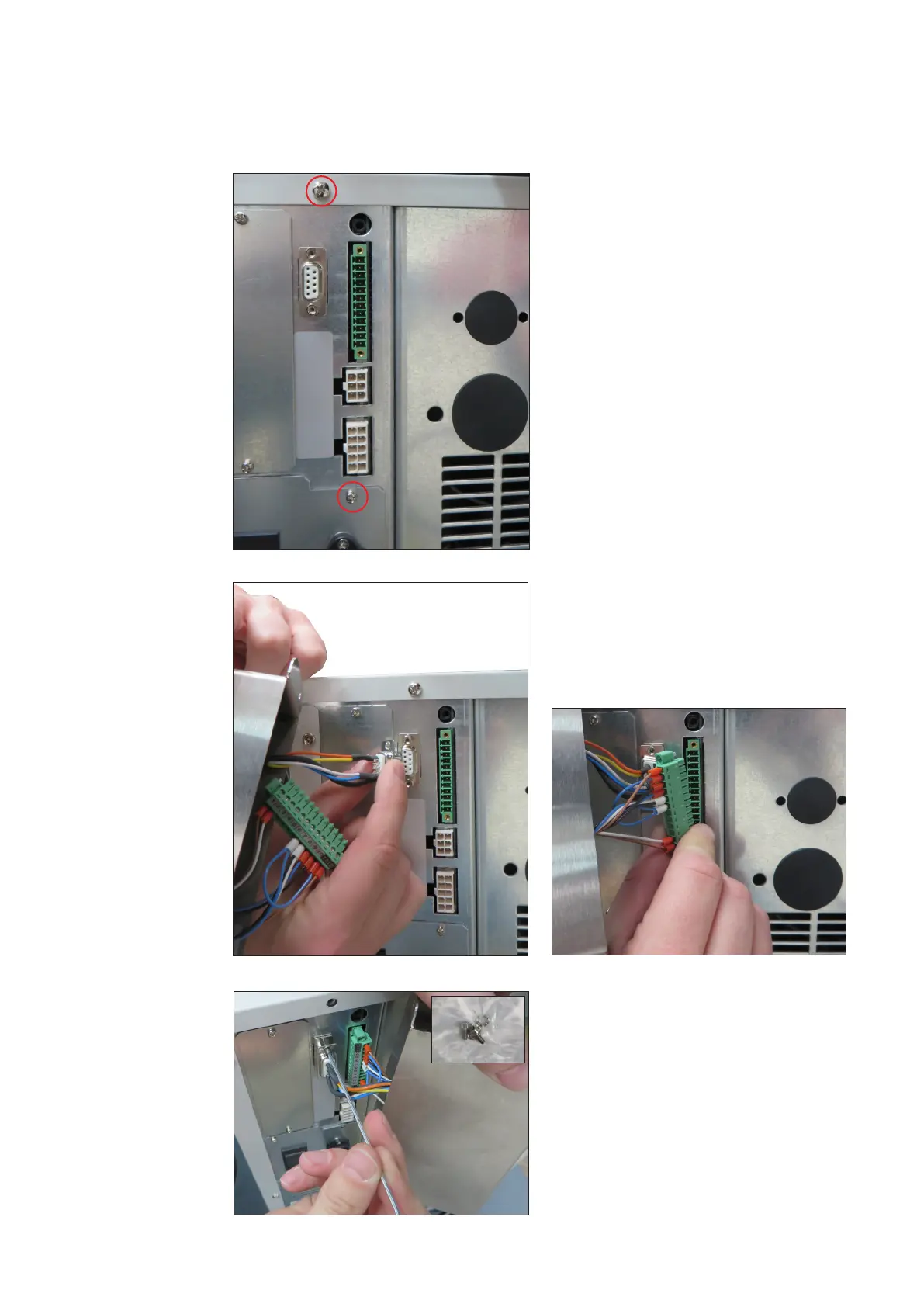
1. Loosen the marked screws on the
back of the unit and set them aside.
► The Interface box will later be
attached on the device with this
screws!
Mounting the
Interface box
Tools required:
Allen key 2 mm
Phillips head screwdriver
2. Plug in the D9-plug.
3. Insert the plug strip.
4. Screw the D9 connector with the
two allen screws from the enclosed
sachet.
Allen key: 2mm





 To Next Page