123
Alarm indication and troubleshooting
Alarm indication
Stopping the
acoustc Alarm
signal
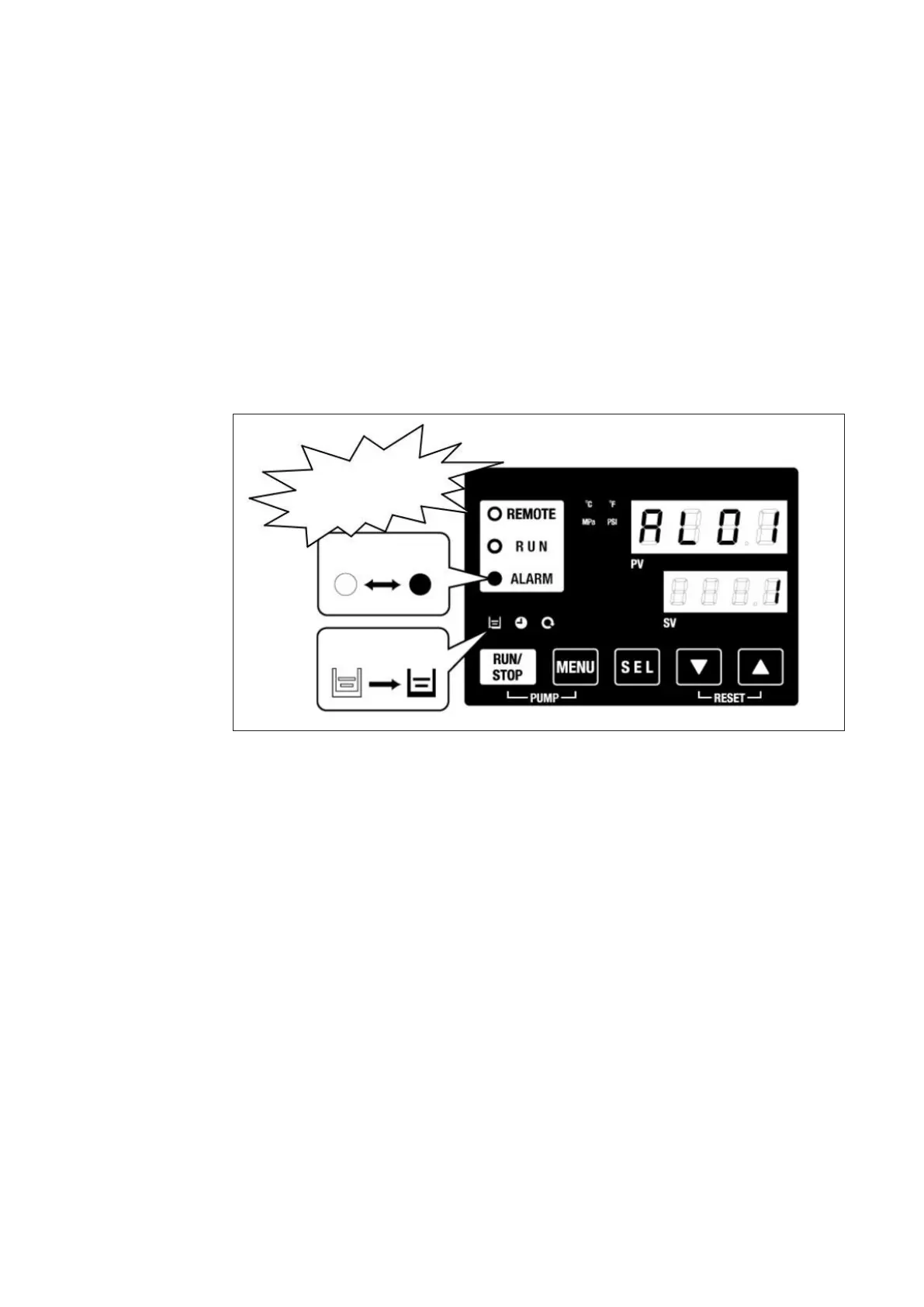
If an error occurs, it is displayed on the control unit as follows:
- The LED indicator ALARM is ashing.
- The acoustic alarm signal sounds.
- The Alarm code is shown on digital display PV.
The water chiller has two alarm types:
Alarm type 1: when an error occurs during operation, the alarm signal sounds and
operation of the water chiller is interrupted.
Alarm type 2: Alarm signal sounds, but operation of the water chiller continues.
acoustic
alarm signal
LED is ashing
Indicator glows
(optional)
IMPORTANT! If multiple alarms are generated, they can be displayed one by one by
pressing the SEL button.
Alarm with no.1 on the digital display SV is the latest alarm. The alarm with the highest
number is the alarm that was generated rst.
The acoustic alarm signal sounds, as soon, as an error occurs. It can be switched o as
follows:
- Ensure that the alarm display screen is shown. The acoustic alarm can only be
switched o via this screen.
- Press the ARROW buttons [▼]- and [▲] simultaneously.
- The acoustic alarm signal is switched o.
IMPORTANT! If the cause of the alarm has been eliminated before stopping the alarm
buzzer, the alarm will be reset at the same time.



 To Next Page