X20/X20S and Ethos v1.0.11 User Manual
Local Address
This is the local Bluetooth address of the radio.
Dist Address
Once a Bluetooth device has been found and linked, the remote device's Bluetooth
address is displayed here.
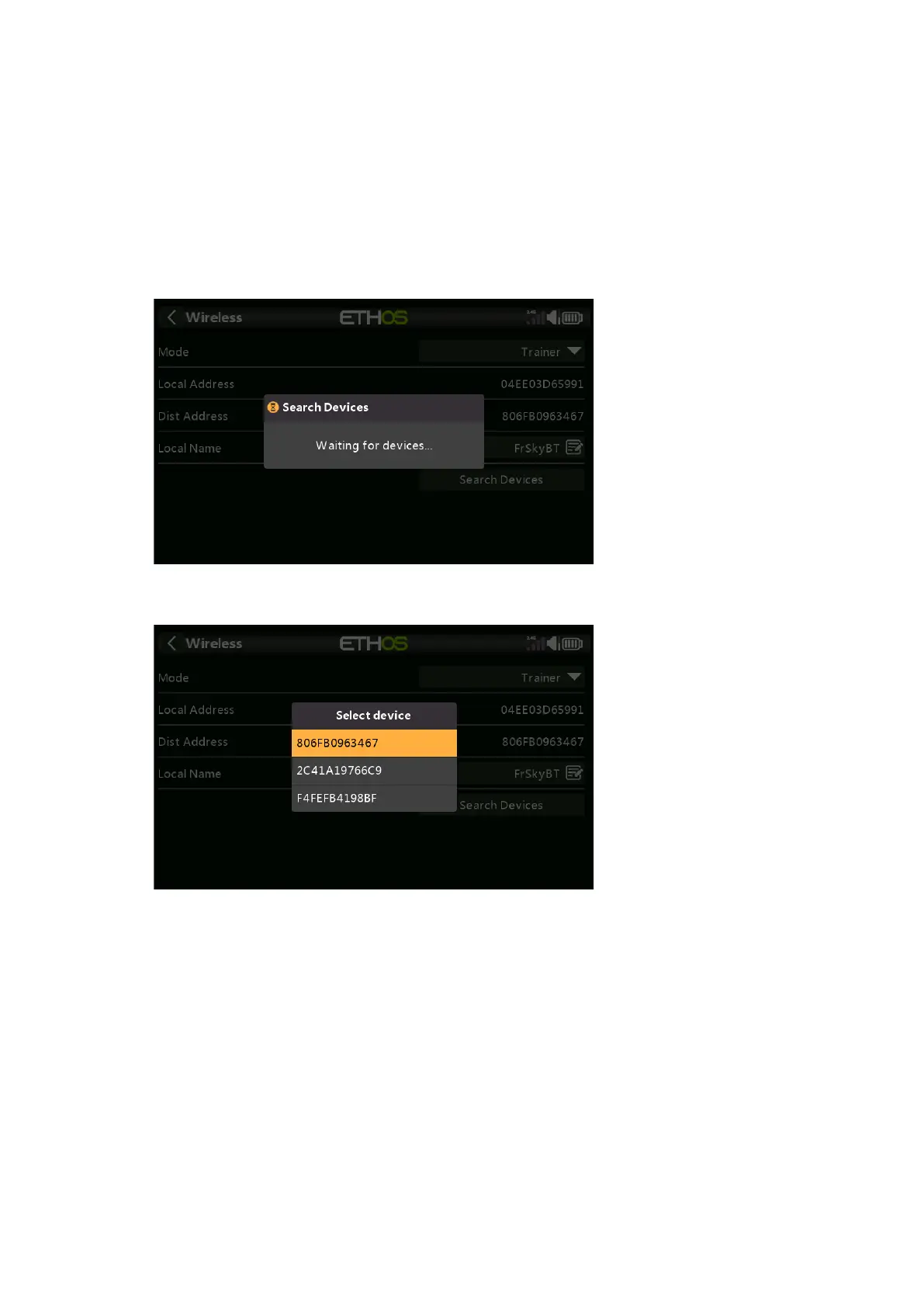
Search Devices
The Search Devices button will be available if the Trainer Mode is Master.
Tap on 'Search Devices' to put the radio into BT search mode.
Found devices are listed in a popup dialog with a request to select a device. Select the
BT address that matches the radio to be used as training mate.
Active Condition
Control of the model can be transferred to the student radio by a switch or button, a
function switch, logic switch, trim position, or flight mode.
Trainer Channels
Up to 16 controls may be transferred from the student radio to the master radio when
the 'Active Condition' set above is active.



 To Next Page