X20/X20S and Ethos v1.0.11 User Manual
Bind
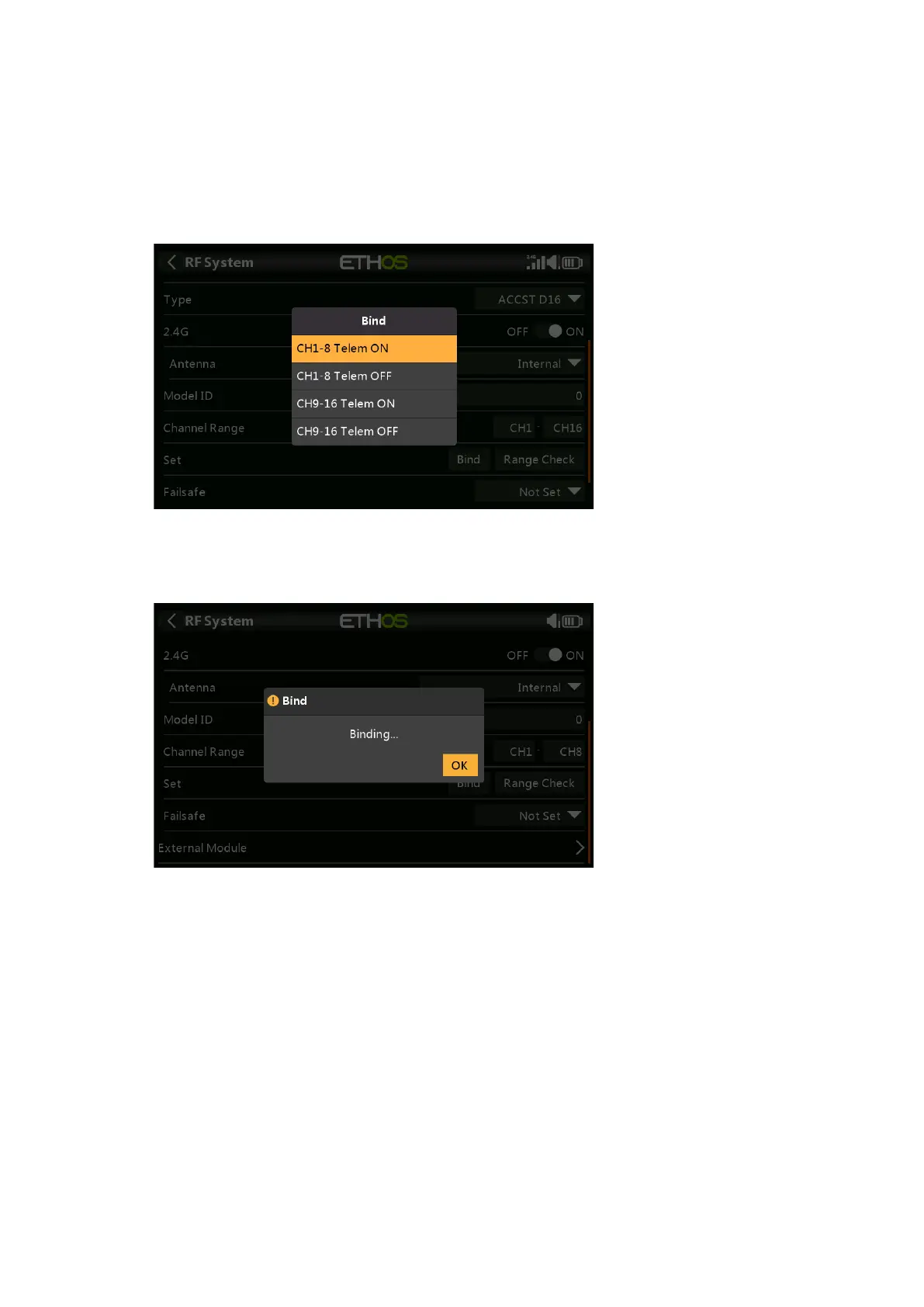
1. Initiate the binding process by selecting [Bind]. A voice alert will announce ‘Bind’
every few seconds to confirm that you are in bind mode. In D16 mode a pop-up menu
will open during bind to allow selection of the operation mode of the receiver. The
options refer to the PWM outputs, and apply to receivers that support choosing
between these 4 options using jumpers. Ensure that the receiver and RF module
firmware support this option. If they do not, it is necessary to do a regular bind with
the F/S button (please refer to the receiver manual).
There are 4 modes with the combinations of Telemetry on/off and channel 1-8 or 9-
16. This is useful when using two receivers for redundancy or to connect more than 8
servos using two receivers.
2. Power up the receiver, putting it into bind mode as per the receiver instructions.
(Generally done by holding down the Failsafe button on the receiver during power up.)
3. The Red and Green LEDs will come on. The Green LED will go off, and the Red LED
will flash when the binding process is completed.
4. Tap OK on the transmitter to end the Bind process, and power cycle the receiver.
5. If the Green LED on the receiver is on, and the Red LED is off, the receiver is linked
to the transmitter. The receiver/transmitter module binding will not have to be
repeated, unless one of the two is replaced. The receiver will only be controlled
(without being affected by other transmitters) by the transmitter it is bound to.
Warnings – Very Important
Do not perform the binding operation with an electric motor connected or an internal
combustion engine running.



 To Next Page