X20/X20S and Ethos v1.0.11 User Manual
Editing and Configuring Sensors
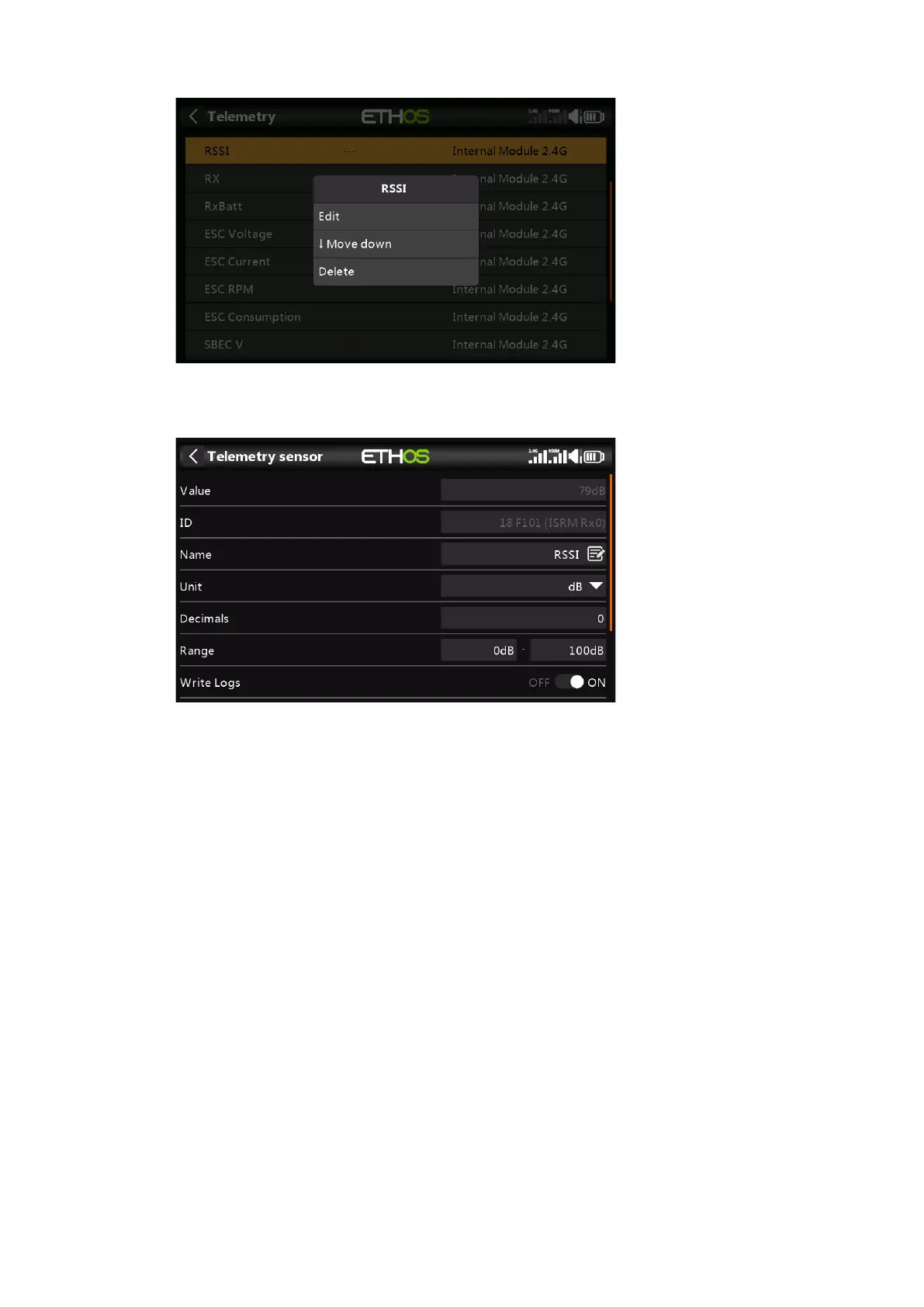
Tap on a sensor, then select 'Edit' from the popup dialog to edit the sensor settings.
Alternatively select 'Move Down' to reorder sensors, or 'Delete' to remove it.
Value
Displays the current sensor reading.
ID
The ID is the sensor ID. The sending receiver ID is also shown.
Name
The sensor name, which may be edited.
Unit
The unit of measurement (dB in this example).
Decimals
The decimal precision.
Range
The low and high limits of a range can be set as a fixed value for scaling. This is
mostly used when using a telemetry value as a source for a channel. This allows
the Range to set to the desired scale.
Write Logs
When enabled, the sensor data will be logged to the SD card.



 To Next Page