Maintenance 417
Cleaning the ADF Feed Roller (DocuPrint CM215 f/CM215
fw Only)
Keep the ADF feed roller clean to ensure the best possible copies. Clean the ADF feed roller at
regular intervals.
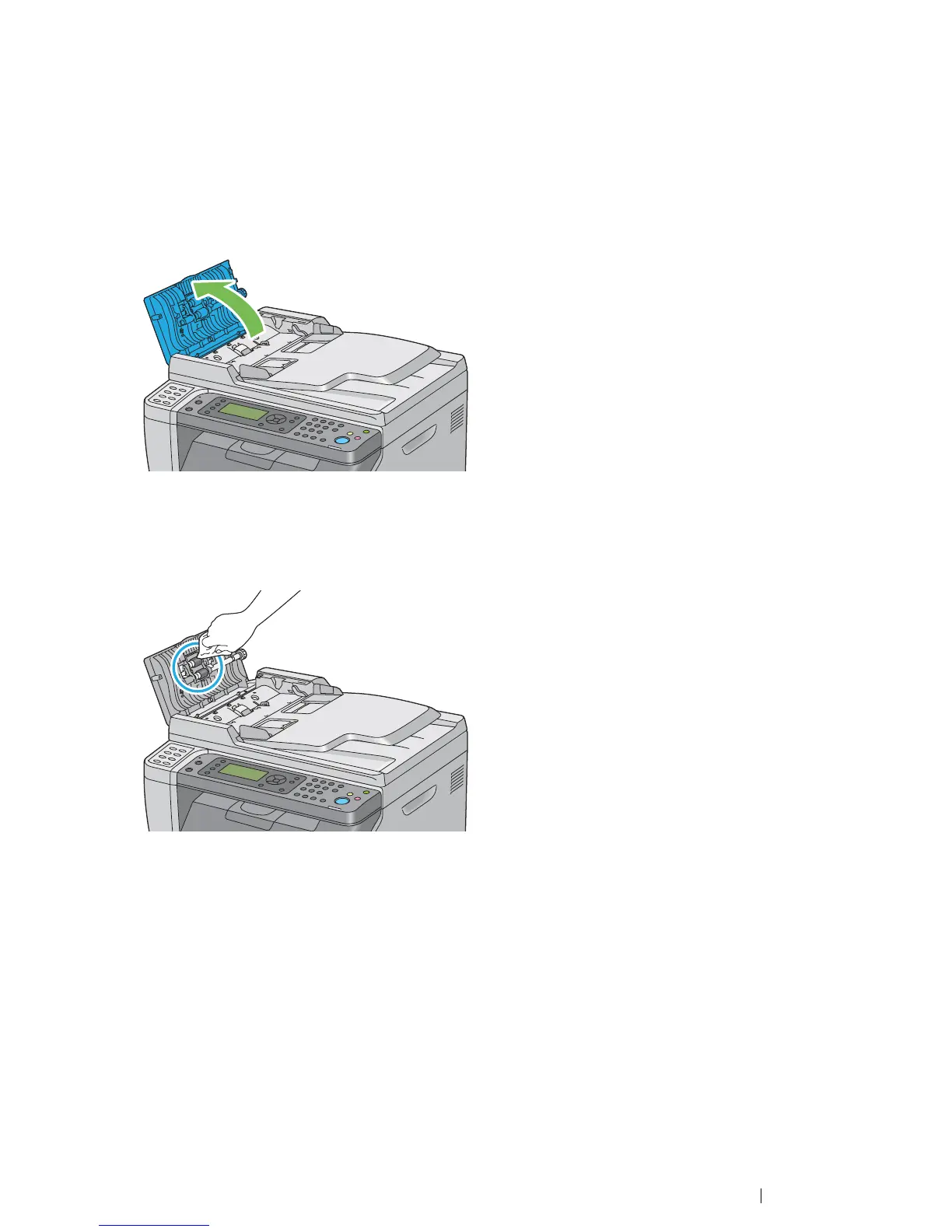
1 Open the ADF cover.
2 Wipe the ADF feed roller with a dry soft lint-free cloth or paper towel until it is clean.
If the ADF feed roller gets soiled with ink stains, paper from the ADF may also be soiled. In this
case, slightly dampen a soft lint-free cloth or paper towel with a neutral detergent or water, and
then remove the contamination from the ADF feed roller until it is clean and dry.


 To Next Page
 Loading...