12
Before You Start
EN
Installing Batteries in the
Remote Control
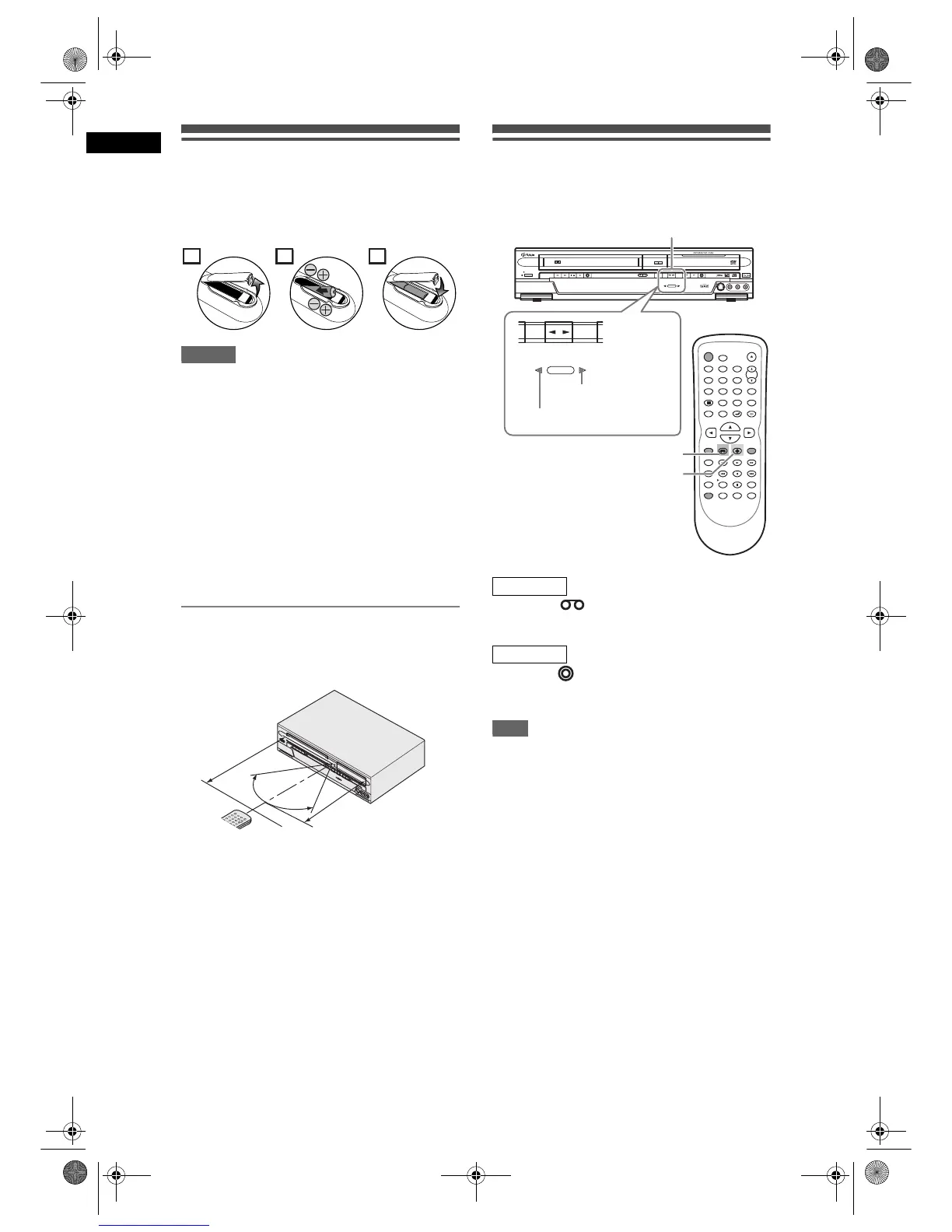
Install two R6 (AA) batteries (supplied) into the
remote control, carefully match with the polarity
indicated inside the battery compartment.
Caution
• Incorrect use of batteries can result in hazards such
as leakage and bursting.
• Do not mix new and old batteries together.
• Do not use different kinds of batteries together.
• Make sure that the plus and minus ends of each
battery match the indications inside the battery
compartment.
• Remove batteries if the equipment will not be used
for a month or more.
• When disposing used batteries, please comply with
governmental regulations or the public instructions
for environmental protection that apply in your
country or area.
• Do not recharge, short-circuit, heat, burn or
disassemble batteries.
About the Remote Control
• Make sure there is no obstacle between the remote
control and the remote control sensor on the unit.
• Use within the operating range and angle as shown.
• The maximum operable range as follows:
Line of sight: approximately 7 m
Either side of centre: approximately 5 m within
30 degrees
• Remote control operation may become unreliable if
the remote control sensor of the unit is being
exposed by the strong sunlight or fluorescent light.
• Remote controls for different devices can interfere
with each other. Be careful when using remote
controls for other equipment located close to the
unit.
• Replace the batteries when the operating range of
the remote control reduces.
VCR / DVD Recorder Switching
Because this product is a combination of a VCR and a
DVD recorder, you must select first which component
you wish to operate.
Press [VCR ] on the remote control.
(Verify that the VCR SELECT indicator is lit.)
Press [DVD ] on the remote control.
(Verify that the DVD SELECT indicator is lit.)
Note
• You can also press [SELECT L P] on the front
panel to switch between DVD and VCR mode.
• You cannot switch to the mode (DVD or VCR) that is
in the timer-standby mode.
21
3
30˚
30˚



 To Next Page