14
Before You Start
EN
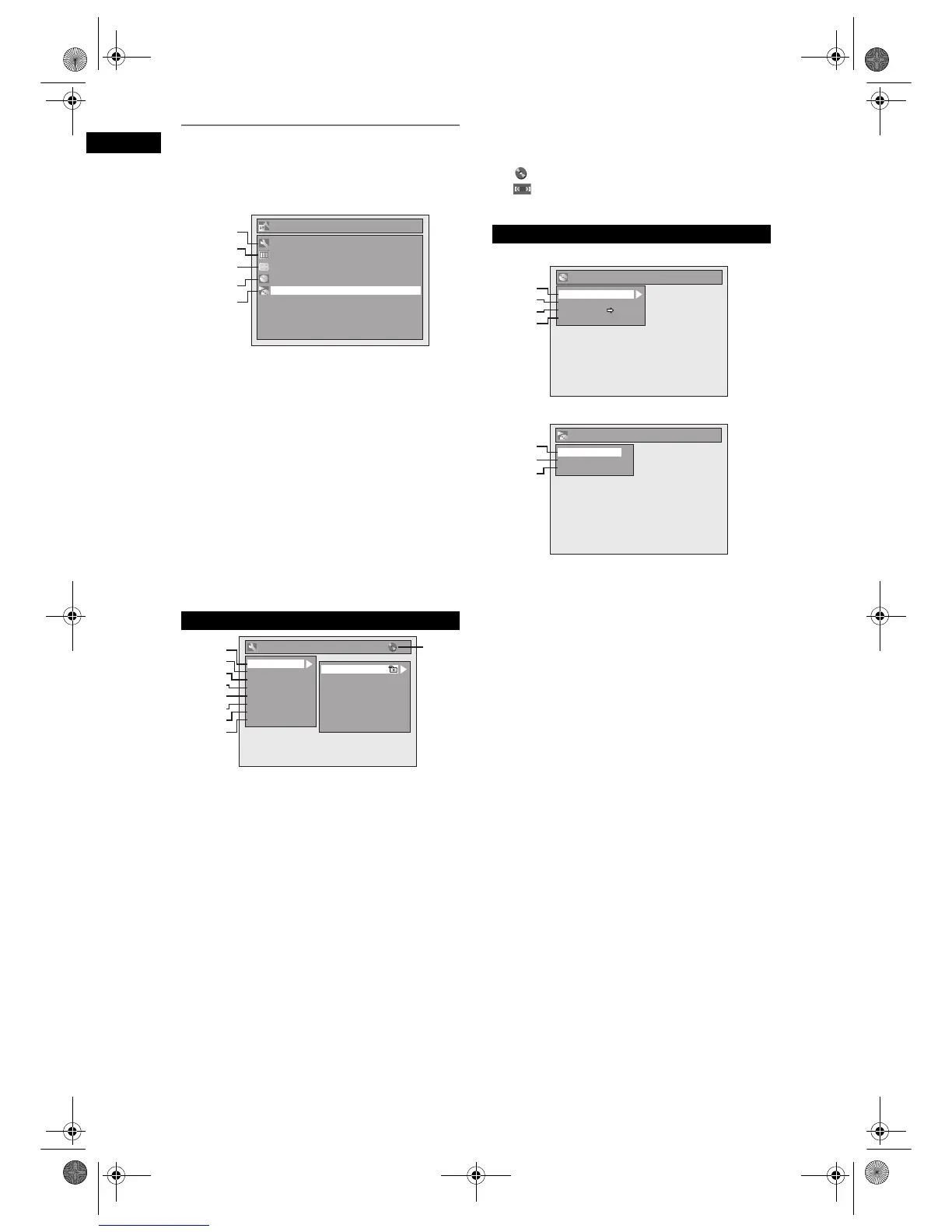
Main Menu
Press [SETUP] to display the main menu. Then use
[
K / L] to select a menu and press [ENTER] to
display the sub menu. These menus provide entries
to all main functions of the unit.
1 General Setting:
To go to General Setting menu.
2 Timer Programming:
To programme a timer recording.
3 Title List:
To call up the title list.
4DVD Menu:
To set up the DVD disc setting.
5 CD Playback Mode:
To set up the CD playback setting.
• “CD Playback Mode” is available only when an
audio CD, a CD-RW/-R with MP3 / JPEG / KODAK
PICTURE CD / DivX
®
files is inserted into the unit.
1 Playback:
To set up the unit to play discs as you prefer.
2Display:
To set up the OSD screen as you prefer.
3Video:
To set up the video setting.
4 Recording:
To set up the unit to record to discs as you prefer.
5Clock:
To set up the clock of the unit as you need.
6Channel:
To adjust the channel setting of the unit as you prefer.
7DivX:
To set up the setting for the DivX
®
playback.
8 Reset All:
To reset the setting to the factory default.
9 : DVD
: VCR
Indicates the available mode for the selected function.
<DVD Menu menu>
<CD Playback Mode menu>
1 Format (DVD-RW only):
Allows you to format the disc.
2 Finalise:
Allows you to finalise a disc containing recorded titles.
3 Disc Protect (VR mode DVD-RW discs
only):
Allows you to protect a disc from accidental editing or
recording.
4 Delete All Playlists (VR mode DVD-RW
discs only):
Allows you to delete Playlist.
5 Random Play:
Allows you to activate the random playback feature.
6 Program Play (audio CD only):
Allows you to activate the programme playback
feature.
7 Slide Show (JPEG / KODAK PICTURE CD
files only):
Allows you to select the display time of the slide show
mode.
General Setting Menu
Setup
Timer Programming
Title List
DVD Menu
CD Playback Mode
General Setting
1
2
3
4
5
General Setting
Playback
Display
Video
Recording
Clock
Channel
DivX
Reset All
1
2
3
4
5
6
7
8
9
Parental Lock
Audio Out
Disc Menu Language
Audio Language
Subtitle Language
Angle Icon
Still Mode
TV System
DVD Menu / CD Playback Mode
DVD Menu
Format
Finalise
Disc Protect OFF ON
Delete All Playlists
1
2
3
4
CD Playback Mode
Random Play
Program Play
Slide Show
5
6
7
E9G04ED_EN.book Page 14 Tuesday, March 27, 2007 10:27 AM



 To Next Page